![enginehire logo thin dark 1.0.png]](https://learn.enginehire.io/hs-fs/hubfs/enginehire%20logo%20thin%20dark%201.0.png?height=40&name=enginehire%20logo%20thin%20dark%201.0.png)
1. From Mission Control select More.
2. Select Trash Bin under Records.
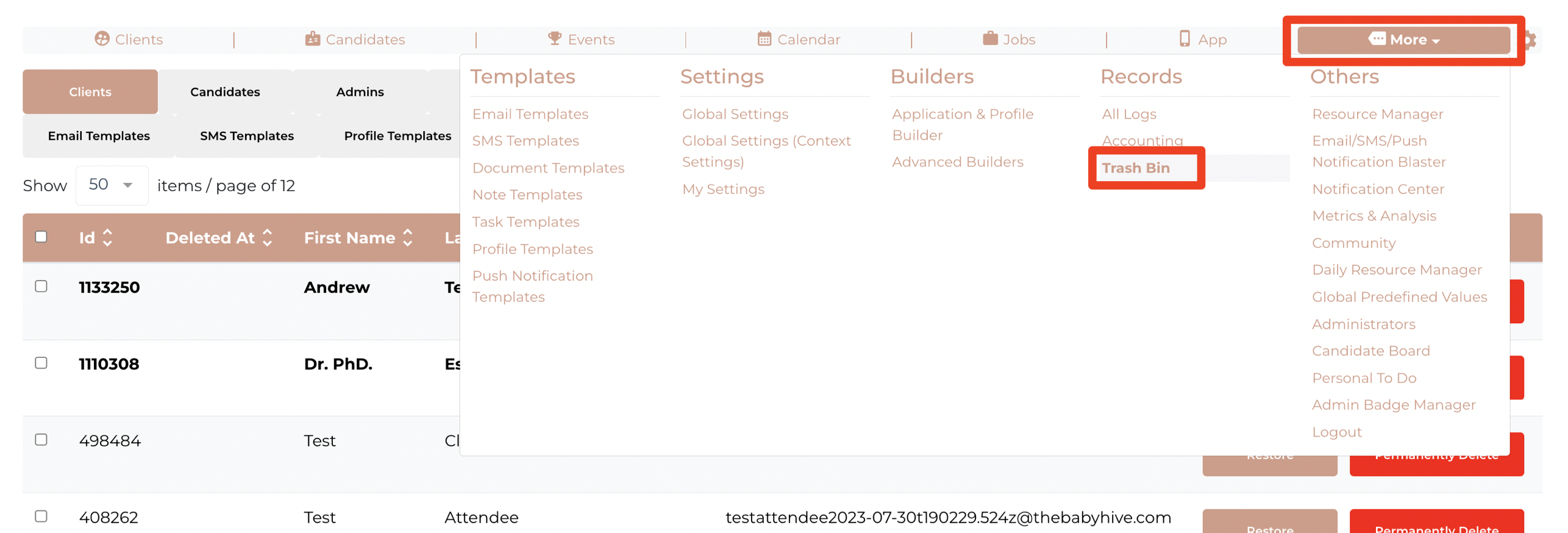
3. View any deleted information from the categories of Clients, Candidates, Admins, Shift Jobs, Placement Jobs, Documents, Files, or Applications and Profile Builders.

Now It's Your Turn.
Find your way to deleted information by selecting Others, select Trash Bin.