![enginehire logo thin dark 1.0.png]](https://learn.enginehire.io/hs-fs/hubfs/enginehire%20logo%20thin%20dark%201.0.png?height=40&name=enginehire%20logo%20thin%20dark%201.0.png)
View Map on Broadcast of Placement Positions
1. Click on Placement Jobs.

2. View a position and click on See Nearby Candidates.
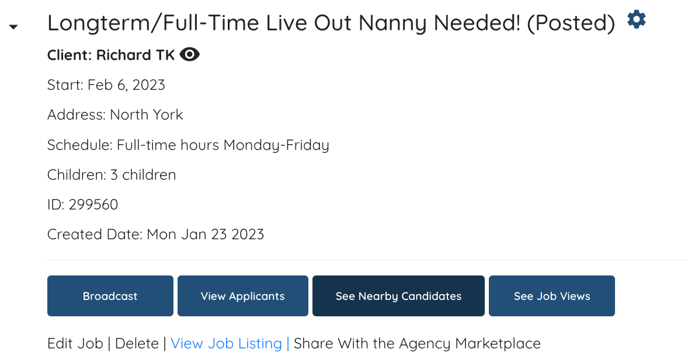
3. Click View on Map.

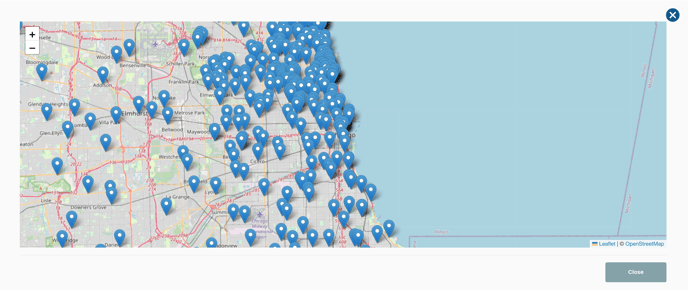
4. A view of the map will open up. By hovering over a location pin will reveal the name of the candidate. Then, you can click on the name and be brought to their profile.
View Map on Broadcast of On Shift Jobs.
1. Click on Shift Jobs.

2. Click on the job you'd like to view.

3. Click Broadcast.
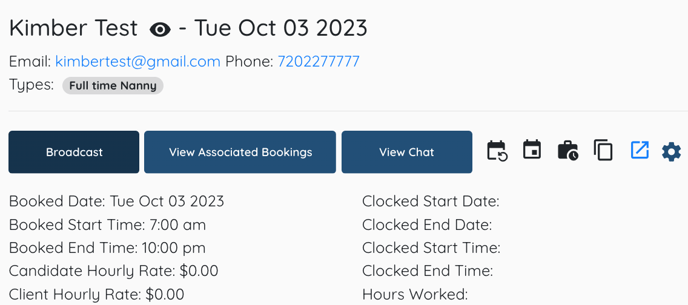
4. Click View on Map.

5. A view of the map will open up. By hovering over a location pin will reveal the name of the candidate. Then, you can click on the name and be brought to their profile.