![enginehire logo thin dark 1.0.png]](https://learn.enginehire.io/hs-fs/hubfs/enginehire%20logo%20thin%20dark%201.0.png?height=40&name=enginehire%20logo%20thin%20dark%201.0.png)
1. From the top Navigation bar, select Placement Jobs.

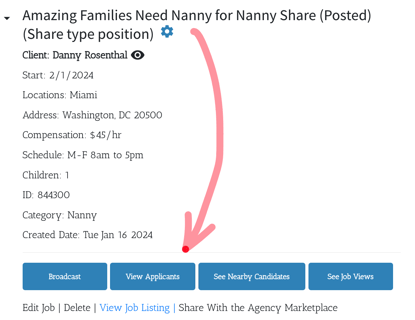
2. Select View Applicants on a select placement position.
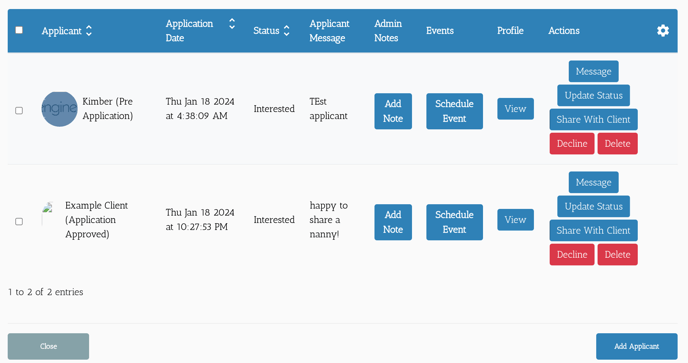
3. From here you can:
- Message a candidate.
- View their profile.
- Add a Note about them.
- Schedule an interview between them and a client.
- Update their Placement status for this position.
- Share them with a client.
- Decline their application or delete their profile.
Now It's Your Turn. Try it out.
As a test candidate apply to a test position.
Use the features to further the test client in the process.
Remember to try every button to get used to using the options when needed.