![enginehire logo thin dark 1.0.png]](https://learn.enginehire.io/hs-fs/hubfs/enginehire%20logo%20thin%20dark%201.0.png?height=40&name=enginehire%20logo%20thin%20dark%201.0.png)
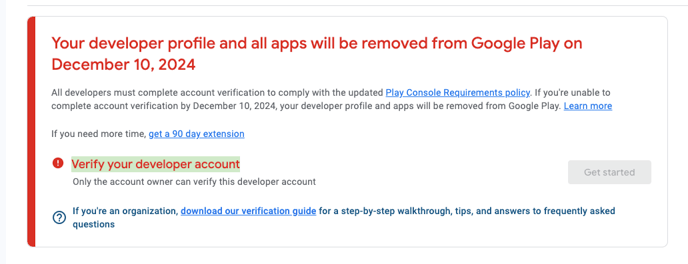
Step 1: Log in to the Google Play Console
Visit https://play.google.com/console and sign in with your Google account to access the app dashboard.
Step 2: Start the Verification Process
Once logged in, click on "Get Started" to begin the verification process. Follow the on-screen instructions carefully to complete your verification successfully.