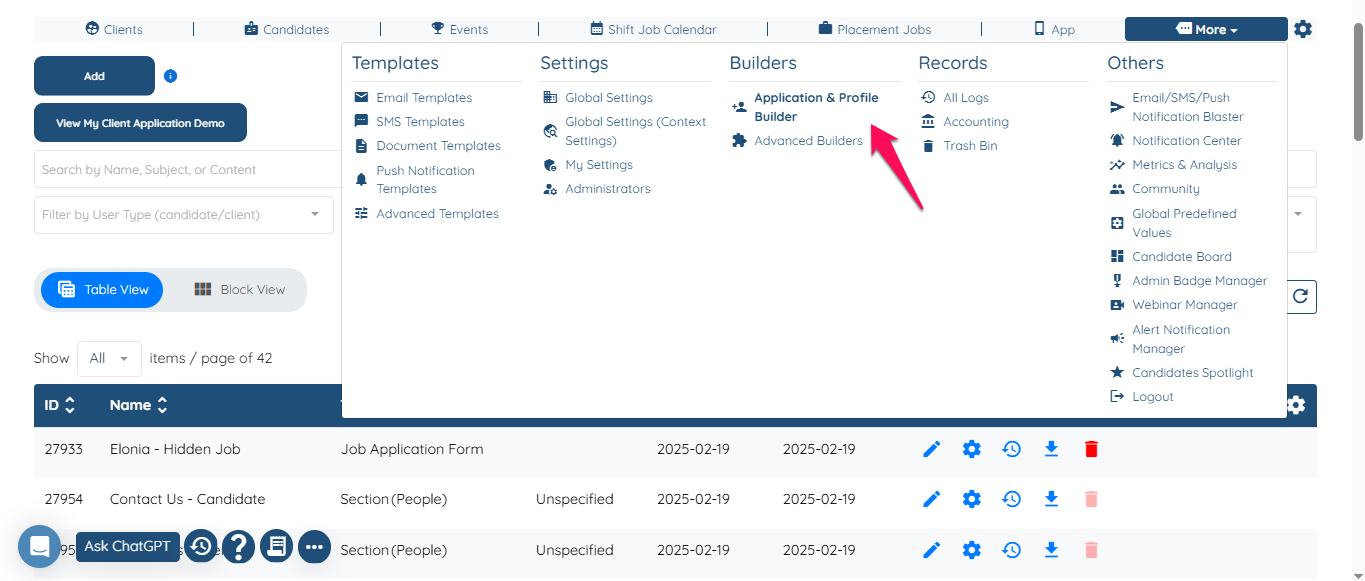
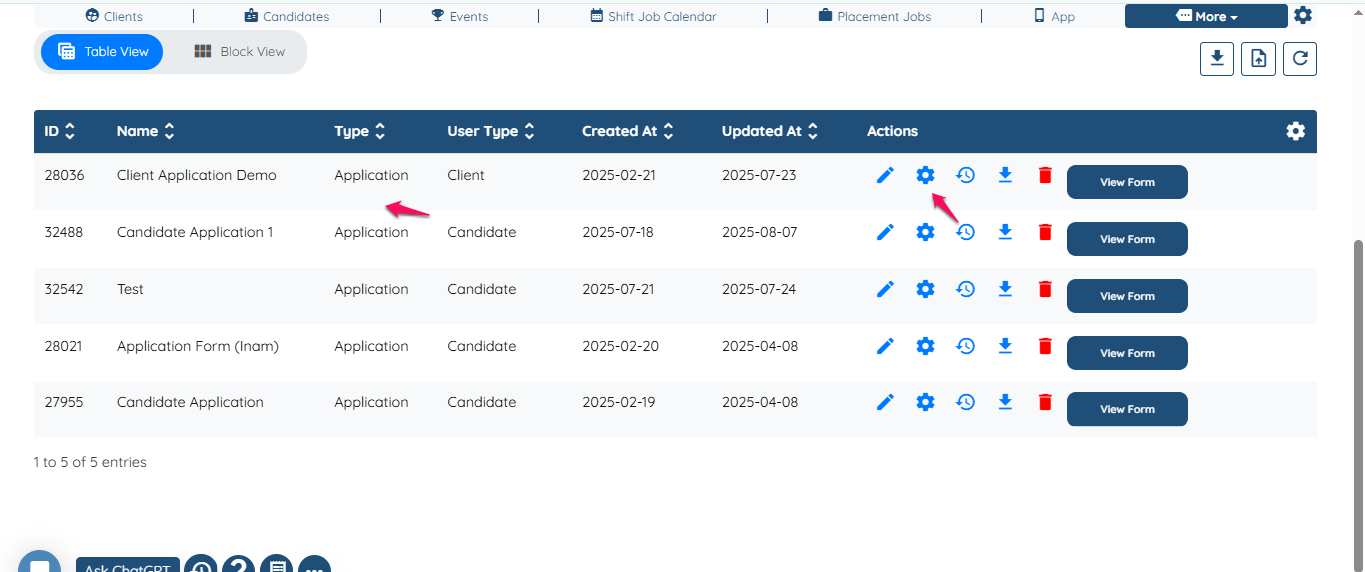
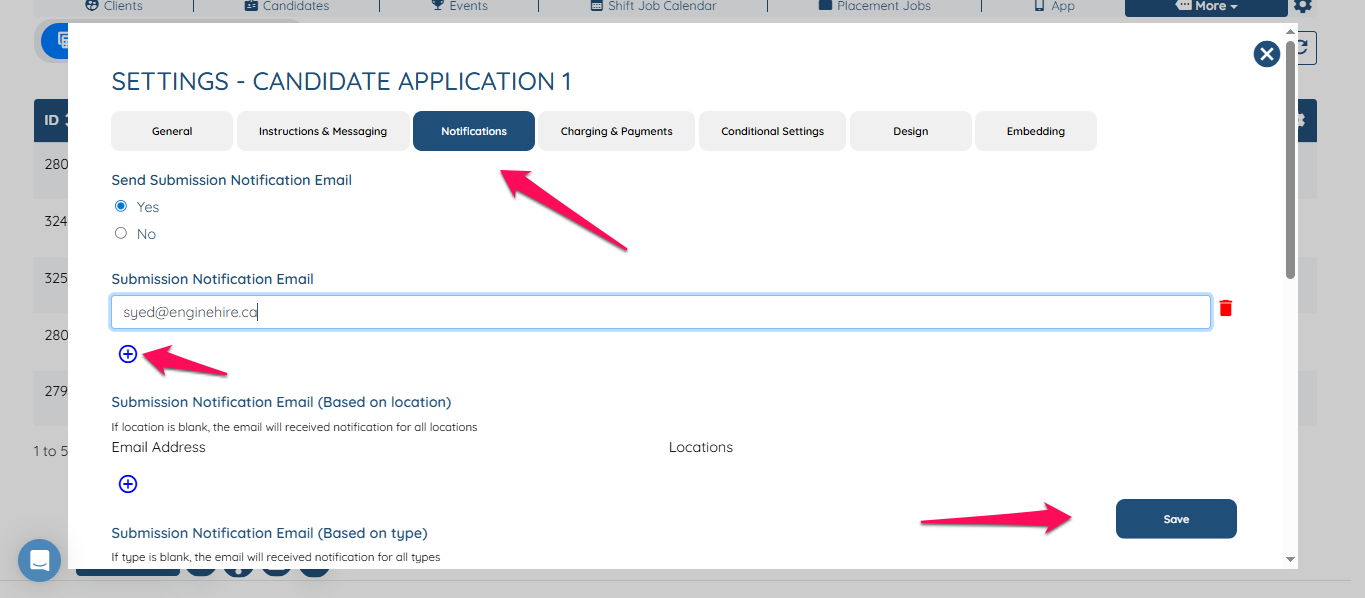
User registration receiving notification email When a new client/candidate register with the agency how they will receive an email notification. Go to Application and profile builder. Go to application and click the gear icon. Go to notification and add the email and click save. Now any new application submitted by client or candidate the email notification will be sent out. If this video doesn't answer your questions you can always contact us by clicking here
![enginehire logo thin dark 1.0.png]](https://learn.enginehire.io/hs-fs/hubfs/enginehire%20logo%20thin%20dark%201.0.png?height=40&name=enginehire%20logo%20thin%20dark%201.0.png)