Have notifications sent to the team members that need it whether you manage clients or candidates by type or location.
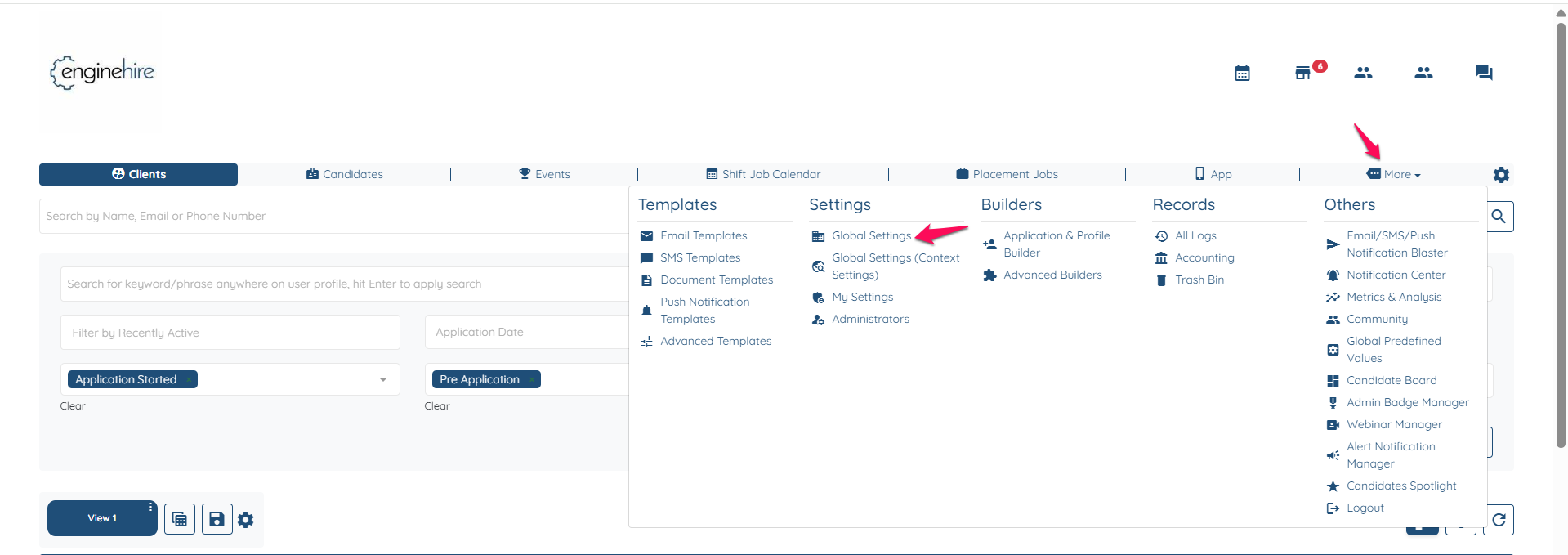
Go to More-->Global Settings.
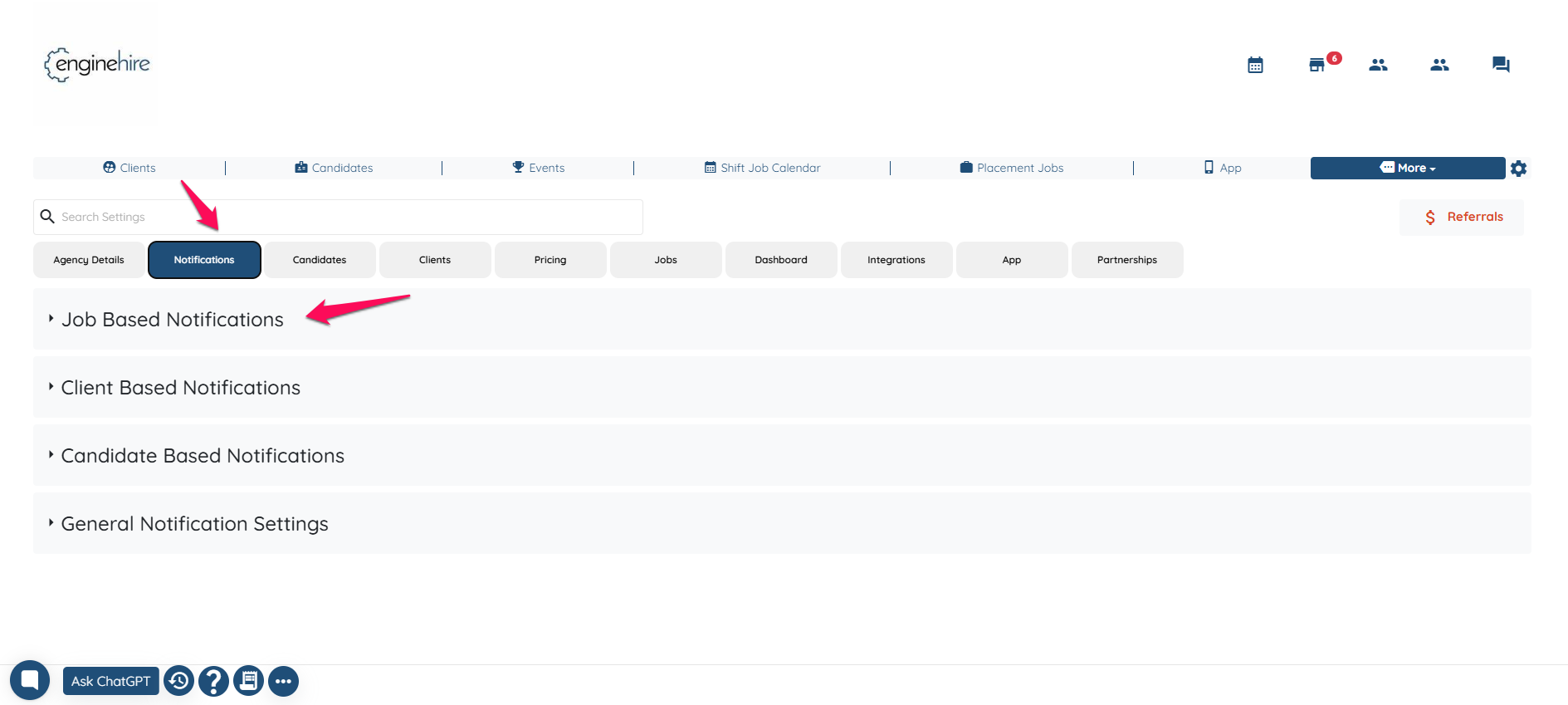
Notifications-->Job Based Notification.
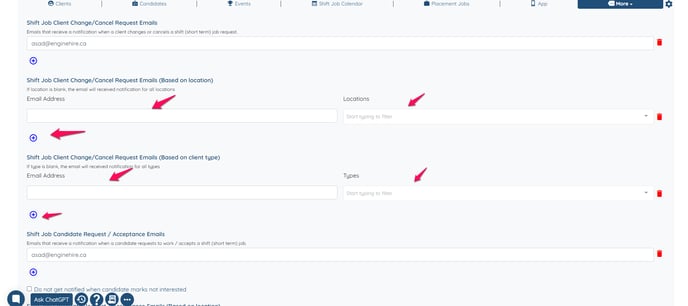
Scroll down, then click the “+” icon to add a location or type and enter the email address. You can customize who should receive notifications based on location or type.
![enginehire logo thin dark 1.0.png]](https://learn.enginehire.io/hs-fs/hubfs/enginehire%20logo%20thin%20dark%201.0.png?height=40&name=enginehire%20logo%20thin%20dark%201.0.png)