![enginehire logo thin dark 1.0.png]](https://learn.enginehire.io/hs-fs/hubfs/enginehire%20logo%20thin%20dark%201.0.png?height=40&name=enginehire%20logo%20thin%20dark%201.0.png)
Note: The candidate must be logged in to the mobile app to receive the push notification.
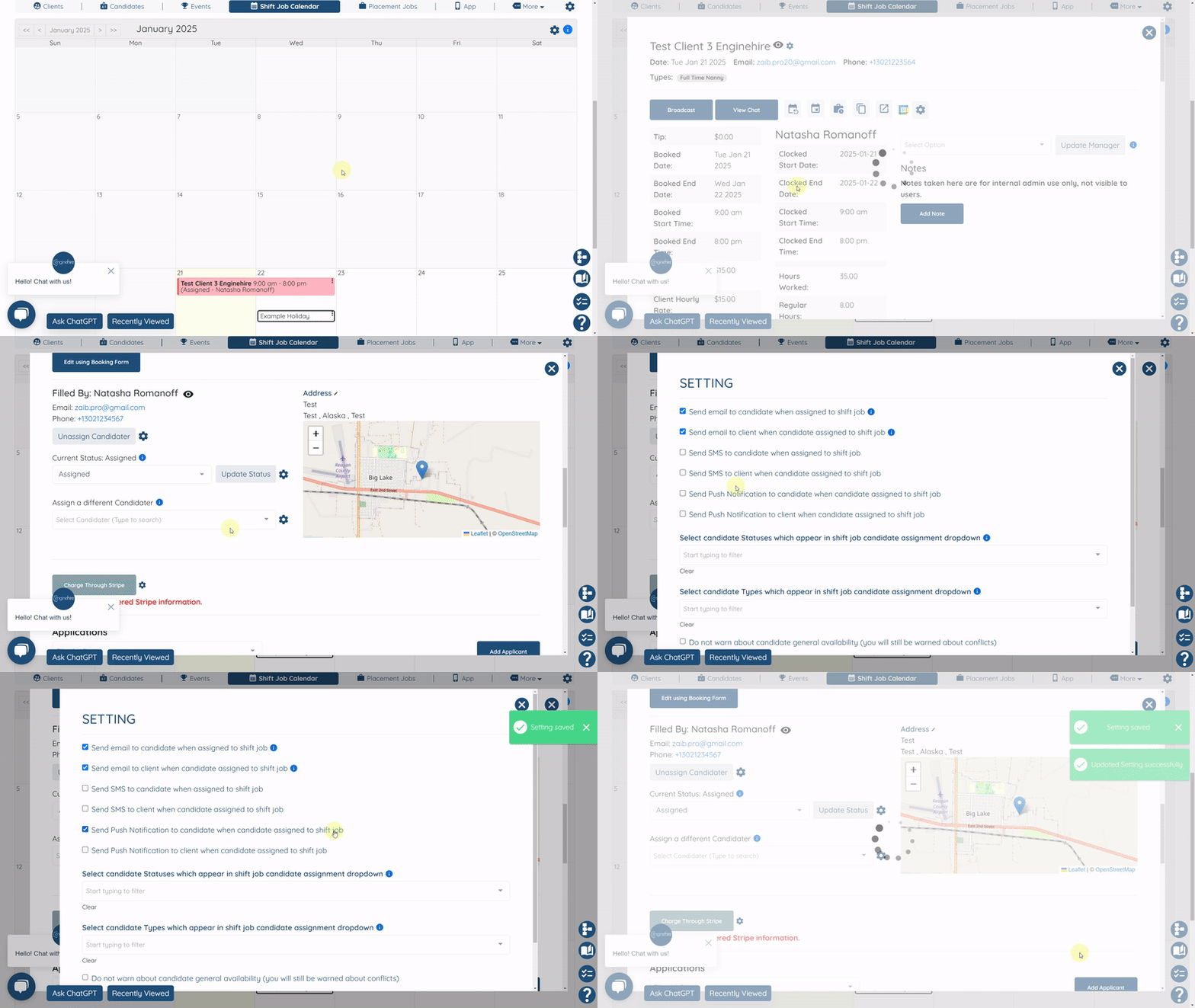
- Open any shift job logged in as an admin
- Click on the gear icon next to where you assign a candidate
- Check the box "Send Push Notification to candidate when candidate assigned to shift job"
- Open any shift job logged in as an admin
- Click on the gear icon next to where you assign a candidate
- Check the box "Send Push Notification to candidate when candidate assigned to shift job"