![enginehire logo thin dark 1.0.png]](https://learn.enginehire.io/hs-fs/hubfs/enginehire%20logo%20thin%20dark%201.0.png?height=40&name=enginehire%20logo%20thin%20dark%201.0.png)
1. After broadcasting a placement position, to rebroadcast that email, select More.
2. Select All Logs. 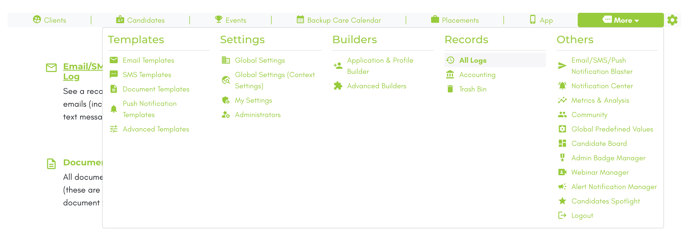
3. Select Email, SMS, Push Notifications.
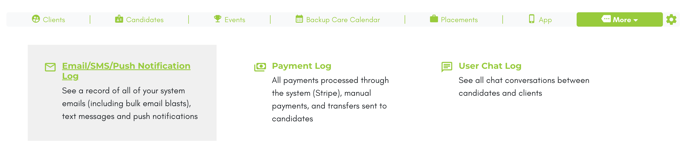
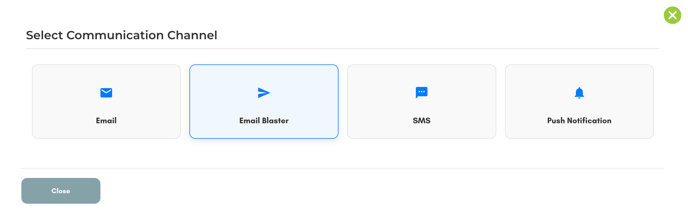
4. Select the Email Blast.
5. Select Rebroadcast on the email.
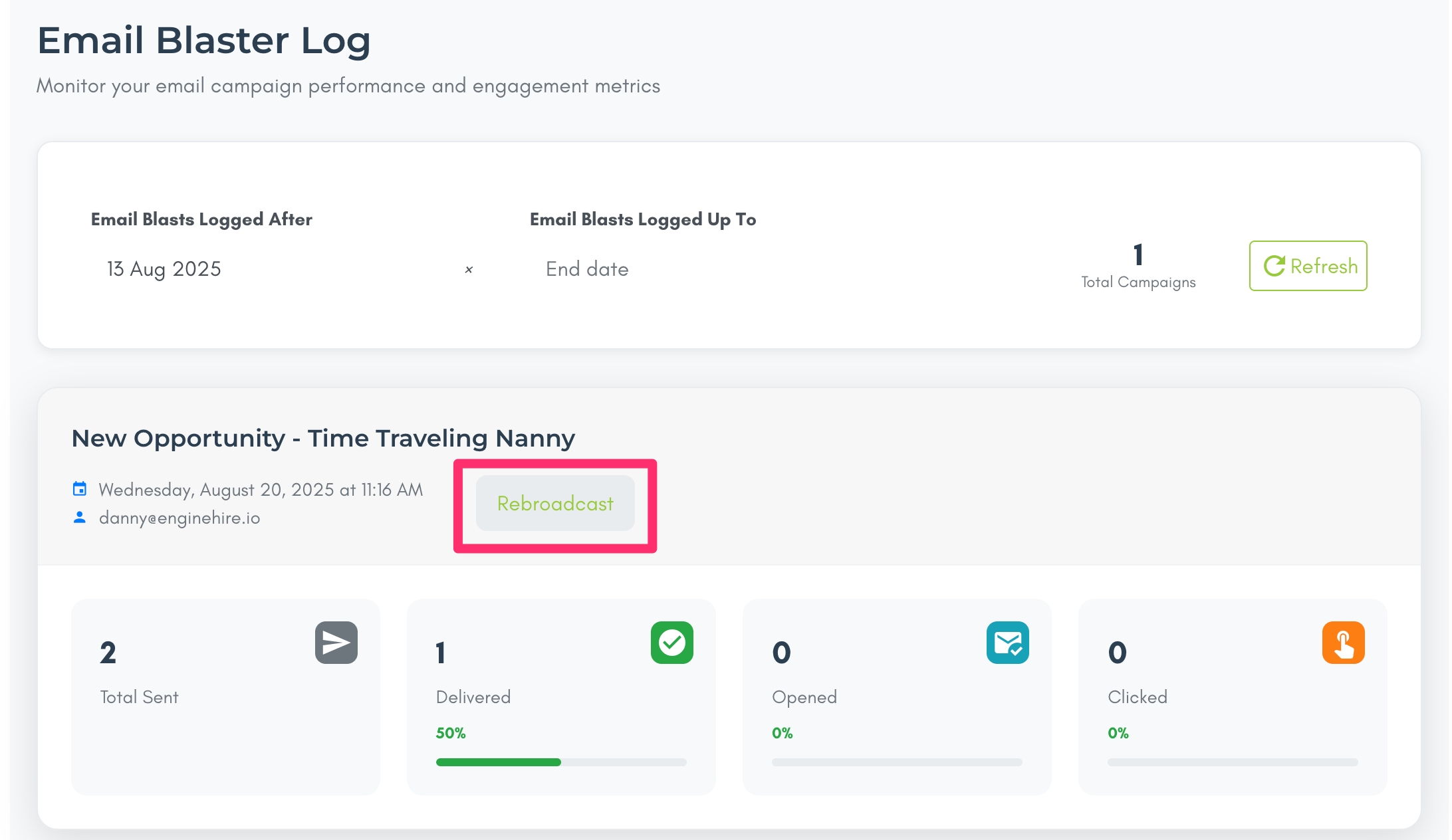
- All previous recipients,
- Only to whom it was delivered,
- Only those who opened,
- Only those who clicked.
7. Optionally edit the original email.
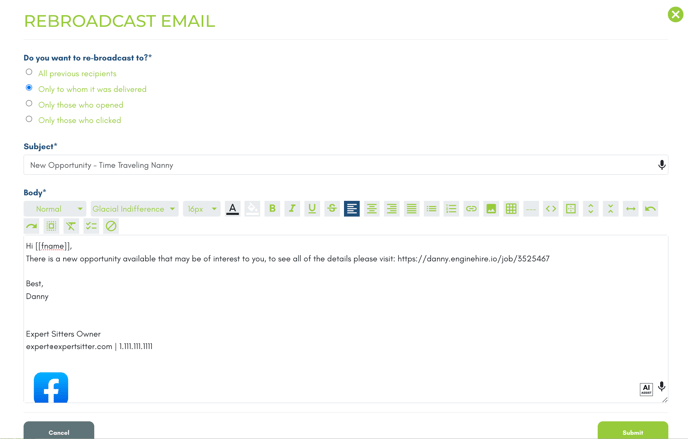
8. Select Submit to immediately rebroadcast.