![enginehire logo thin dark 1.0.png]](https://learn.enginehire.io/hs-fs/hubfs/enginehire%20logo%20thin%20dark%201.0.png?height=40&name=enginehire%20logo%20thin%20dark%201.0.png)
Step 1:
Go to MORE-> Profile & Application Builder
Step 2:
Click the pencil icon of the section you want to edit

Step 3:
Add a new field, put in your title of question
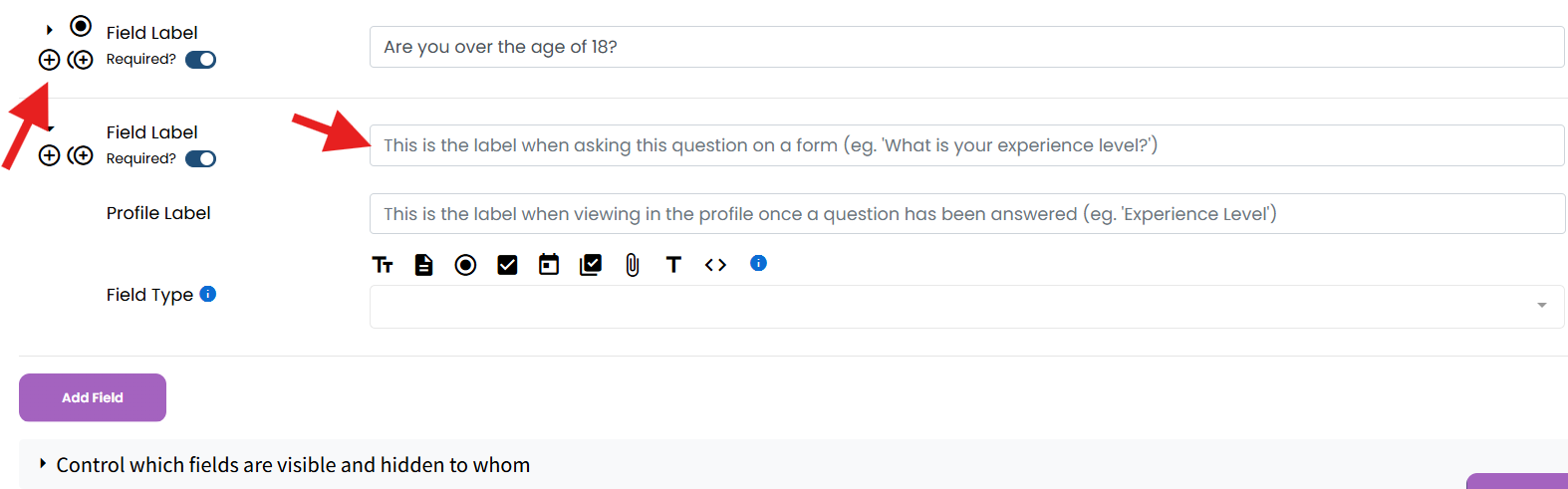
Step 4:
For the Field Type Select Video recorder
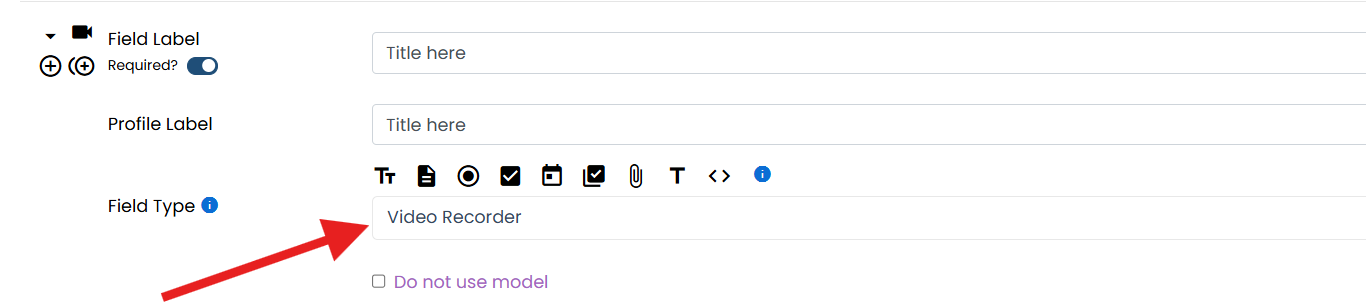
Step 5:
Save section
Go to MORE-> Profile & Application Builder
Step 2:
Click the pencil icon of the section you want to edit
Step 3:
Add a new field, put in your title of question
Step 4:
For the Field Type Select Video recorder
Step 5:
Save section