![enginehire logo thin dark 1.0.png]](https://learn.enginehire.io/hs-fs/hubfs/enginehire%20logo%20thin%20dark%201.0.png?height=40&name=enginehire%20logo%20thin%20dark%201.0.png)
1. From Mission Control select More. 
2. Select Global Settings. 
3. Select Jobs. 
4. Select Job Board Settings. 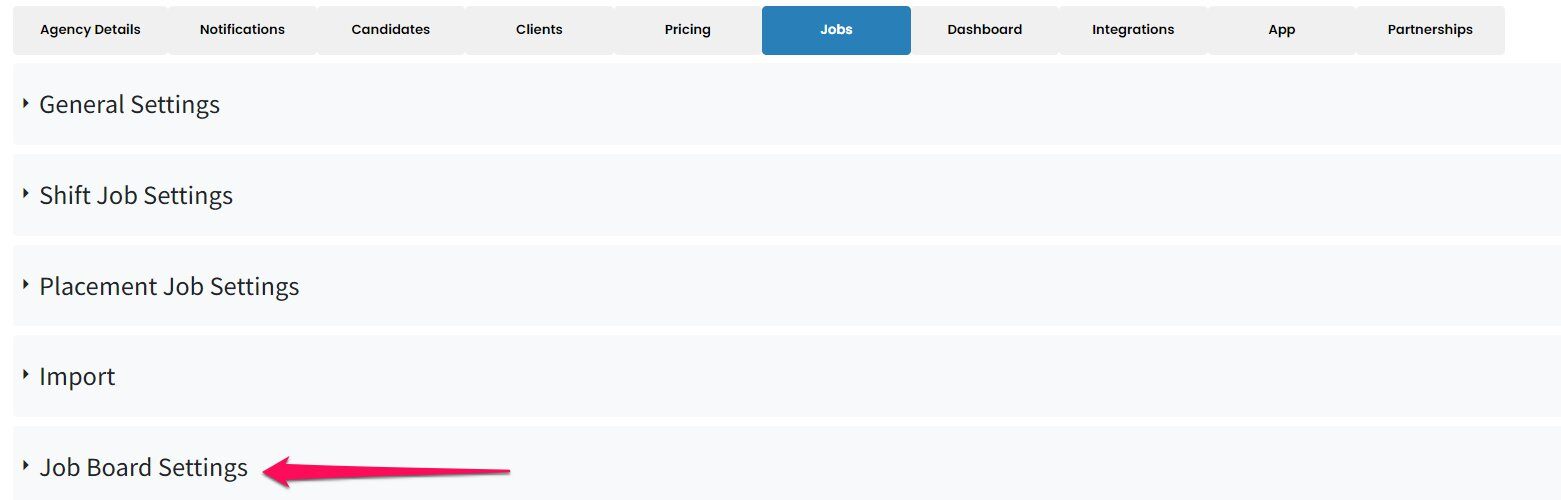
5. Select Shift Jobs.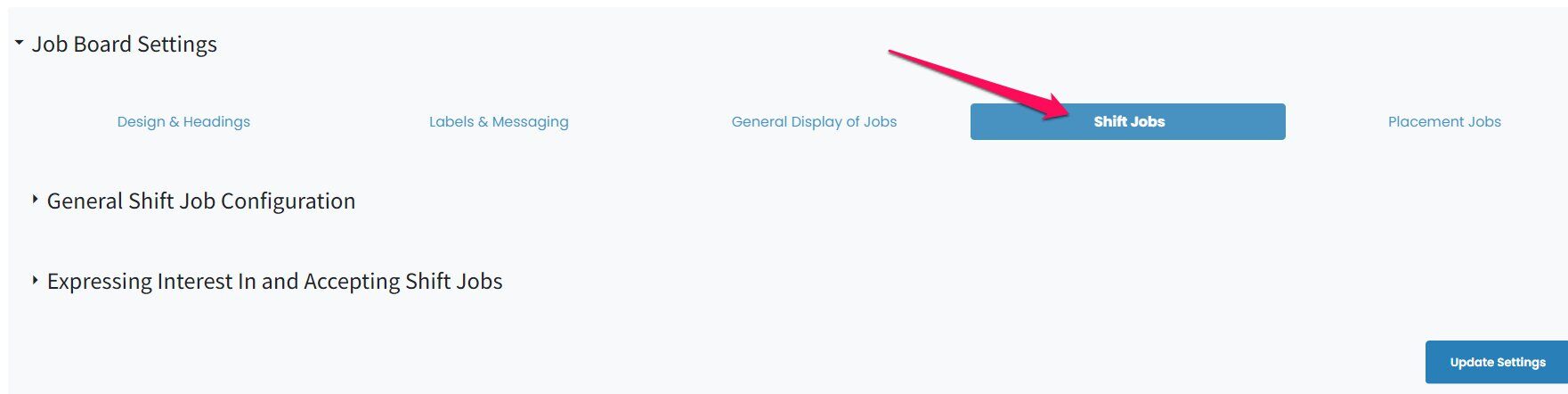
6. Select Expressing Interest In and Accepting Shift Jobs.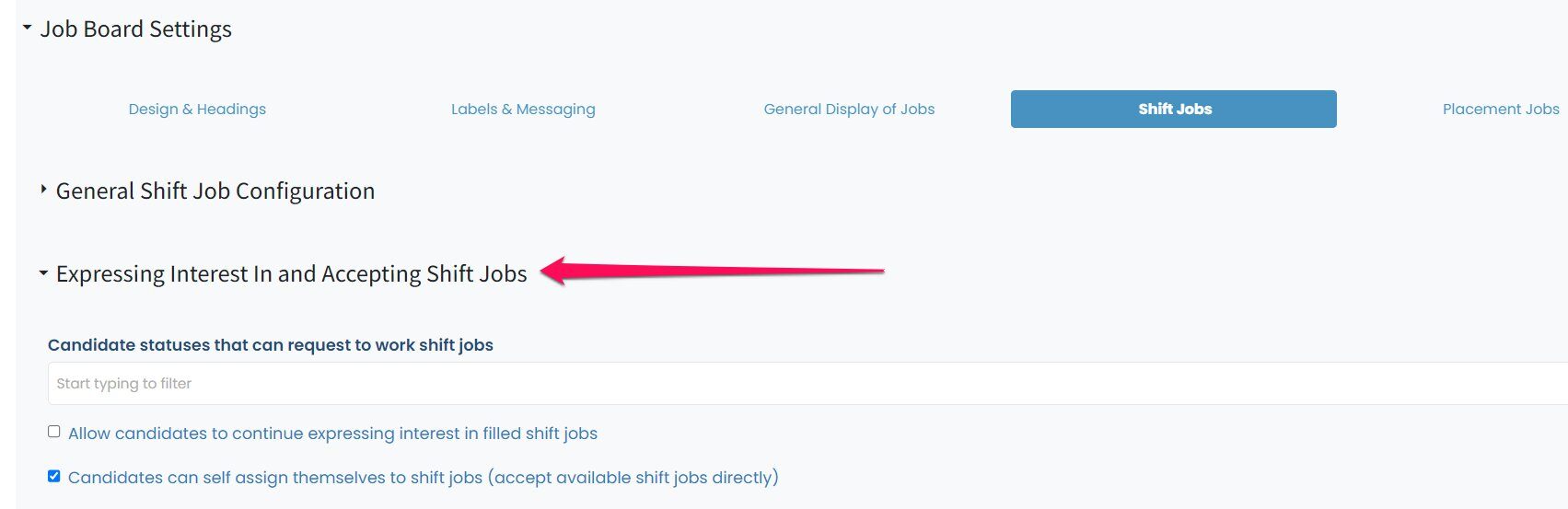
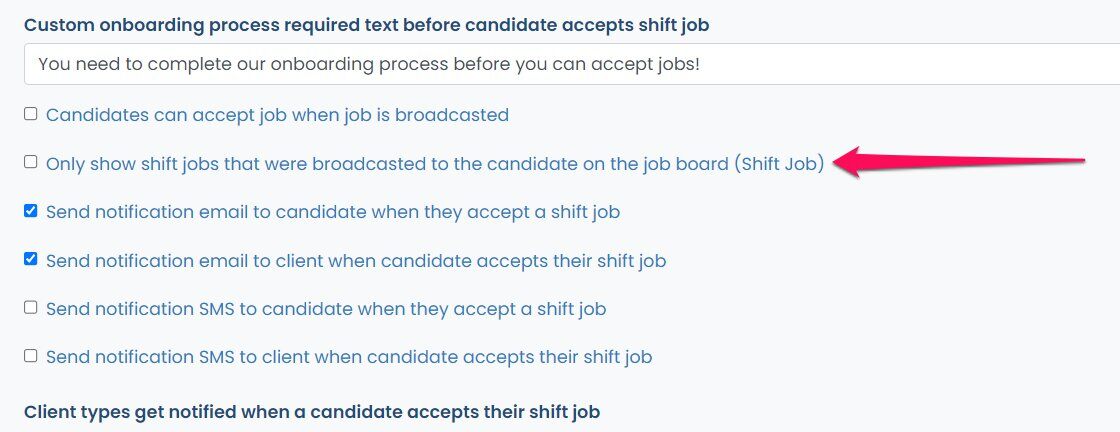
7. Select Only show shift jobs that were broadcasted to the candidate on the job board (Shift Job).