![enginehire logo thin dark 1.0.png]](https://learn.enginehire.io/hs-fs/hubfs/enginehire%20logo%20thin%20dark%201.0.png?height=40&name=enginehire%20logo%20thin%20dark%201.0.png)
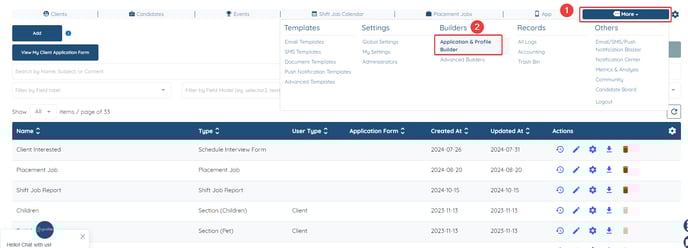
Navigate to More → Application & Profile Builder
Filter By Section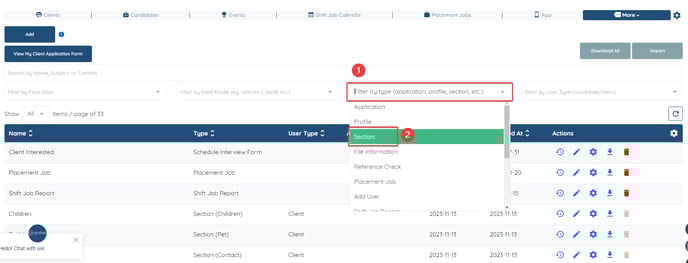
Click on the Gear icon next to the relevant section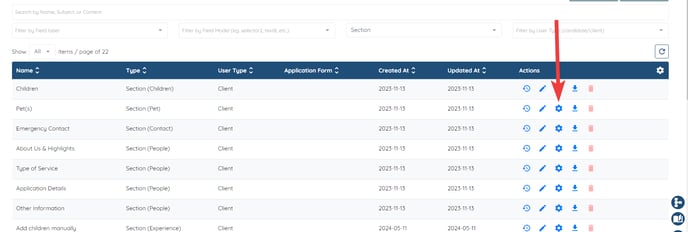
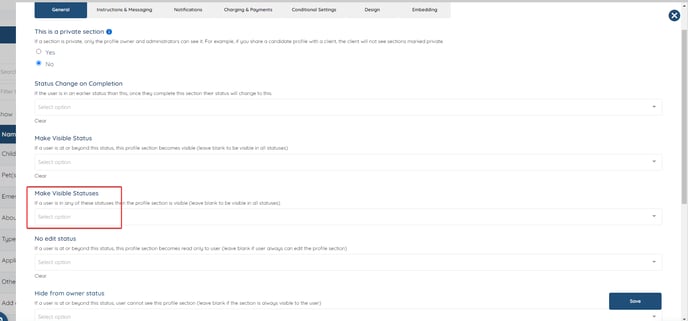
For types scroll down more and adjust
ANOTHER OPTION ON HOW TO EDIT:
Go to a profile, go to the section, click the gear icon of the section and click edit settings.