![enginehire logo thin dark 1.0.png]](https://learn.enginehire.io/hs-fs/hubfs/enginehire%20logo%20thin%20dark%201.0.png?height=40&name=enginehire%20logo%20thin%20dark%201.0.png)
- Go to More and Advance Builder.

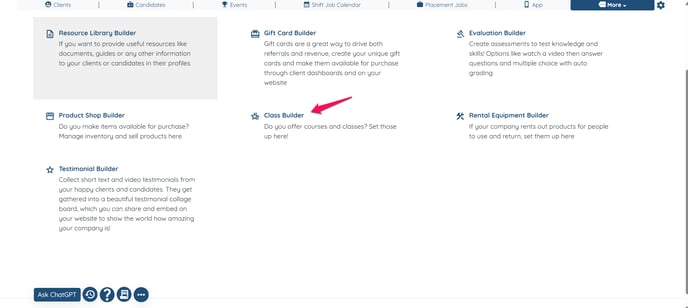
- Click on Class Builder.
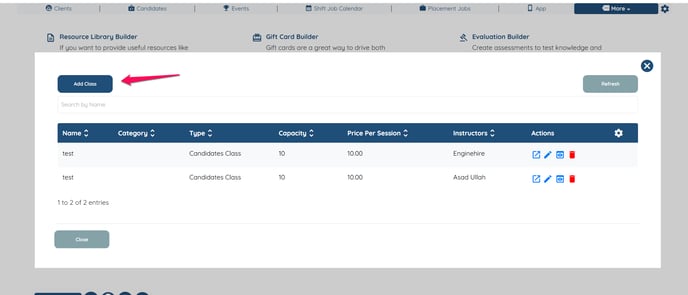
- Click on Add Class.
- Fill out the information about your class.

- Select Update to create your class and save your work.
- Go to your Application Builder and select Profile Builder.

- Select the Client Profile you'd like to add your class available and click the Pencil Icon.

- Create a Field. IMPORTANT: For Field Type select Preset Section
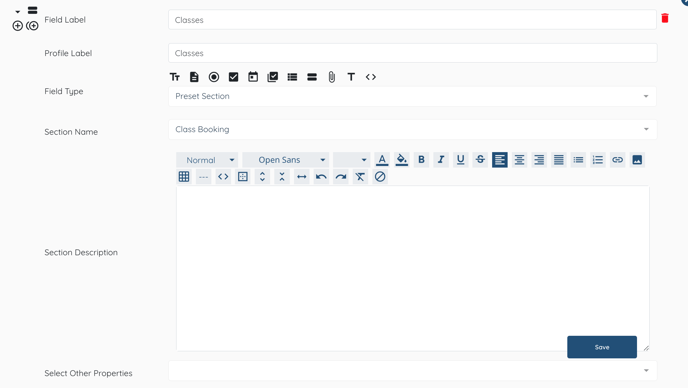
- Click Update and it will appear in the profile of clients of that type.
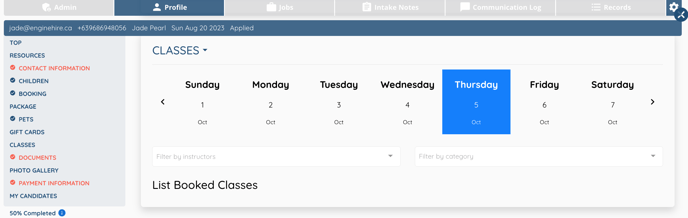
- Check your work by viewing a profile.
- Classes should now be added.