![enginehire logo thin dark 1.0.png]](https://learn.enginehire.io/hs-fs/hubfs/enginehire%20logo%20thin%20dark%201.0.png?height=40&name=enginehire%20logo%20thin%20dark%201.0.png)
Steps to Disable Auto-Scroll
-
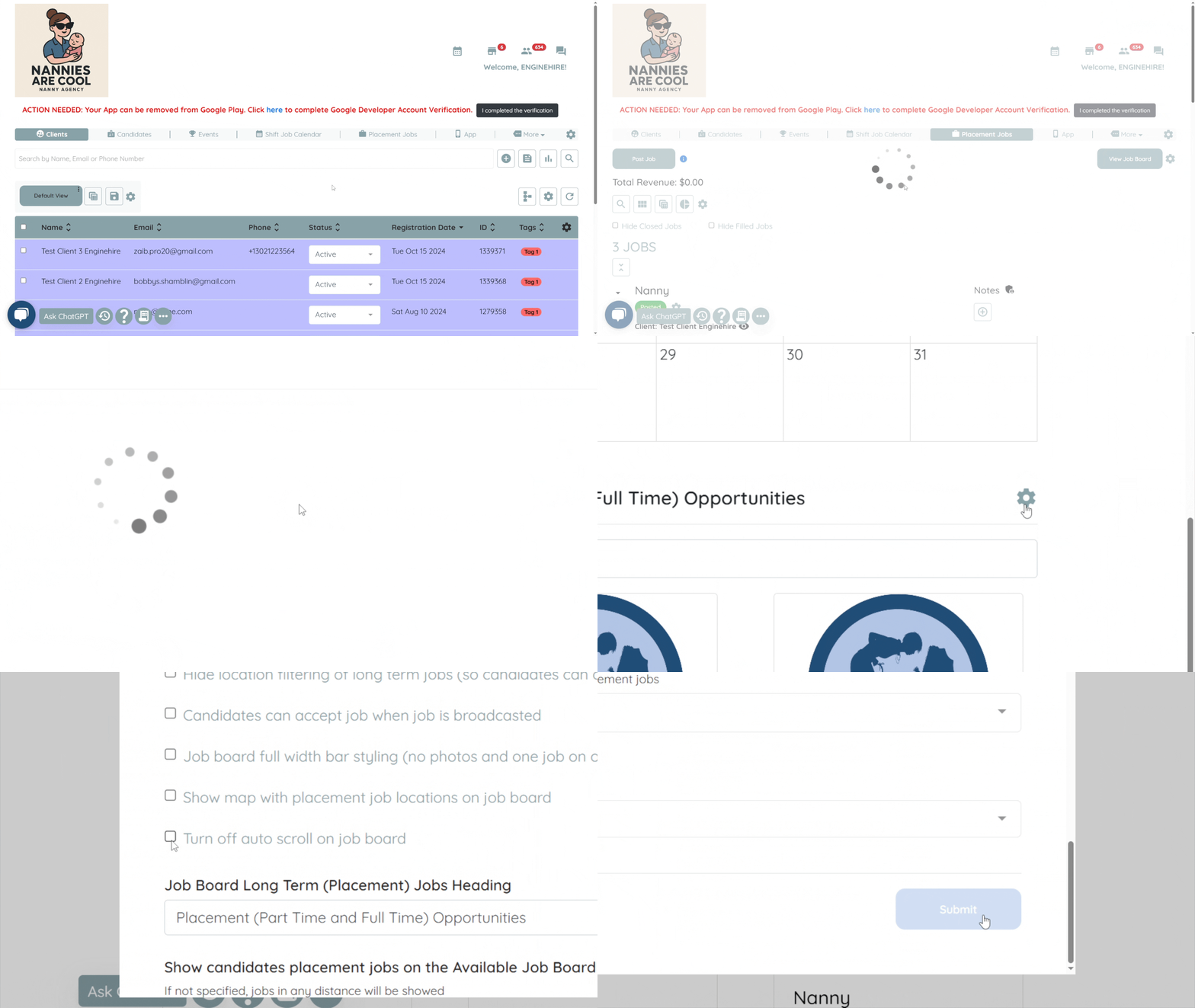
From your main dashboard, click on the "Placement Jobs" tab.
-
Click on the "View Job Board" button.
-
The job board will open in a new browser tab.
-
In the new tab, click on the gear icon in the top-right corner (as shown in the GIF below).
-
Look for the option labeled "Turn off auto scroll on job board" and make sure to check the box.
-
Scroll down and click Submit to save your changes.
Once this setting is enabled, the job board will no longer auto-scroll, and candidates will see the first listed position right away.