![enginehire logo thin dark 1.0.png]](https://learn.enginehire.io/hs-fs/hubfs/enginehire%20logo%20thin%20dark%201.0.png?height=40&name=enginehire%20logo%20thin%20dark%201.0.png)
1. This video will explain how to set up which booking categories will require a zoom meeting
2. This video will explain how to create the client booking confirmation email template for the virtual services.
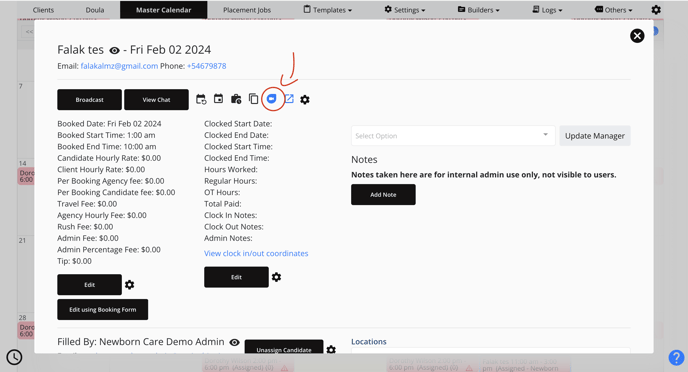
3. Once you create a booking or a client creates a booking for a virtual service, you and the client will receive a link to the zoom call. To join the call:
- You can click on the link in your email or
- Go to your master calendar
- Click on the job
- Click on the zoom icon as shown in the picture below: