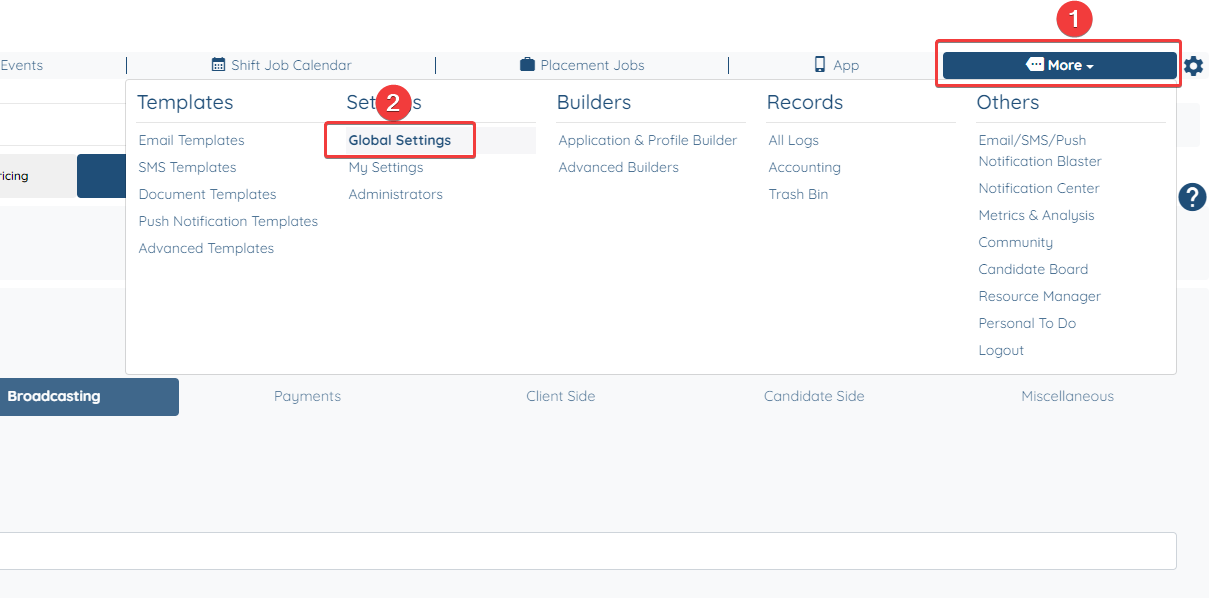
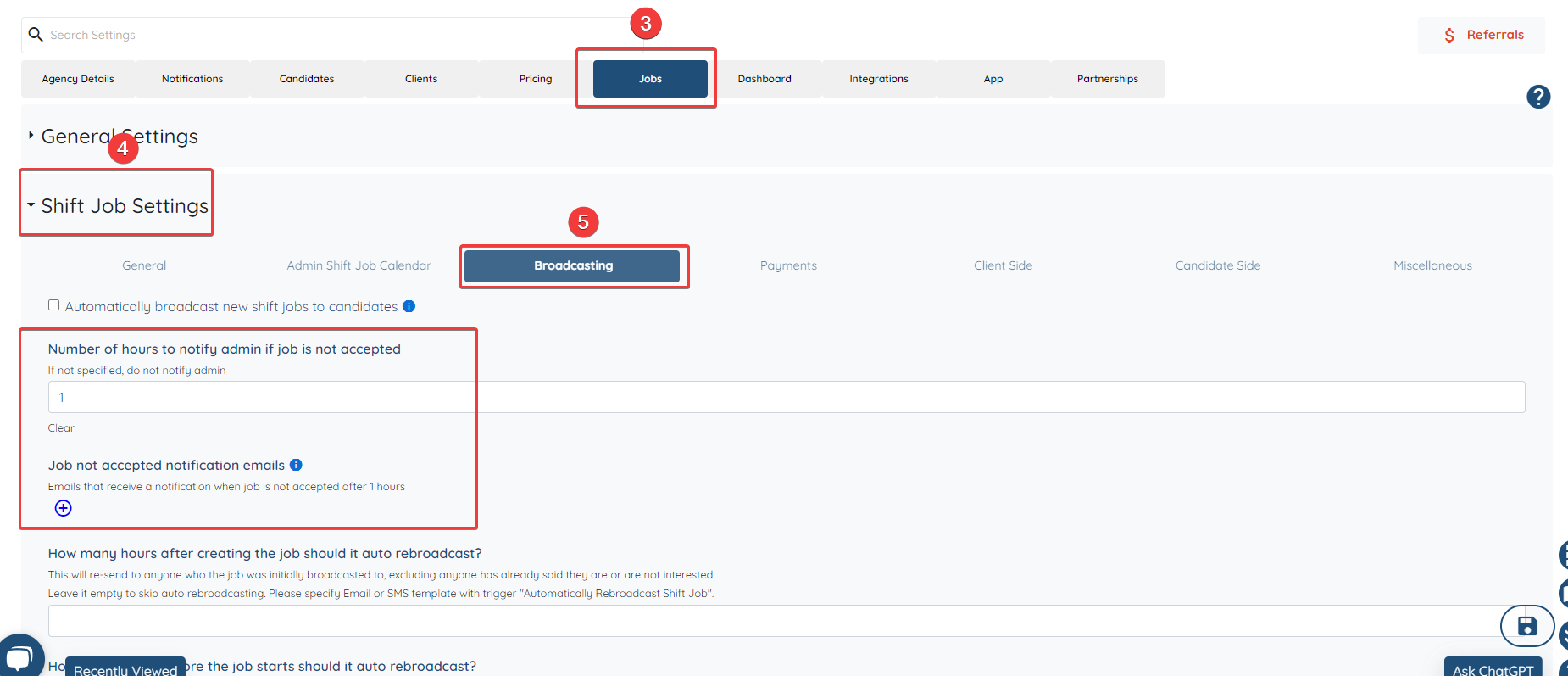
How to set up a notification when an auto-broadcasted job hasn't been accepted
This video will show you how to create a notification when an auto-broadcasted job hasn't been filled out. This is very useful so that you can choose another candidate for your client on time.
![enginehire logo thin dark 1.0.png]](https://learn.enginehire.io/hs-fs/hubfs/enginehire%20logo%20thin%20dark%201.0.png?height=40&name=enginehire%20logo%20thin%20dark%201.0.png)