![enginehire logo thin dark 1.0.png]](https://learn.enginehire.io/hs-fs/hubfs/enginehire%20logo%20thin%20dark%201.0.png?height=40&name=enginehire%20logo%20thin%20dark%201.0.png)
Step 1:
Go to Placement Jobs on your menu. If you have renamed it, this will be where you see all the placement jobs.
Step 2:
Click View job board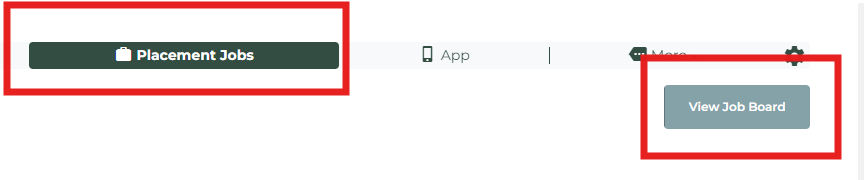
Step 3:
Click gear icon next to the title of the job board
Step 4:
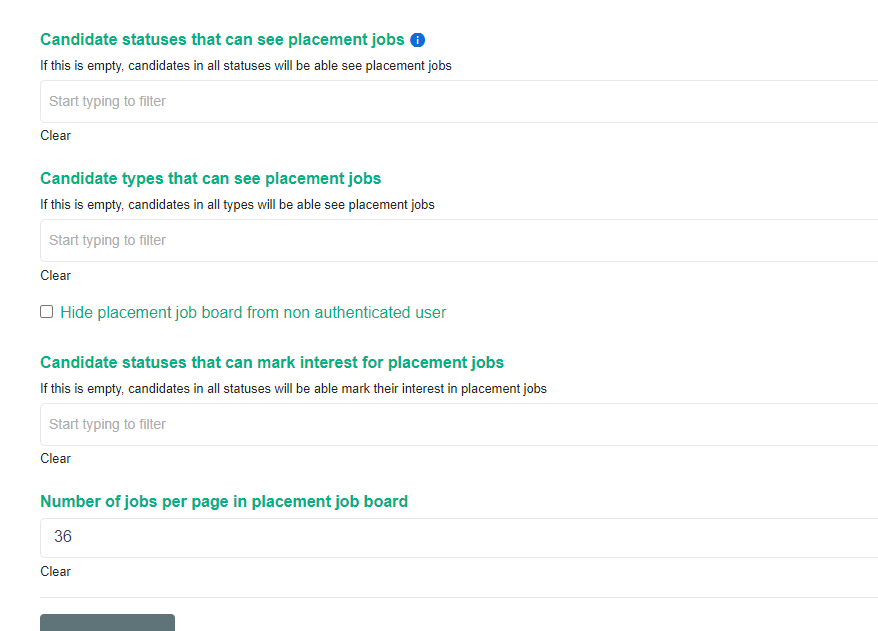
Adjust which types and statuses can see placement jobs. You can even adjust which statuses can mark interested in placement jobs