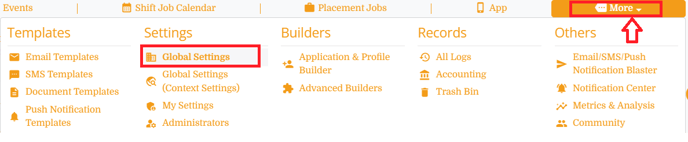
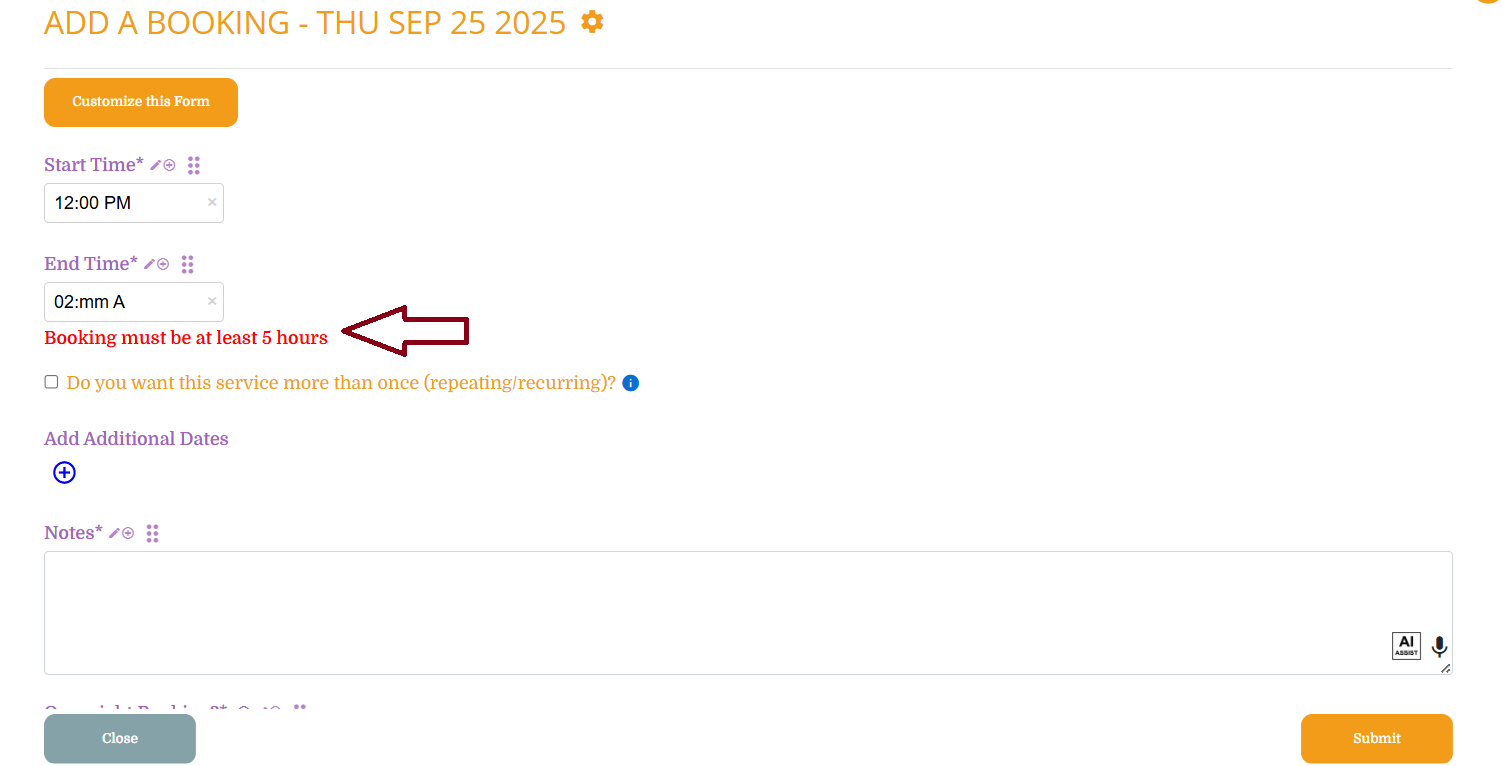
How to set minimum number of hours for a booking This article will show you how you can set the minimum number of hours required for a booking. Step 1: More -> Global Settings Step 2: Click on clients Step 3: Select "Other Settings" Look for the setting "Minimum number of hours for bookings" and select the minimum hours Save the settings Result: Clients must book for at least the minimum number of hours you set. If this doesn't answer your questions you can always contact us by clicking here.
![enginehire logo thin dark 1.0.png]](https://learn.enginehire.io/hs-fs/hubfs/enginehire%20logo%20thin%20dark%201.0.png?height=40&name=enginehire%20logo%20thin%20dark%201.0.png)