![enginehire logo thin dark 1.0.png]](https://learn.enginehire.io/hs-fs/hubfs/enginehire%20logo%20thin%20dark%201.0.png?height=40&name=enginehire%20logo%20thin%20dark%201.0.png)
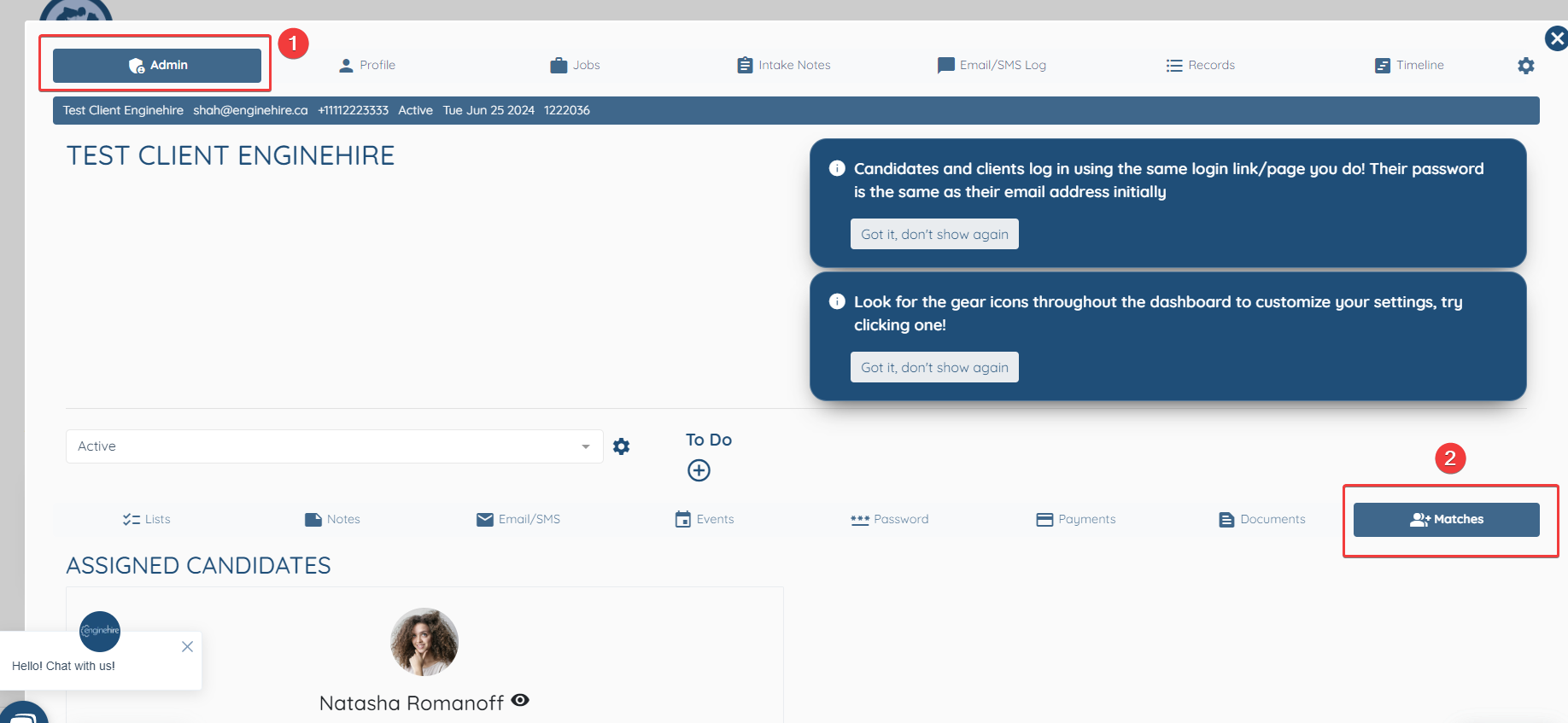
Open the Client's profile and stay on the Admin Tab
Select Matches
Slightly Scroll down to find the relevant candidate and click "Delete" to remove the Candidate from the Favourites of that particular Client.
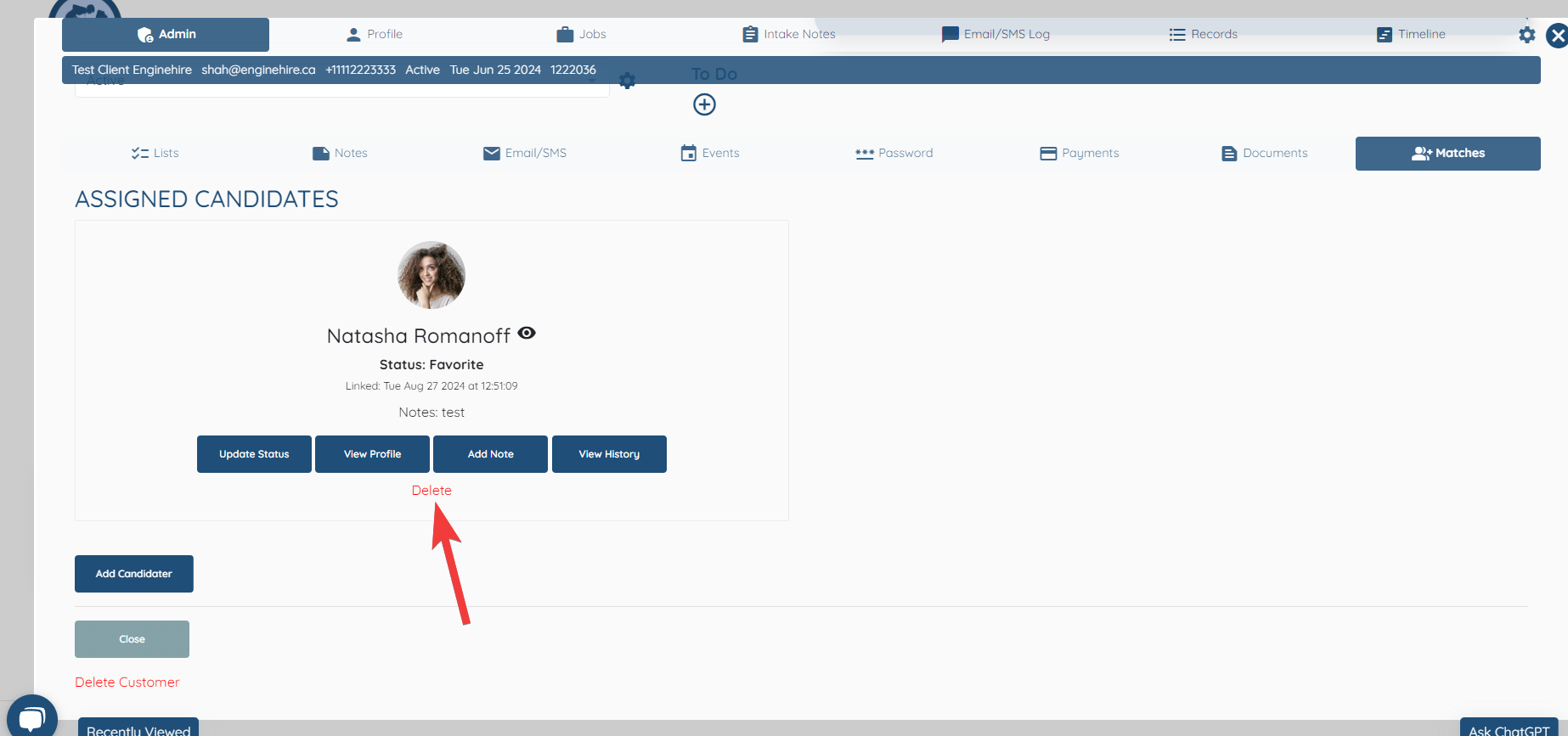
You can also click on "Update Status" to manage if you want to add it to the "Do Not Match" List etc.