![enginehire logo thin dark 1.0.png]](https://learn.enginehire.io/hs-fs/hubfs/enginehire%20logo%20thin%20dark%201.0.png?height=40&name=enginehire%20logo%20thin%20dark%201.0.png)
Navigate to More→Global Settings→App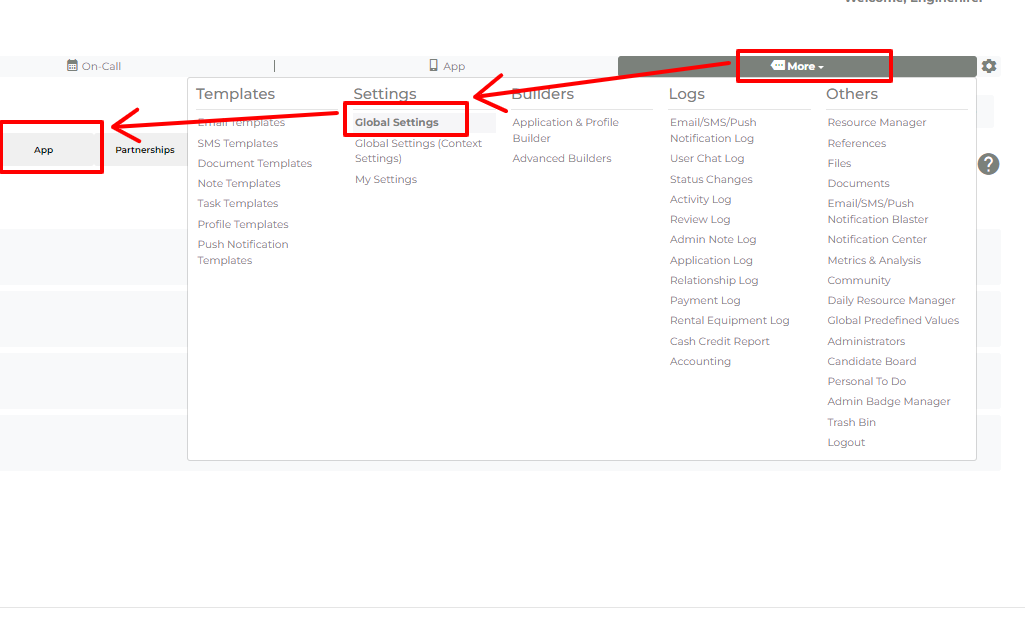
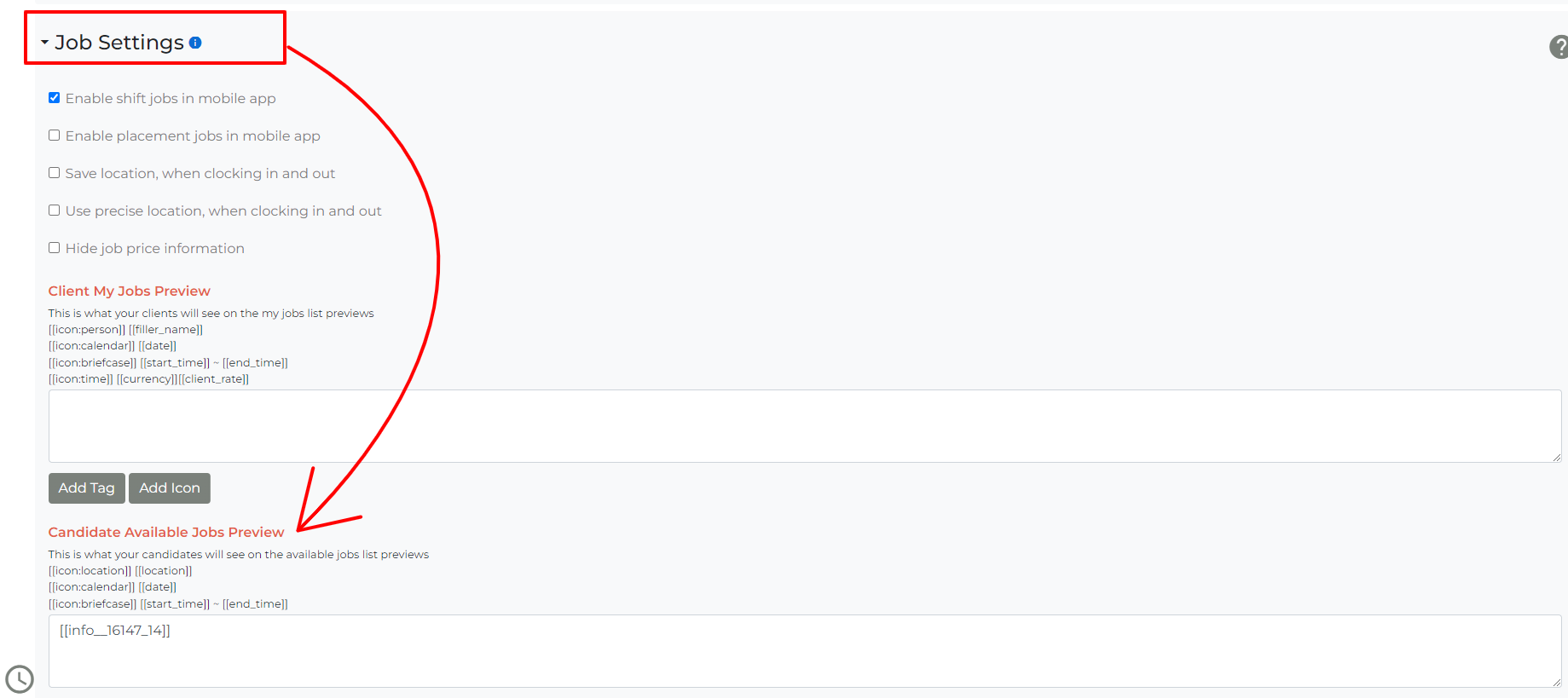
Click on "Job Settings" and find the relevant section to manage.
You can use the buttons (Add Tag) to add Fields to display on the Job Preview 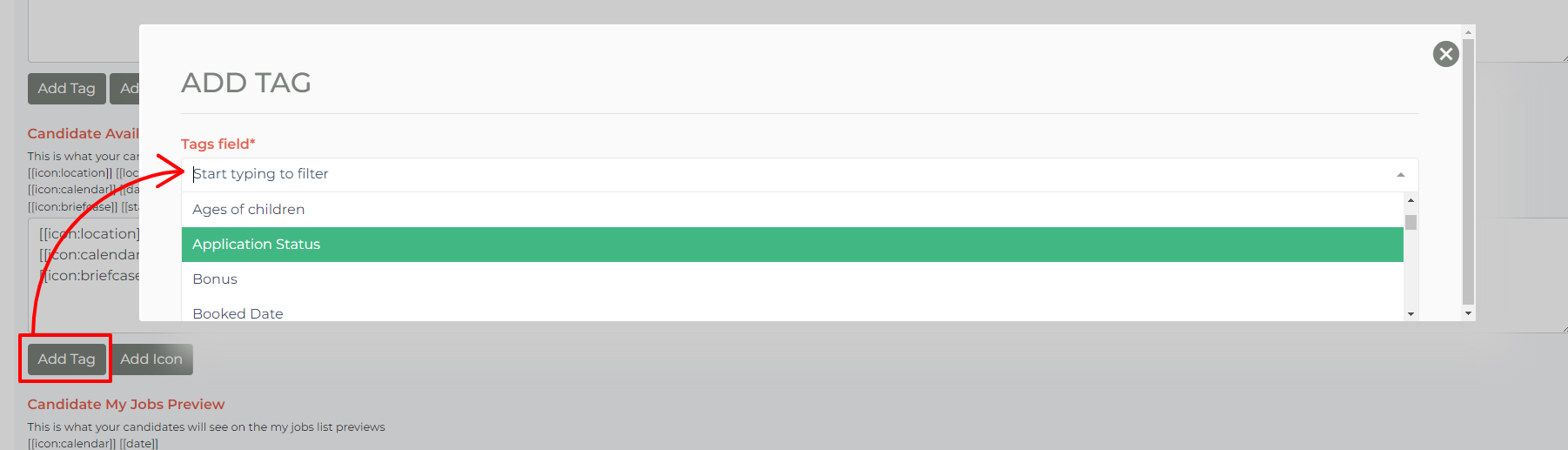
Navigate to More→Global Settings→App
Click on "Job Settings" and find the relevant section to manage.
You can use the buttons (Add Tag) to add Fields to display on the Job Preview