![enginehire logo thin dark 1.0.png]](https://learn.enginehire.io/hs-fs/hubfs/enginehire%20logo%20thin%20dark%201.0.png?height=40&name=enginehire%20logo%20thin%20dark%201.0.png)
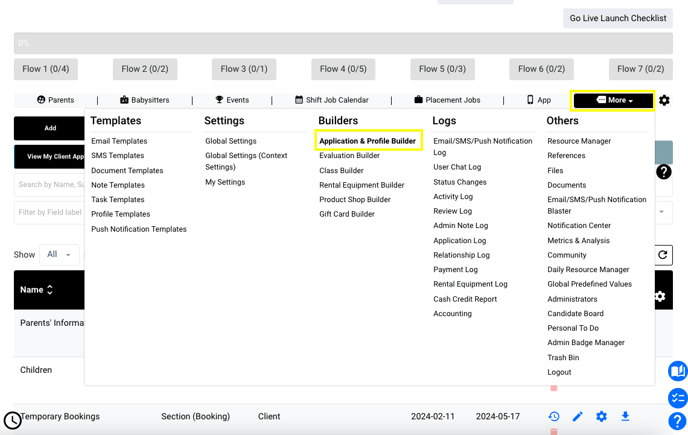
In your Dashboard, navigate to More > Application & Profile Builder
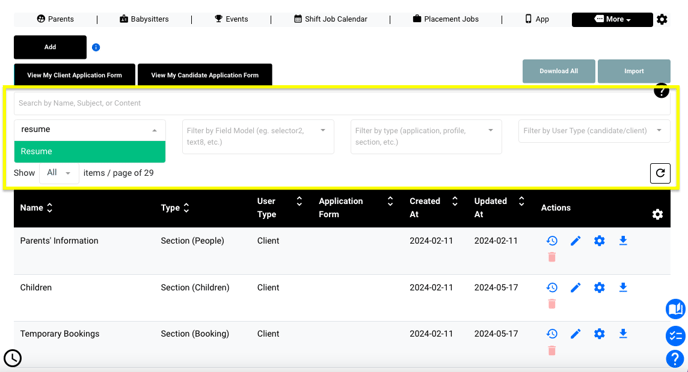
Use the "search by label" field to isolate the document you're looking for:
Click the pencil icon to "edit fields and questions"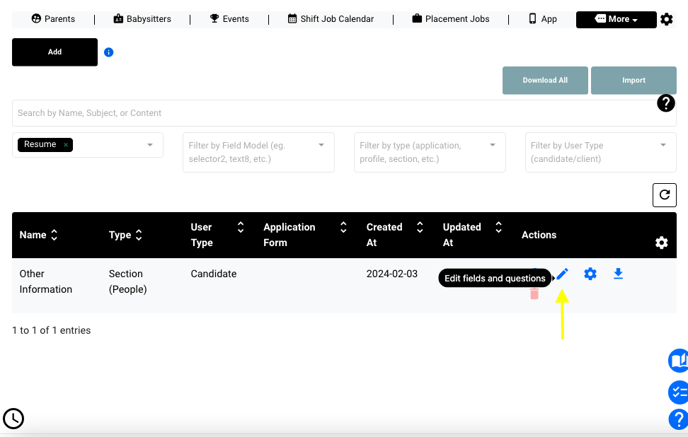
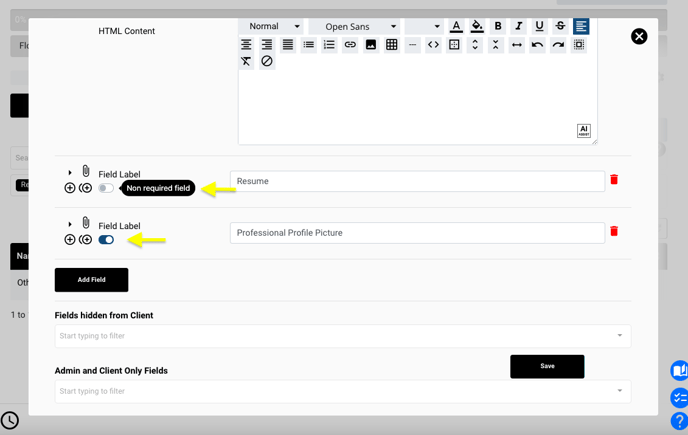
Set each field label's toggle to indicate a required/not required field and save your changes!
If this video doesn't answer your questions you can always contact us by clicking here