![enginehire logo thin dark 1.0.png]](https://learn.enginehire.io/hs-fs/hubfs/enginehire%20logo%20thin%20dark%201.0.png?height=40&name=enginehire%20logo%20thin%20dark%201.0.png)
On the Client/Candidate Table view click on the magnifying glass to display Search and Filter Tools 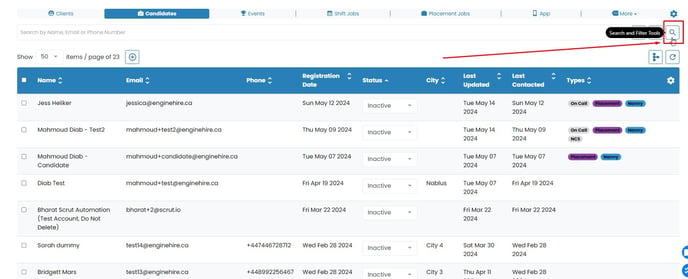
Click on Advance Search button 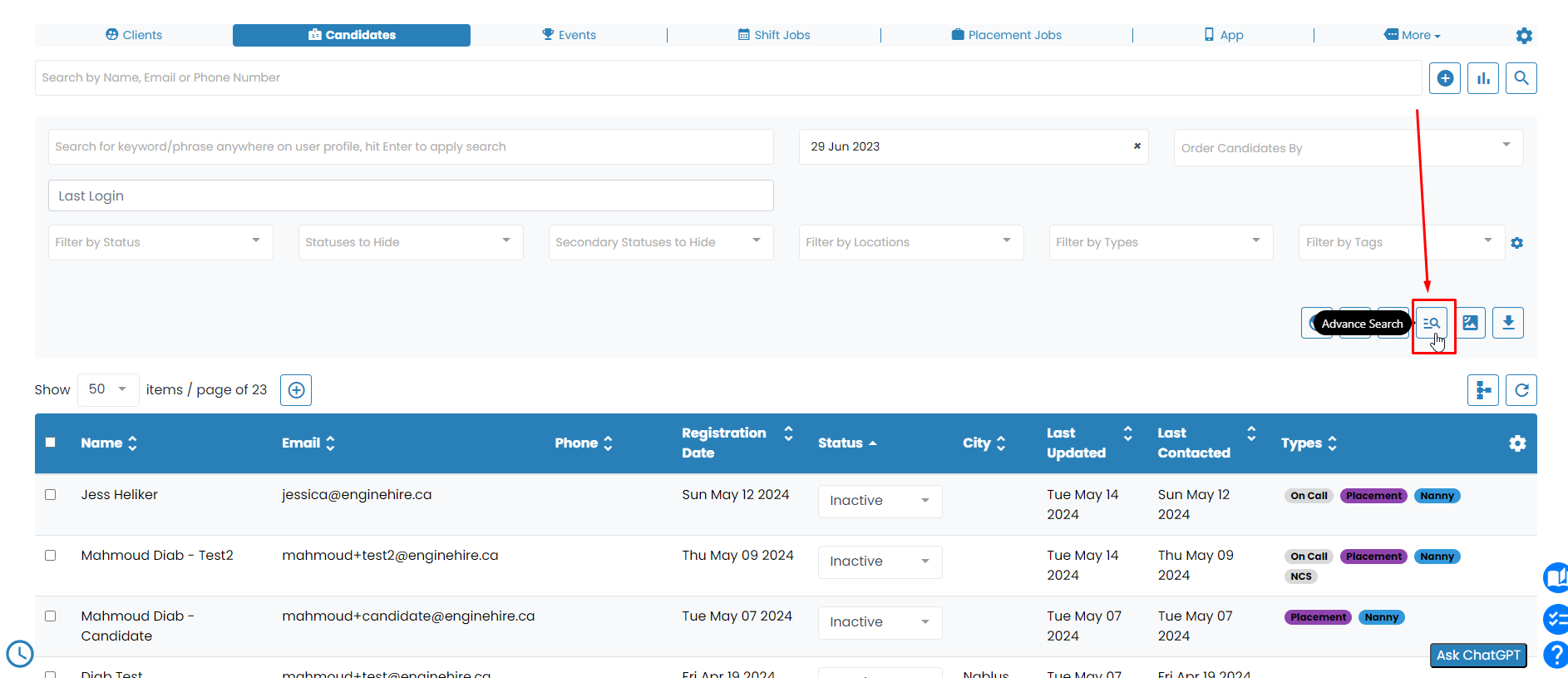
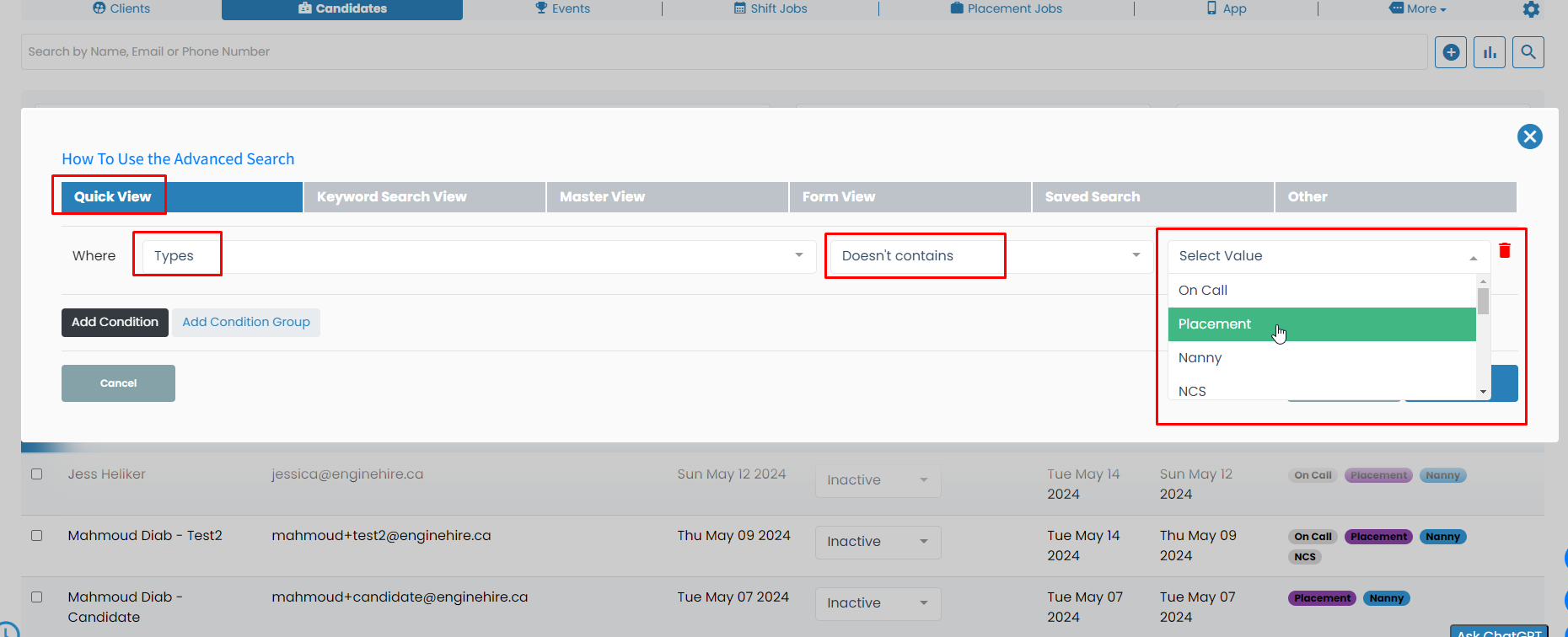
- Click on the "Quick View" tab.
- In the first field, search for "Types" and click on it.
- In the next field, select "Doesn't Contain."
- Finally, in the last field, choose the type you would like to exclude.
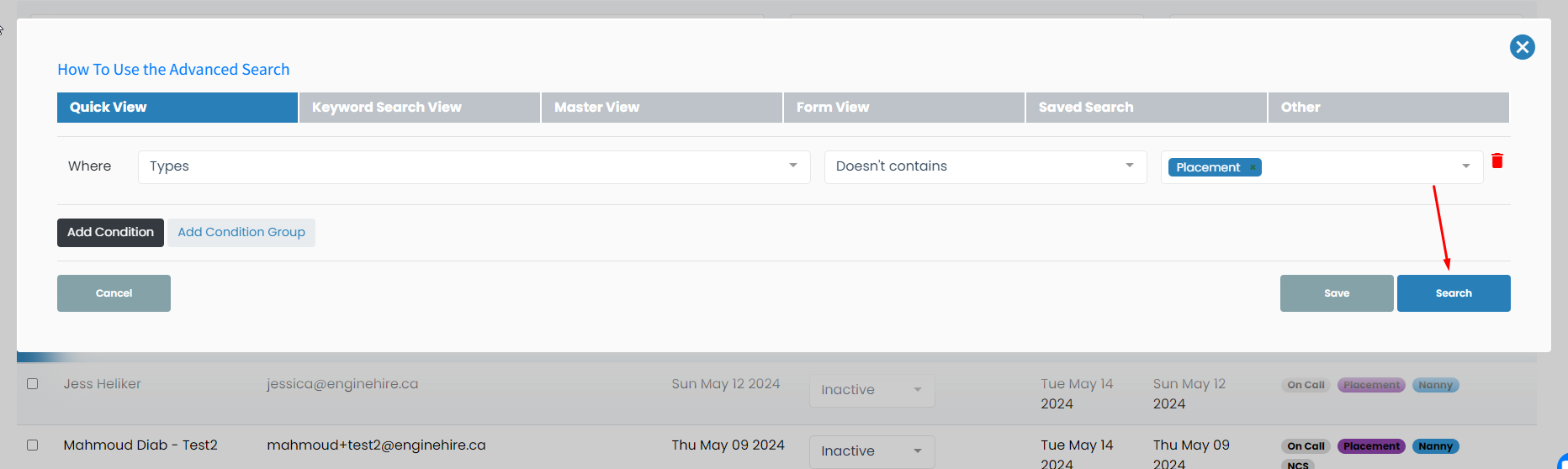
Now, simply hit the "Search" button to view a list of Clients/Candidates excluding a certain Type.