![enginehire logo thin dark 1.0.png]](https://learn.enginehire.io/hs-fs/hubfs/enginehire%20logo%20thin%20dark%201.0.png?height=40&name=enginehire%20logo%20thin%20dark%201.0.png)
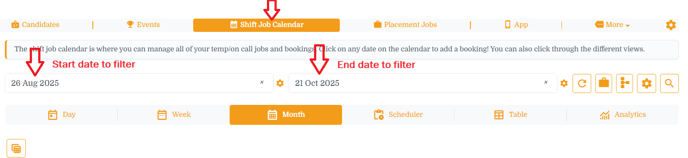
Step 1: Go to "Shift Job Calendar"
Step 2: First you will find the date range - start and end date - to filter the jobs within the set timeframe.
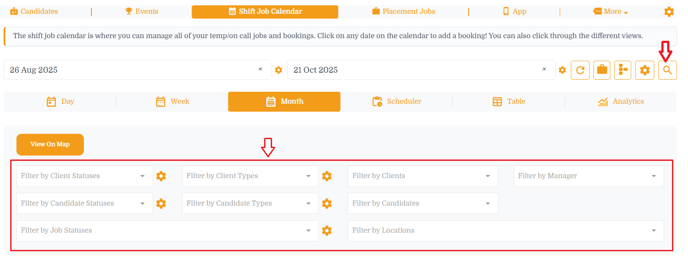
Step 3: Click on a magnifying glass and it will open the advance filter options including,
- Filter by Client Statuses, Filter by Client Types, Filter by Clients
- Filter by Candidate Statuses, Filter by Candidate Types, Filter by Candidates
- Filter by Job Statuses, Filter by Locations, Filter by Manager
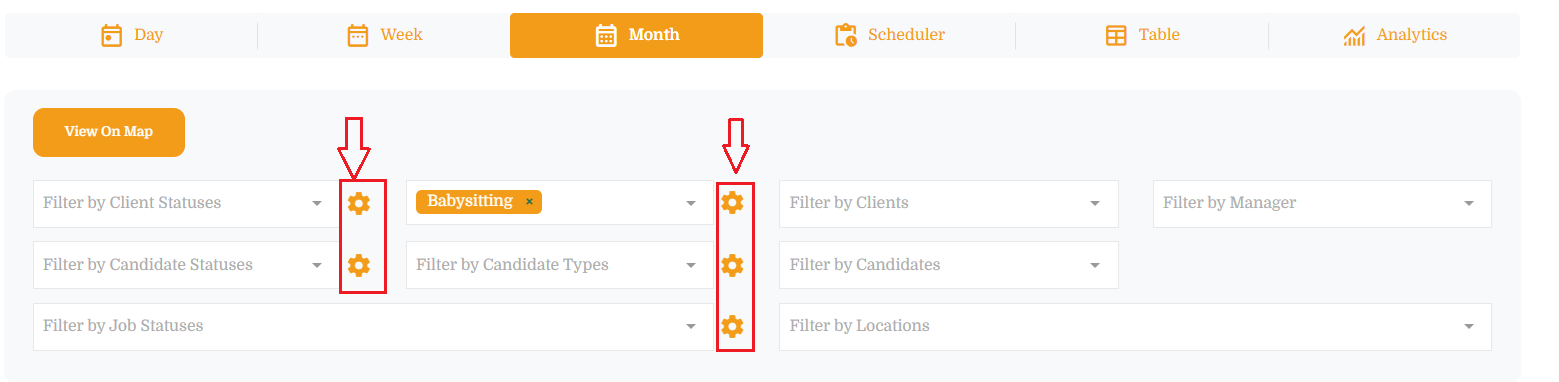
Step 4: You can set the default filters for all where you find the settings / gear icon.
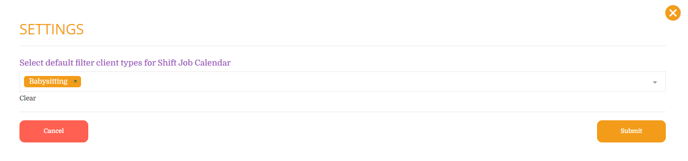
- Click on a settings / gear icon and select the default values for selected filter and hit submit button
- In example below - set the default "client types" to Babysitting