![enginehire logo thin dark 1.0.png]](https://learn.enginehire.io/hs-fs/hubfs/enginehire%20logo%20thin%20dark%201.0.png?height=40&name=enginehire%20logo%20thin%20dark%201.0.png)
To enable the captcha follow the steps given below in administrator dashboard ,
1. Go to More -> Application & Profile Builder. Refer the screenshot
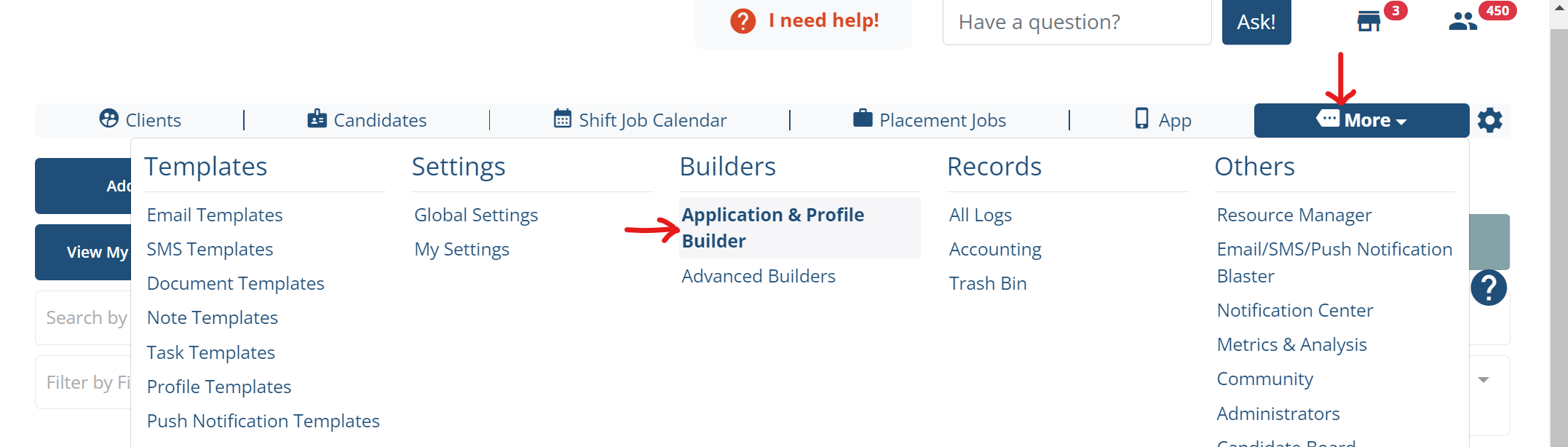
2. Look for the client / candidate application form you would like to add captcha and click on gear settings icon of the application form.

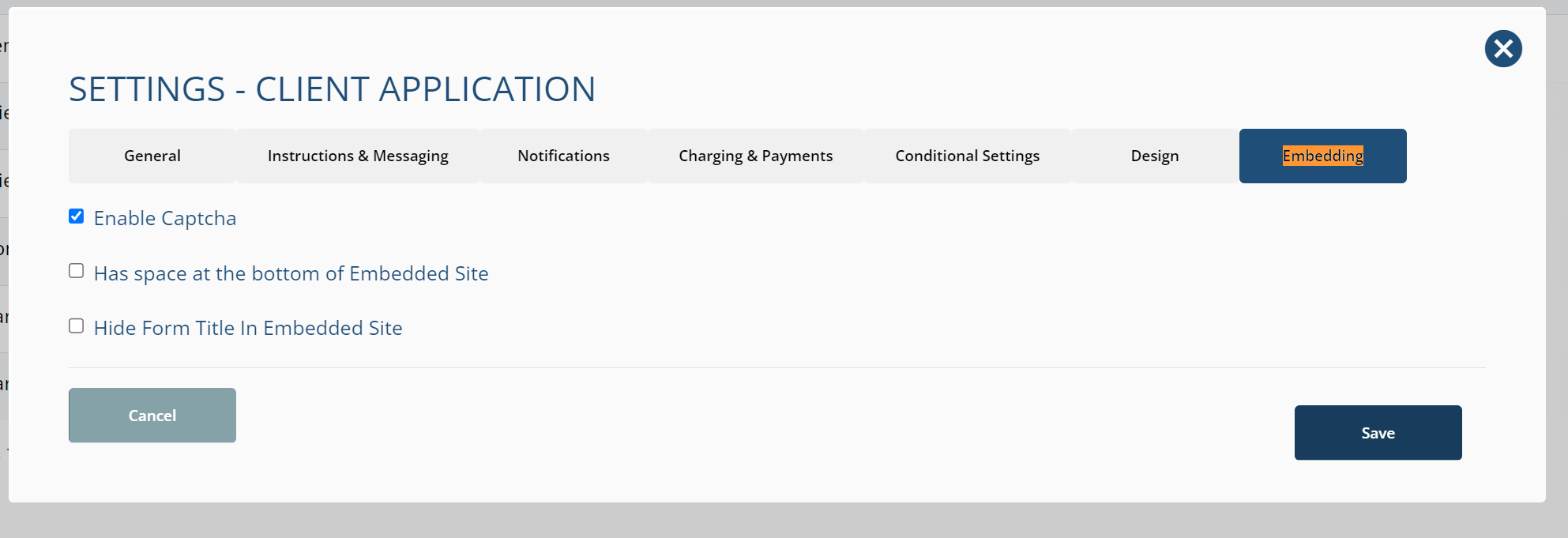
3. It will open a popup - Now, select the last tab "Embedding" and check the option "Enable Captcha" and "Save" the settings.
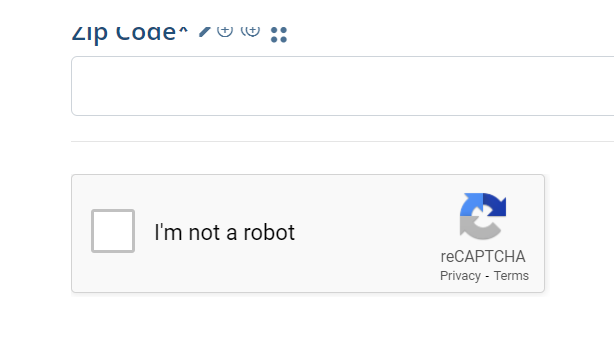
The captcha on the application form will look like this,