![enginehire logo thin dark 1.0.png]](https://learn.enginehire.io/hs-fs/hubfs/enginehire%20logo%20thin%20dark%201.0.png?height=40&name=enginehire%20logo%20thin%20dark%201.0.png)
1- Navigate to More → All Logs → Files
2- Select the Documents you want to download and click "Download selected files"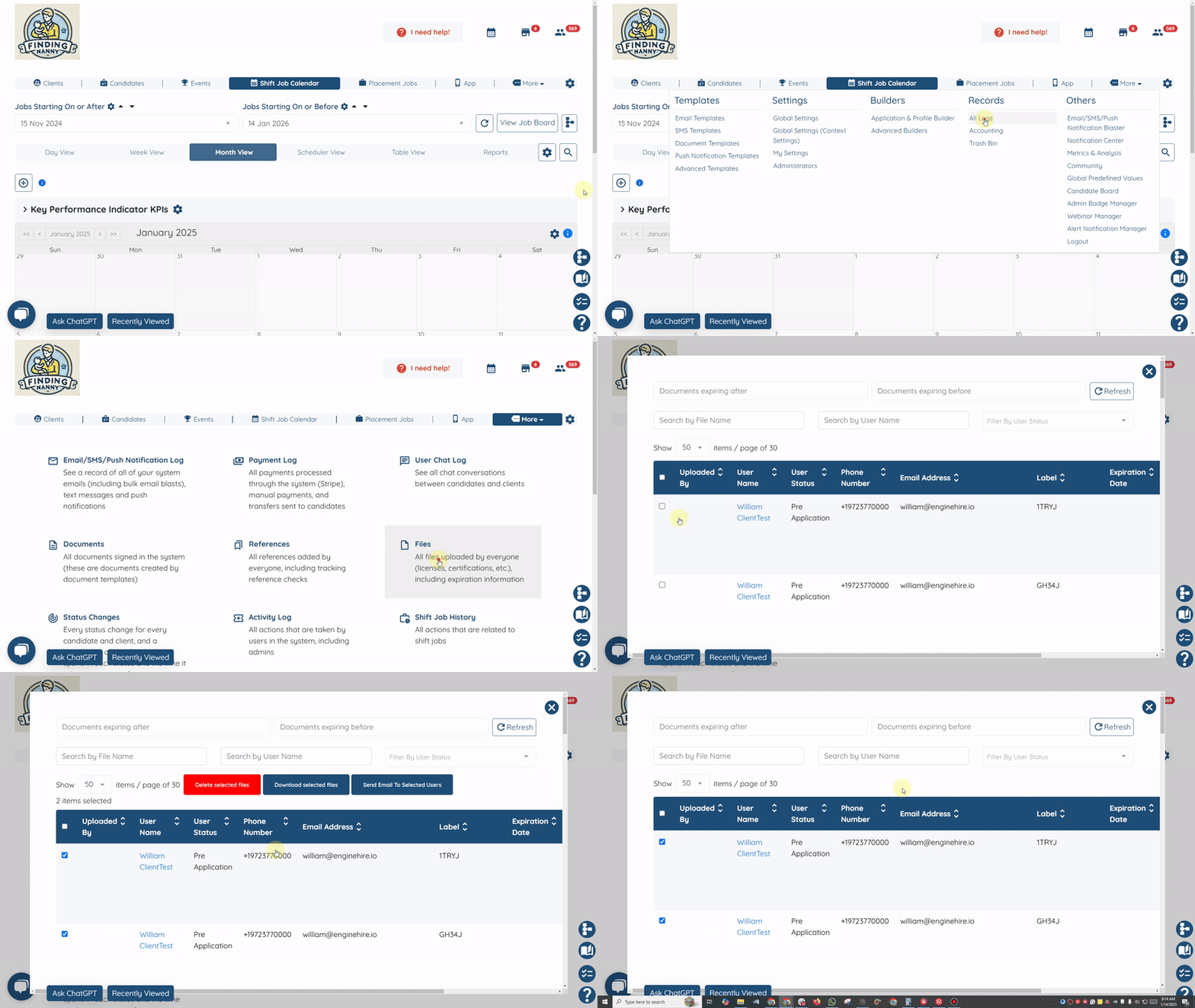
Note: The following video is slightly outdated and the option to download the files uploaded by clients or candidates is now located under All Logs as shown above.