![enginehire logo thin dark 1.0.png]](https://learn.enginehire.io/hs-fs/hubfs/enginehire%20logo%20thin%20dark%201.0.png?height=40&name=enginehire%20logo%20thin%20dark%201.0.png)
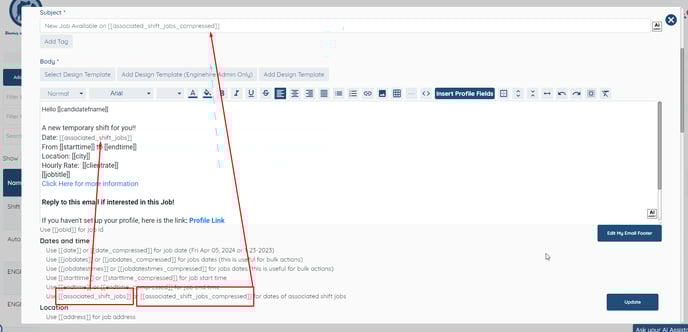
If you have a Shift Job Booking Request with additional dates and want all these dates to be included in the email notification sent to a candidate, you need to edit the email template. This ensures that all shift dates are clearly mentioned in the notification.
- Navigate to More → Email Templates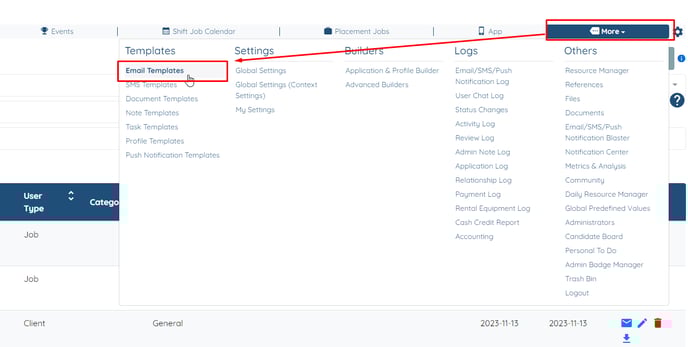
- Find the relevant email template and click on the Pencil icon to start editing the email template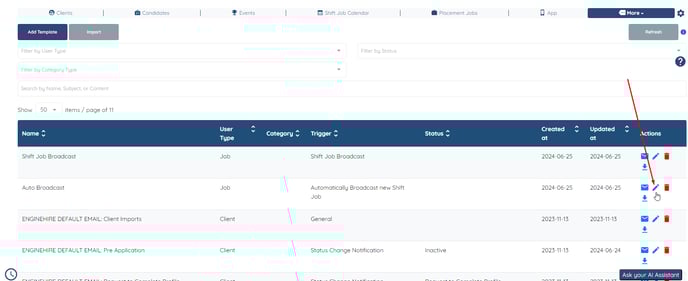
- Here you can use the following Tags to display all the associated Dates for that particular Booking