![enginehire logo thin dark 1.0.png]](https://learn.enginehire.io/hs-fs/hubfs/enginehire%20logo%20thin%20dark%201.0.png?height=40&name=enginehire%20logo%20thin%20dark%201.0.png)
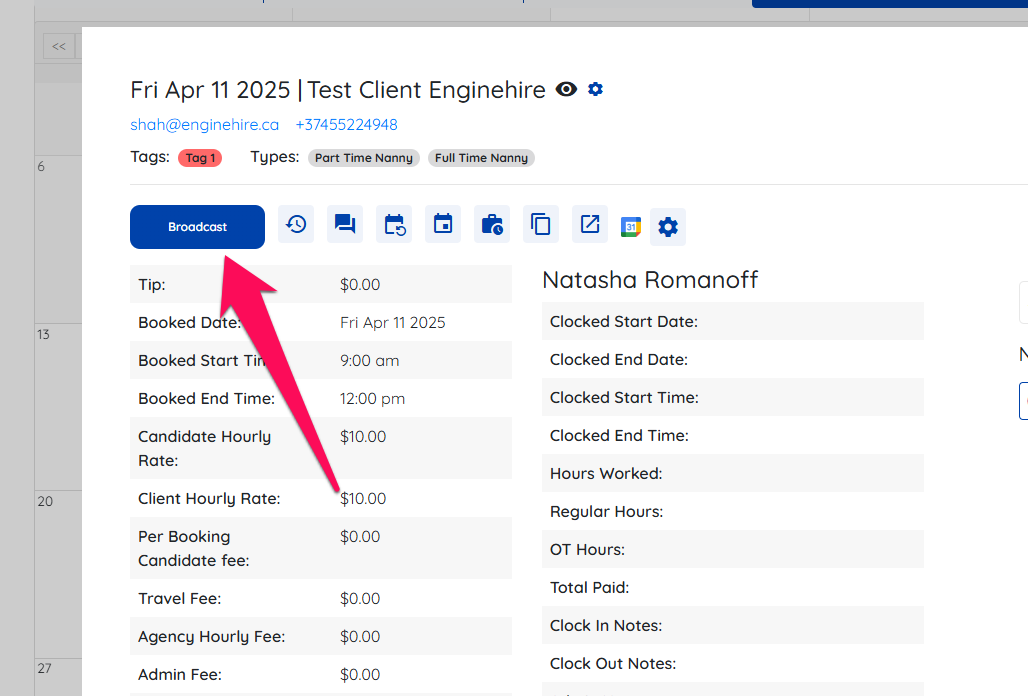
- Open any shift job and click on the Broadcast button
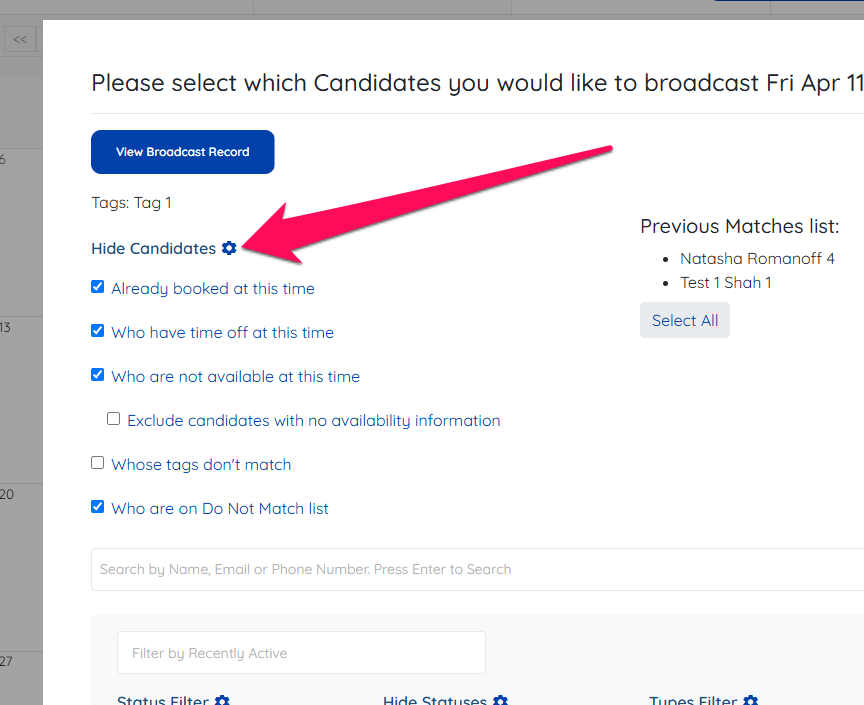
- Click on the Gear icon at the top next to Hide Candidates
- Check the box for the setting "Disable distance based search for shift jobs by default"
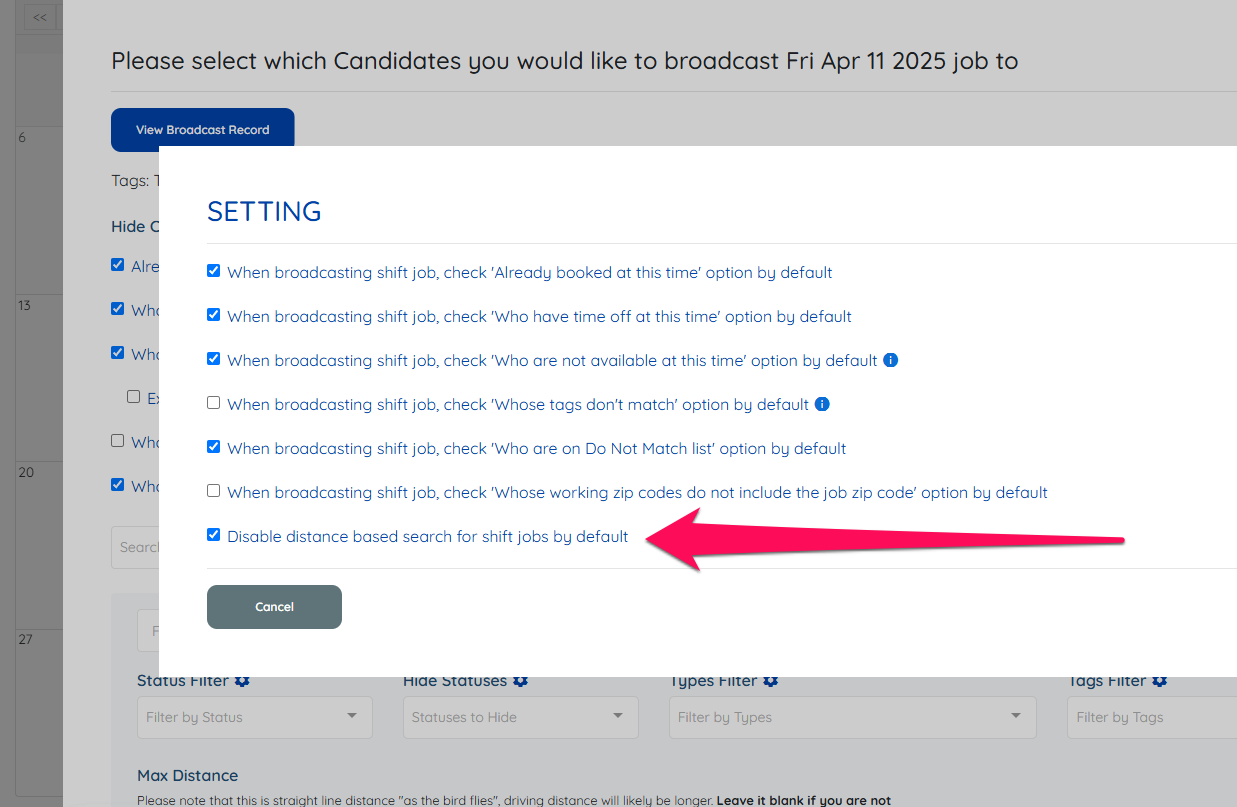
Refresh the page, and Max Distance field should be blank moving forward.
Here is a small video to show all these steps.