![enginehire logo thin dark 1.0.png]](https://learn.enginehire.io/hs-fs/hubfs/enginehire%20logo%20thin%20dark%201.0.png?height=40&name=enginehire%20logo%20thin%20dark%201.0.png)
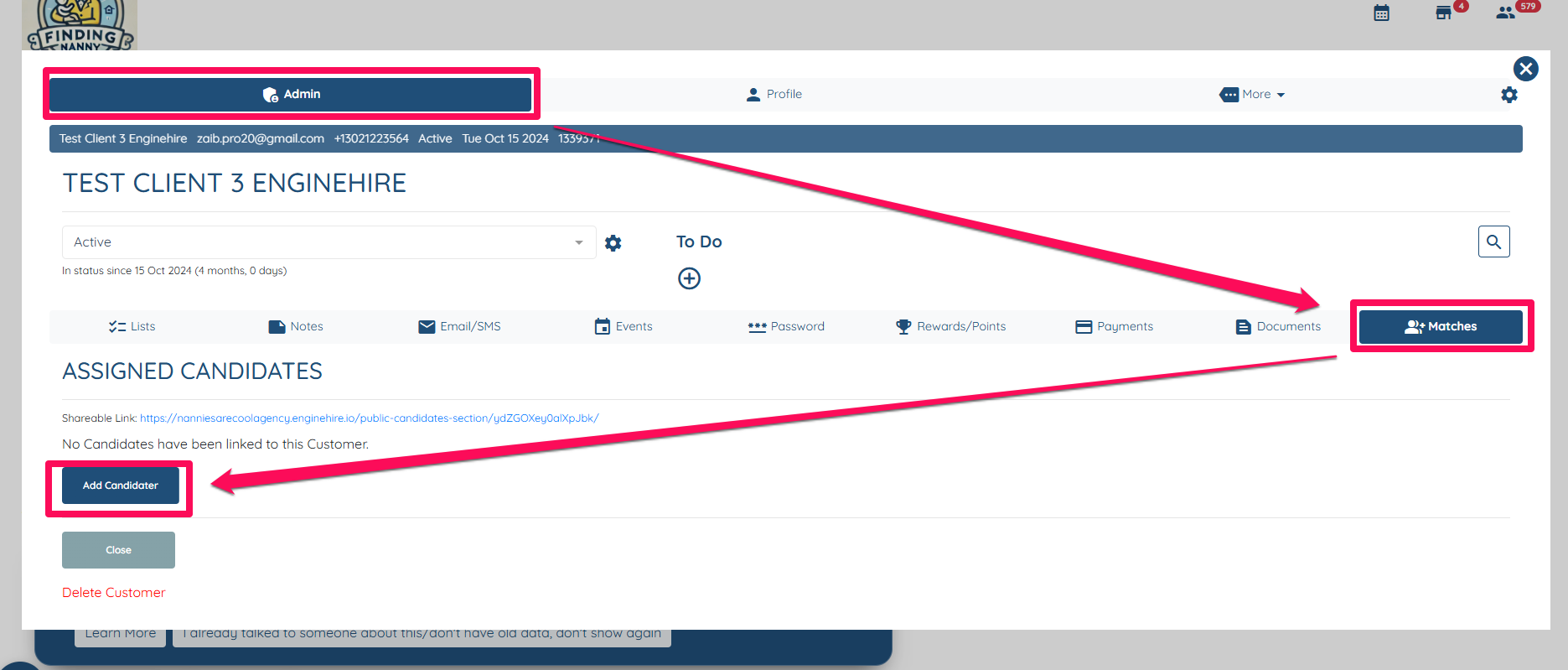
- Open a client profile, navigate to the Admin tab, click on "Matches," and then select "Add Candidate."
Click on the Gear icon for Relationship Statuses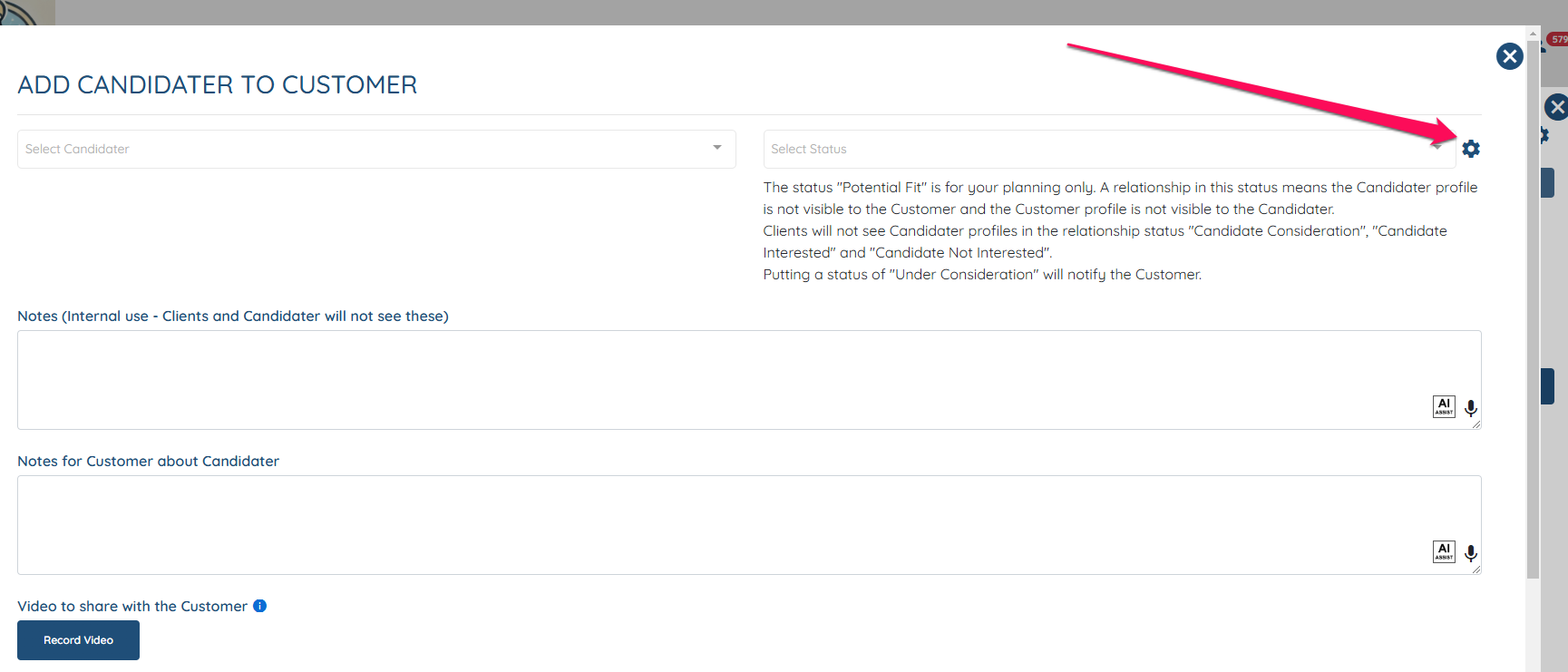
Scroll down and click on the "+" icon to add a new relationship status then hit Submit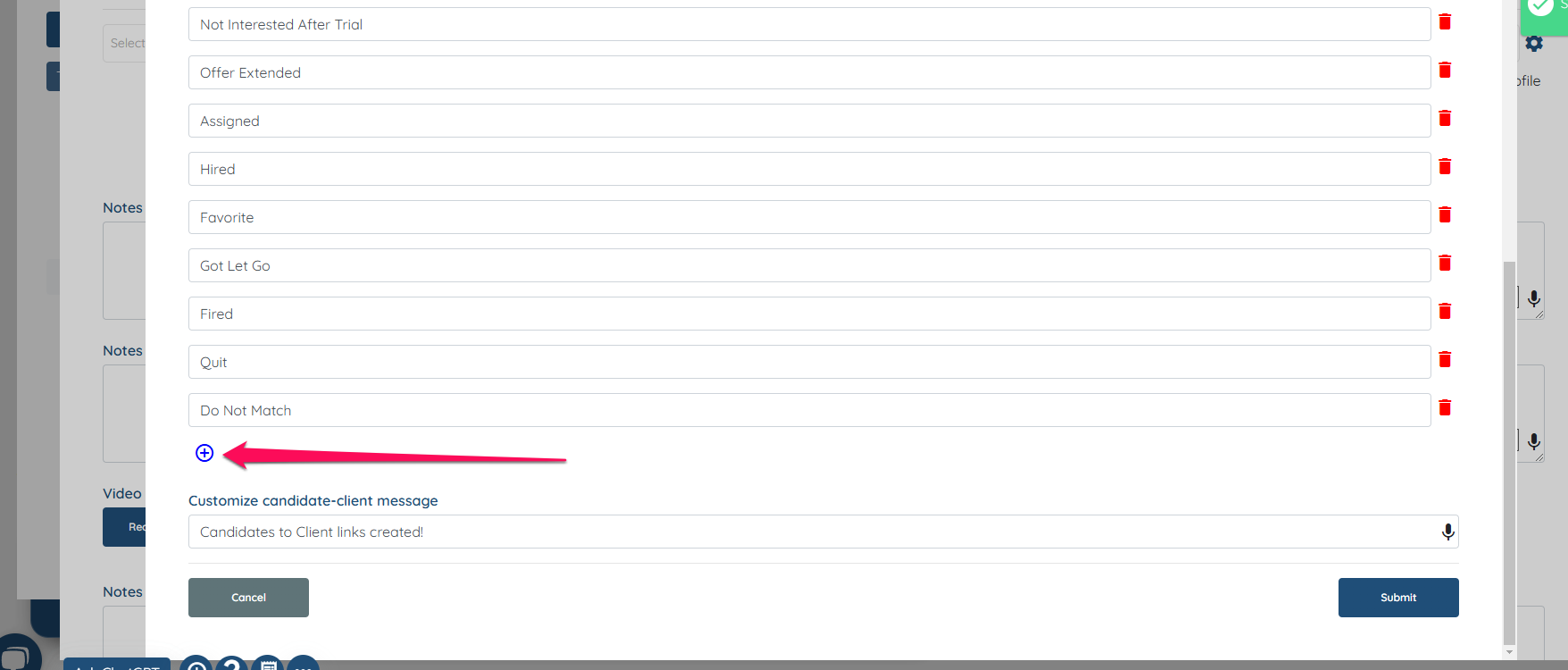
- Open a client profile, navigate to the Admin tab, click on "Matches," and then select "Add Candidate."
Click on the Gear icon for Relationship Statuses
Scroll down and click on the "+" icon to add a new relationship status then hit Submit