![enginehire logo thin dark 1.0.png]](https://learn.enginehire.io/hs-fs/hubfs/enginehire%20logo%20thin%20dark%201.0.png?height=40&name=enginehire%20logo%20thin%20dark%201.0.png)
Step 1:
Go to More-> Global Settings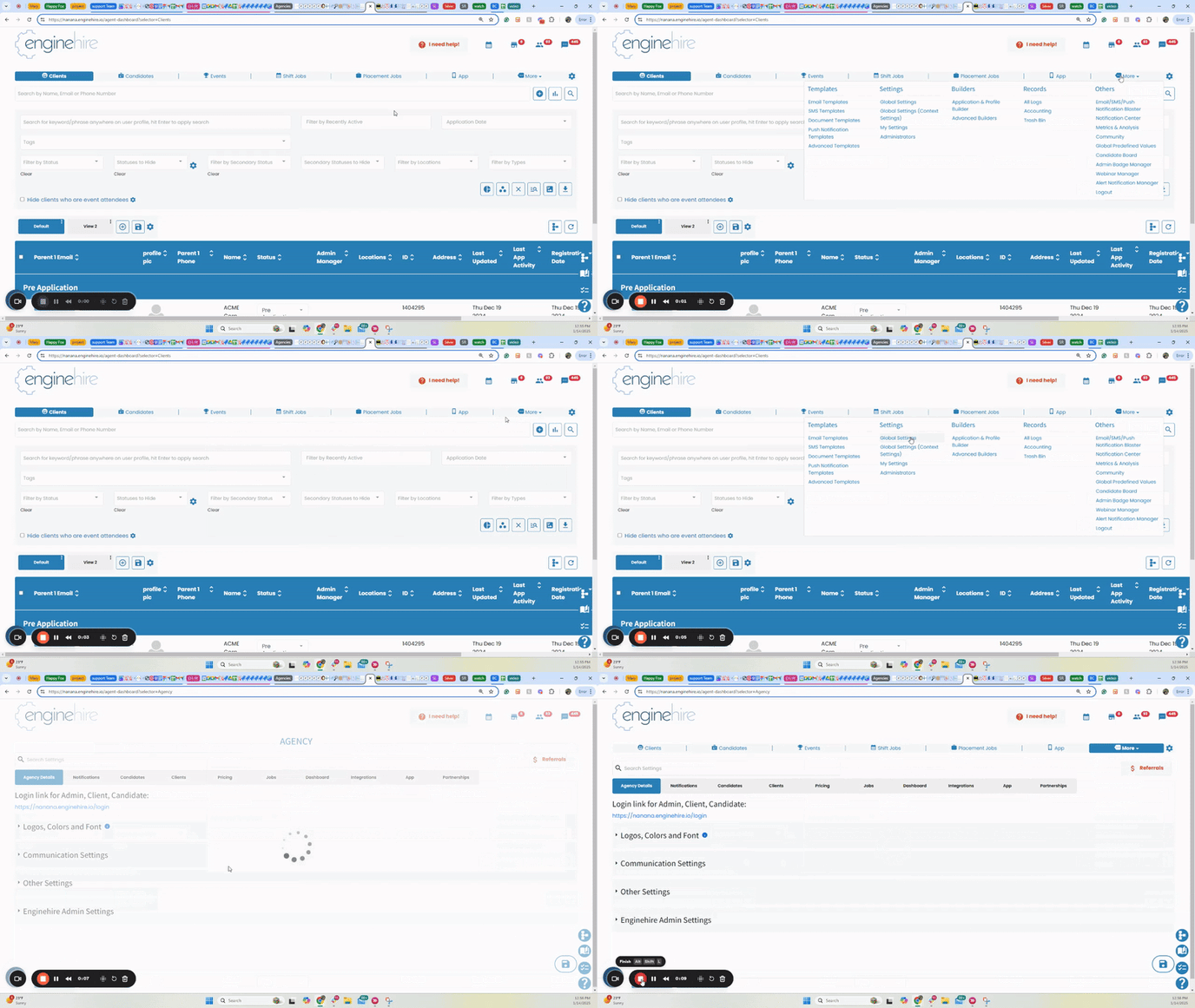
Step 2:
Click on Candidates-> Candidate Profile Settings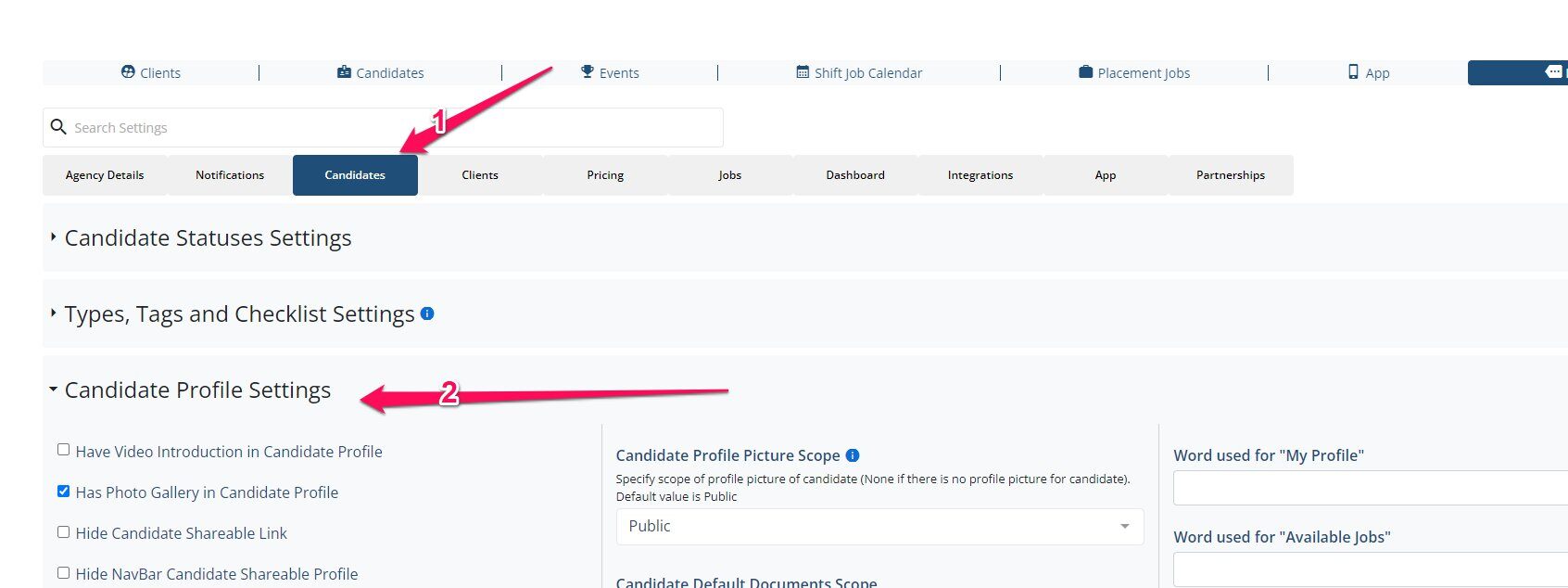
Step 3:
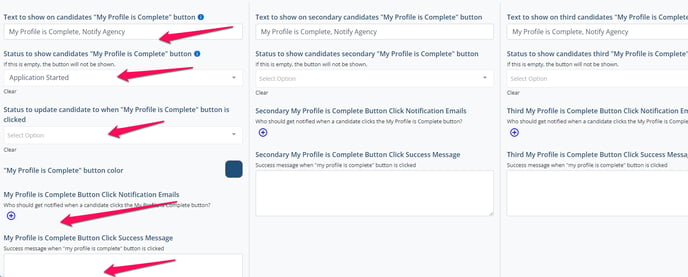
Scroll down to the area in the screenshot. You can have the my profile button complete appear three times.
You can adjust the label of the button, the status it will appear, the status it will change to when they select it, which admin gets notified when they click it and the message that appears when they click it