![enginehire logo thin dark 1.0.png]](https://learn.enginehire.io/hs-fs/hubfs/enginehire%20logo%20thin%20dark%201.0.png?height=40&name=enginehire%20logo%20thin%20dark%201.0.png)
• Navigate to More→Application & Profile Builder 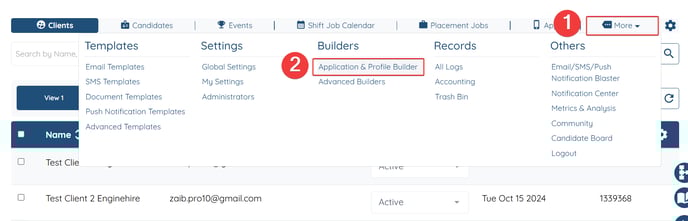
• Filter by type = Profile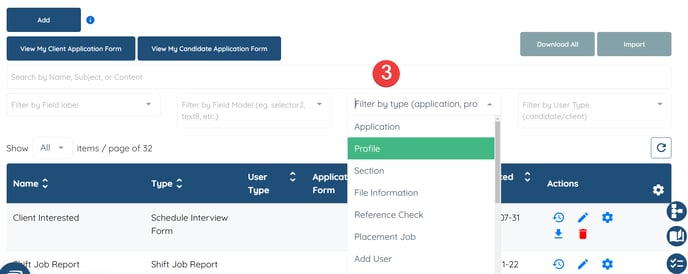
• Click on the gear icon for the Client Profile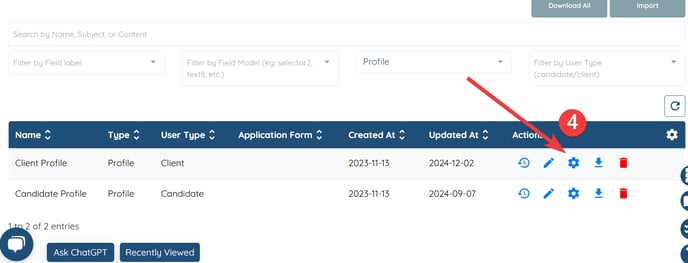
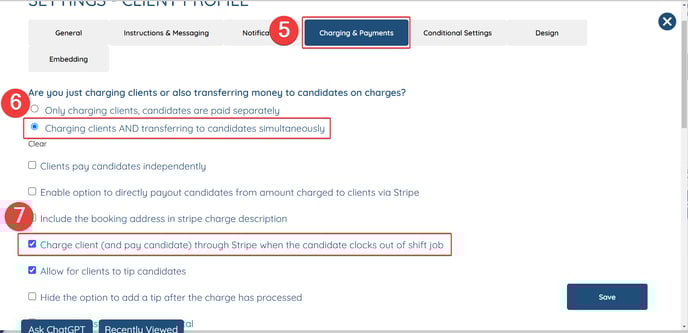
• Select: Charging and Payments
• Select: Charging clients AND transferring to candidates simultaneously
• Select: Charge client (and pay candidate) through Stripe when the candidate clocks out of shift job