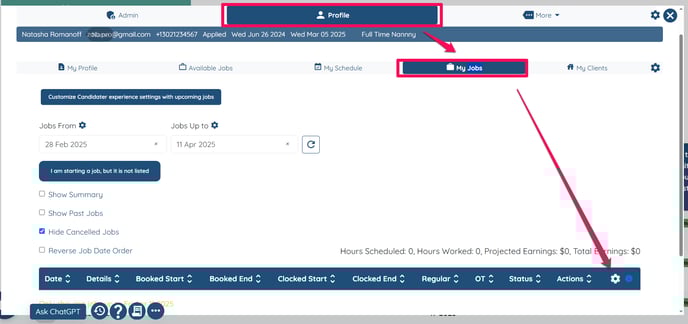
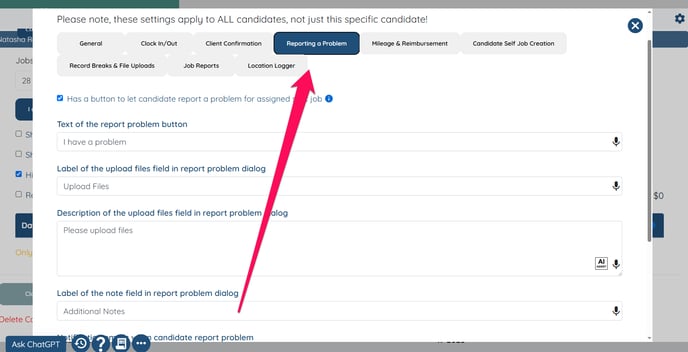
How to allow candidates to report a problem for an assigned shift job This article explains how you can now give candidates the option to report a problem with a shift job assigned to them Open any candidate's profile. Navigate to the Profile tab. Go to the My Jobs tab. Click the gear icon in the table and select the Reporting a Problem tab. If this video doesn't answer your questions you can always contact us by clicking here
![enginehire logo thin dark 1.0.png]](https://learn.enginehire.io/hs-fs/hubfs/enginehire%20logo%20thin%20dark%201.0.png?height=40&name=enginehire%20logo%20thin%20dark%201.0.png)