![enginehire logo thin dark 1.0.png]](https://learn.enginehire.io/hs-fs/hubfs/enginehire%20logo%20thin%20dark%201.0.png?height=40&name=enginehire%20logo%20thin%20dark%201.0.png)
Step 1: Go to "Shift Job Calendar" from main menu
Step 2: Click on any shift job - It will open a shift job details in a popup window

Step 3: Look for the "open in new window" icon and click on it. It will open a job listing page.
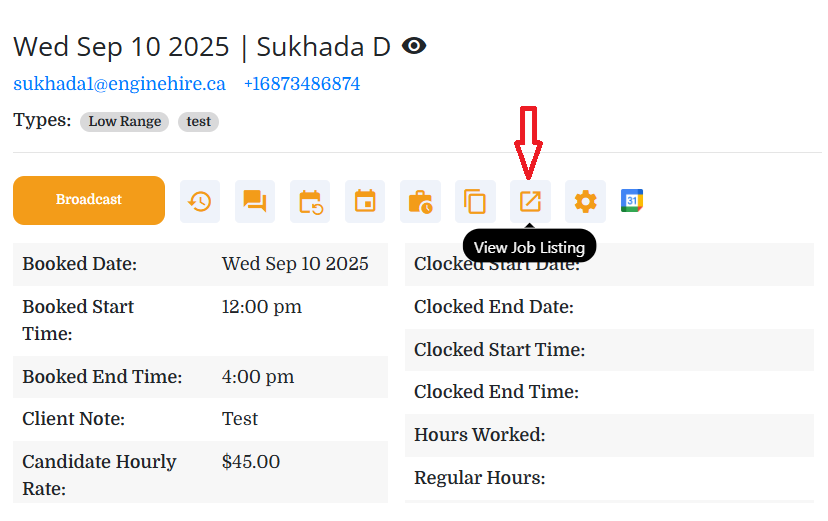
Step 4: On job details page - click on gear / settings icon. It will open a popup window.

Step 5: Scroll down and look for setting options,
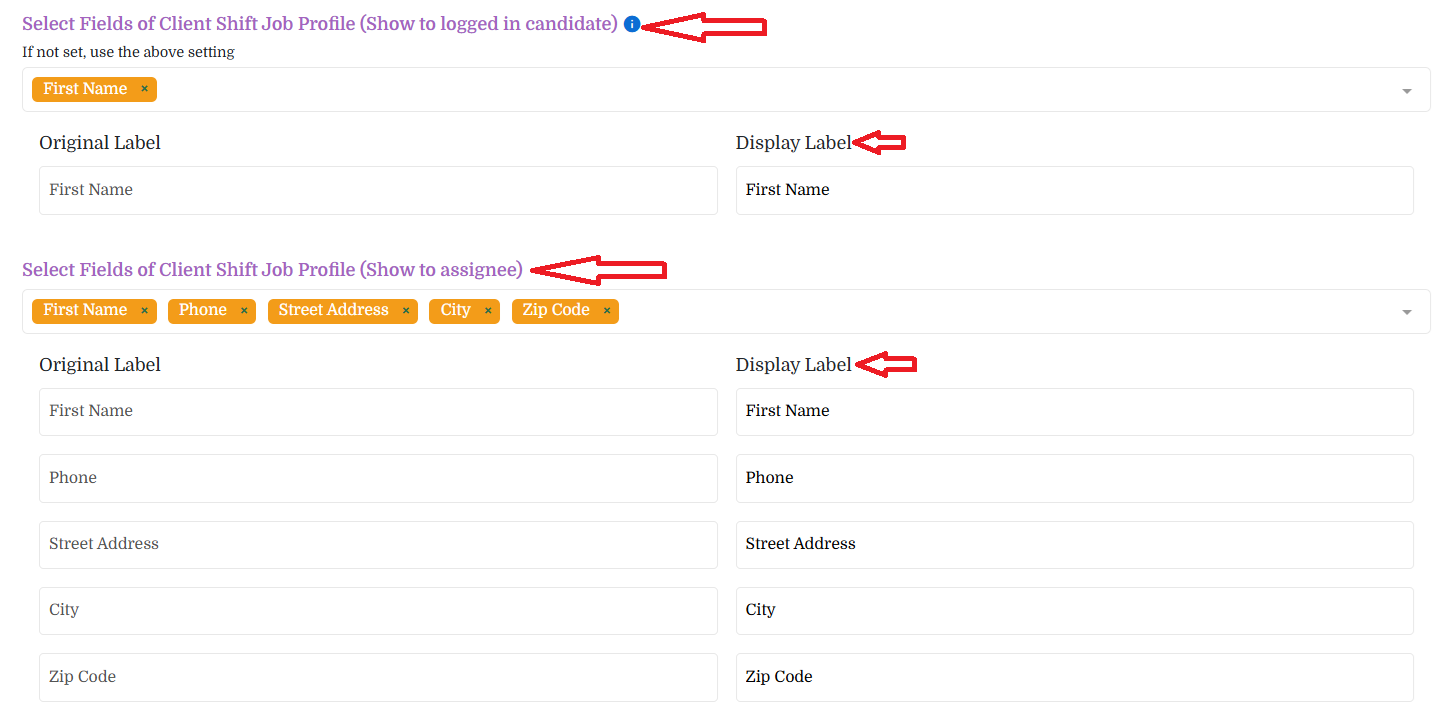
- Select Fields of Client Shift Job Profile (Show to logged in candidate)
- All selected client fields will be shown to logged in candidates when viewing a shift job
- Select Fields of Client Shift Job Profile (Show to assignee)
- All selected client fields will be shown to assigned candidate when viewing a shift job
- This will be helpful when you want to unlock major details like address, last name, and contact information once the candidate gets assigned.
- You can also change the "Display Label" as shown in screenshot.
The following video is from a previous interface but the information is still accurate.