![enginehire logo thin dark 1.0.png]](https://learn.enginehire.io/hs-fs/hubfs/enginehire%20logo%20thin%20dark%201.0.png?height=40&name=enginehire%20logo%20thin%20dark%201.0.png)
Navigate to More → Application & Profile Builder 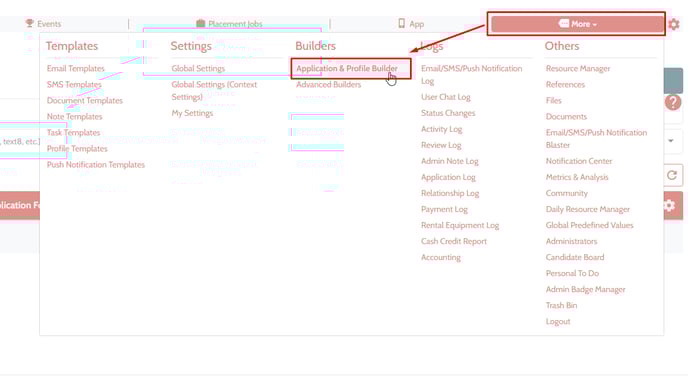
Find the "Add User" type builder for Candidate and click on the pencil icon to open the Edit Dialogue 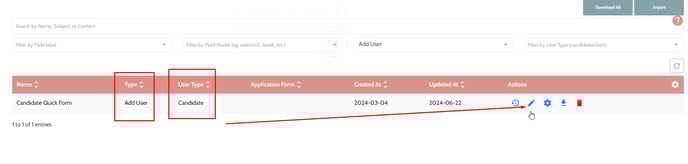
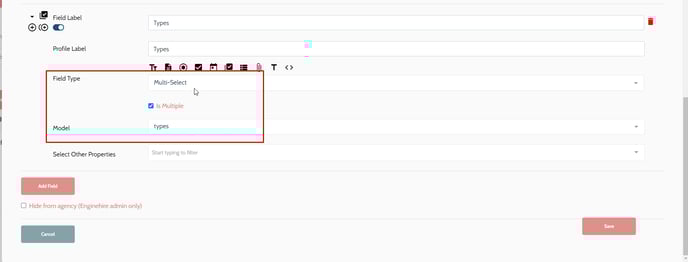
- Add a new field and set the field type to "Multi-Select"
- Check the box "is Multiple" if you would like have the option to select multiple types for an application.
- Set the Model to "types" and click Save.
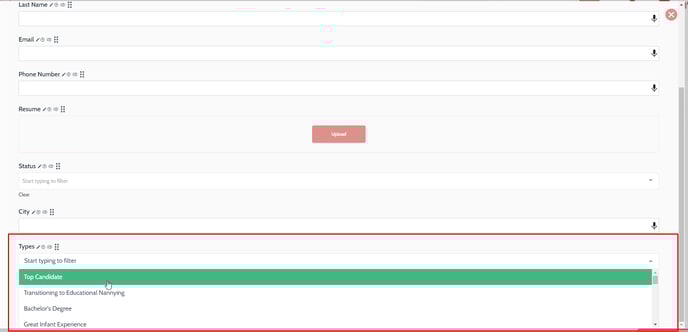
You should now have a Types added to the applicant quick form.