![enginehire logo thin dark 1.0.png]](https://learn.enginehire.io/hs-fs/hubfs/enginehire%20logo%20thin%20dark%201.0.png?height=40&name=enginehire%20logo%20thin%20dark%201.0.png)
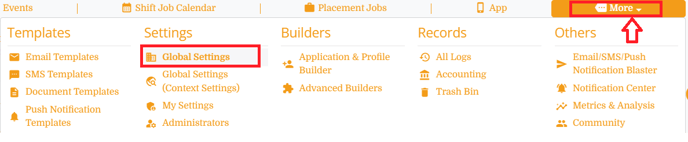
Step 1: More -> Global Settings
Step 2:
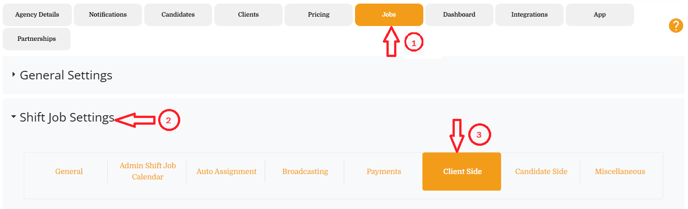
Click on Jobs and select "Shift Job Settings" --> Client Side Tab
Step 3:
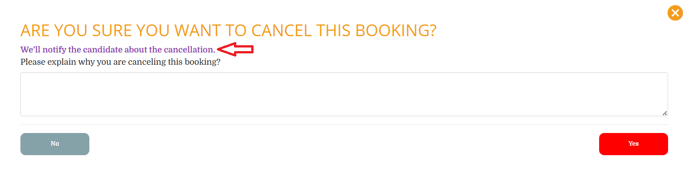
Look for the setting called "Custom text when a client cancels a shift job" and add / update text in editor. Save the settings.
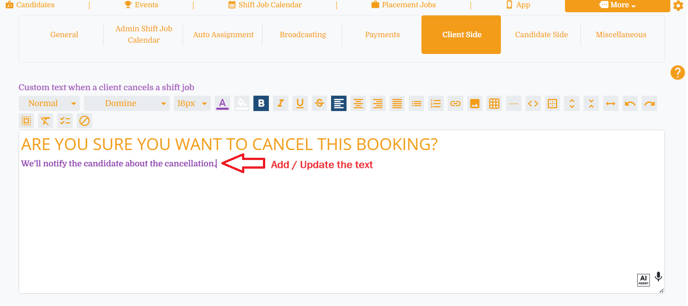
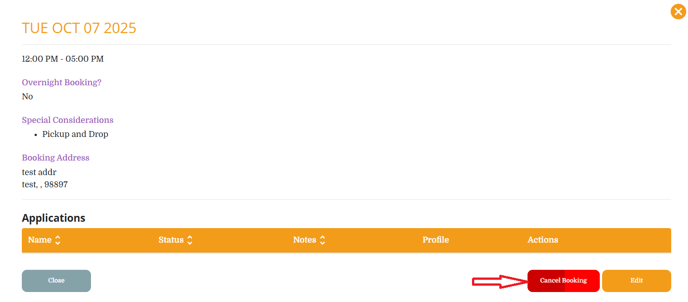
Result: Clients will see the customized message when trying to cancel the shift job booking.