![enginehire logo thin dark 1.0.png]](https://learn.enginehire.io/hs-fs/hubfs/enginehire%20logo%20thin%20dark%201.0.png?height=40&name=enginehire%20logo%20thin%20dark%201.0.png)
Step 1:
Go to MORE
Step 2:
Click on GLOBAL SETTINGS
Step 3:
Click on Pricing
Step 4:
Add new pricing
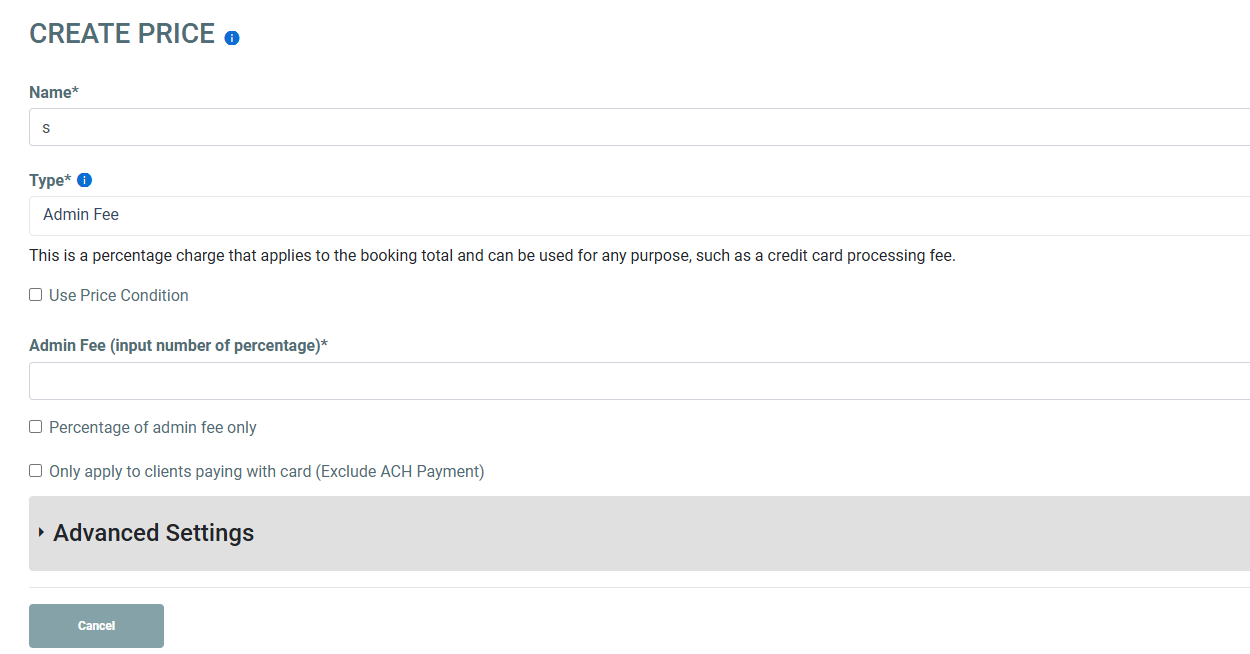
Step 5:
For the type select Admin Fee
Then in the Adin fee area put in the percentage amount. Do not put the % in there.
Go to MORE
Step 2:
Click on GLOBAL SETTINGS
Step 3:
Click on Pricing
Step 4:
Add new pricing
Step 5:
For the type select Admin Fee
Then in the Adin fee area put in the percentage amount. Do not put the % in there.