![enginehire logo thin dark 1.0.png]](https://learn.enginehire.io/hs-fs/hubfs/enginehire%20logo%20thin%20dark%201.0.png?height=40&name=enginehire%20logo%20thin%20dark%201.0.png)
- In dashboard go to More -> Settings -> My Settings
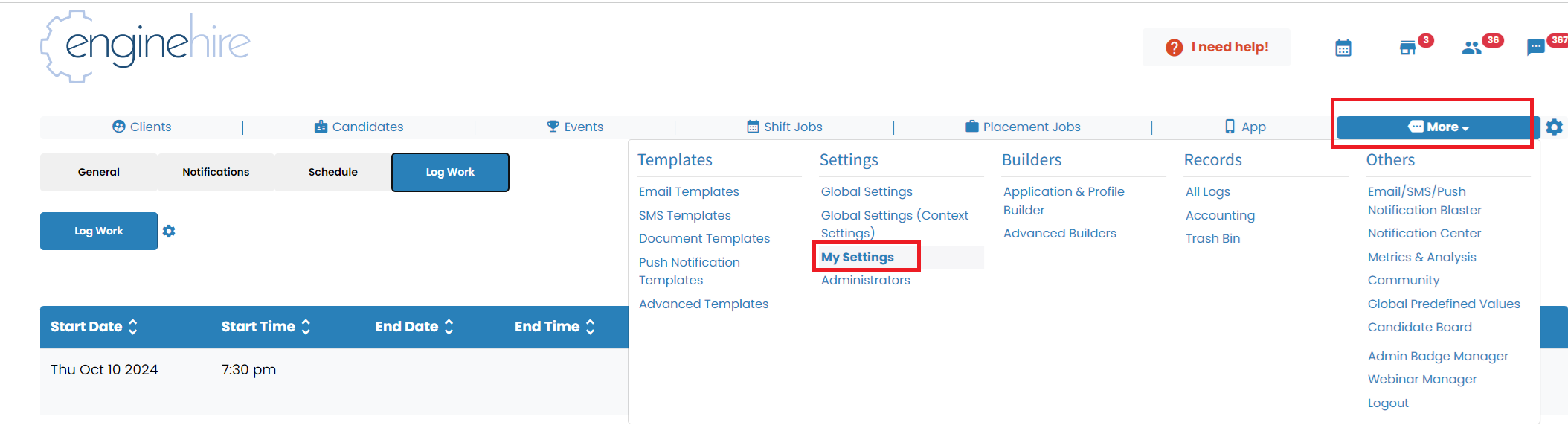
- Select the tab "Log Work" and click the button "Log Work"

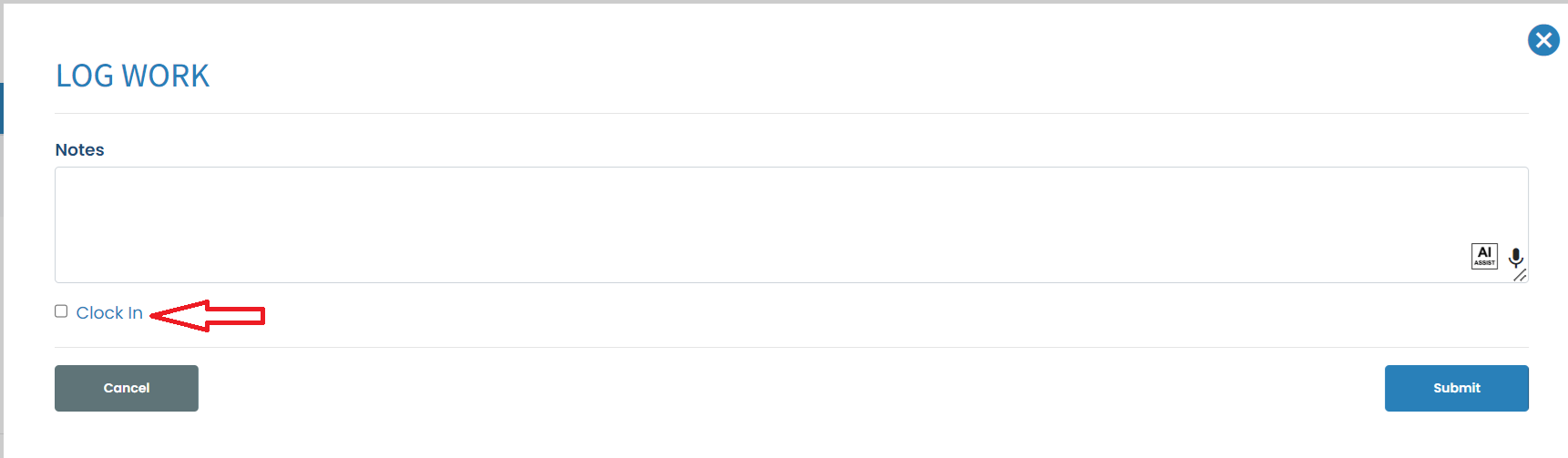
- It will open a window - here you can add notes and need to check "Clock In"
- In case of any breaks you can add them using a button "Add a Break"
- Once the work is completed hit the button clock-out

Here is video going over admin work logs: