![enginehire logo thin dark 1.0.png]](https://learn.enginehire.io/hs-fs/hubfs/enginehire%20logo%20thin%20dark%201.0.png?height=40&name=enginehire%20logo%20thin%20dark%201.0.png)
From your Dashboard, navigate to More > Global Settings > and search "decline"
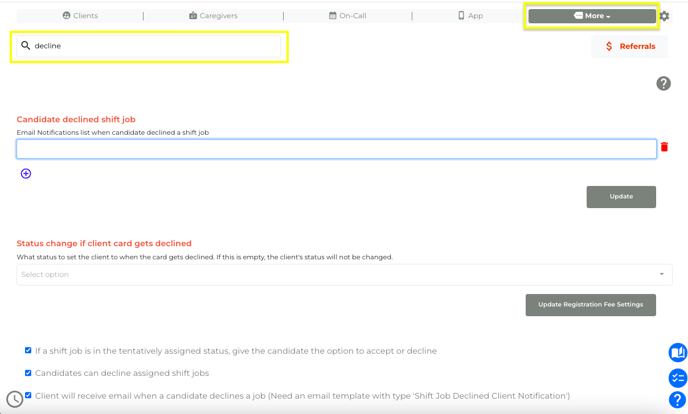
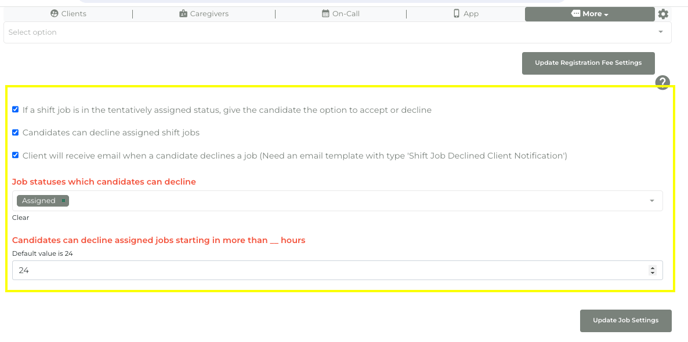
Scroll down to pick your settings that allow candidates to decline tentatively assigned/assigned shifts and the parameters of this option
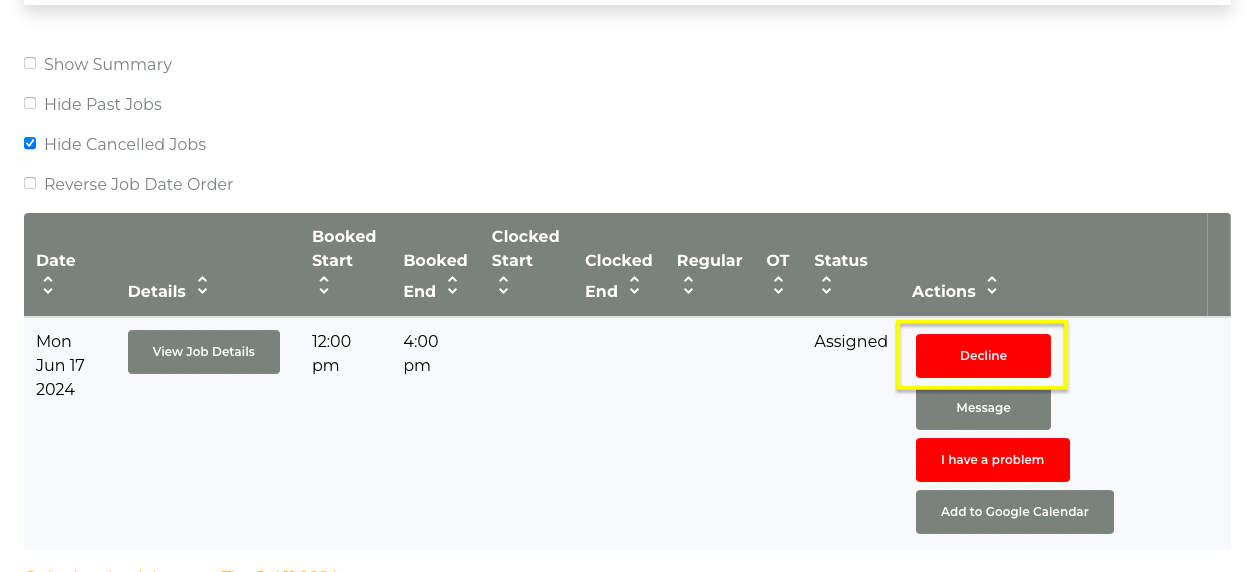
The decline button will now appear for candidate's Assigned shifts in the My Jobs section of their candidate profile: (if you have settings enabled to Tentatively Assign shifts, candidates will also see an Accept button)