![enginehire logo thin dark 1.0.png]](https://learn.enginehire.io/hs-fs/hubfs/enginehire%20logo%20thin%20dark%201.0.png?height=40&name=enginehire%20logo%20thin%20dark%201.0.png)
Step one:
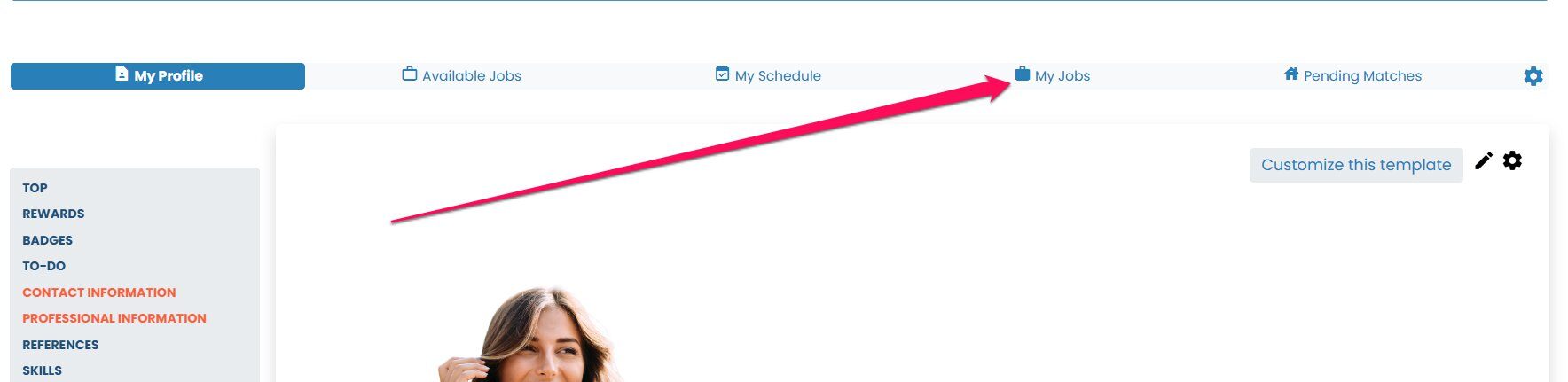
When a candidate logs into their profile, go to MY JOBS
Step 2:
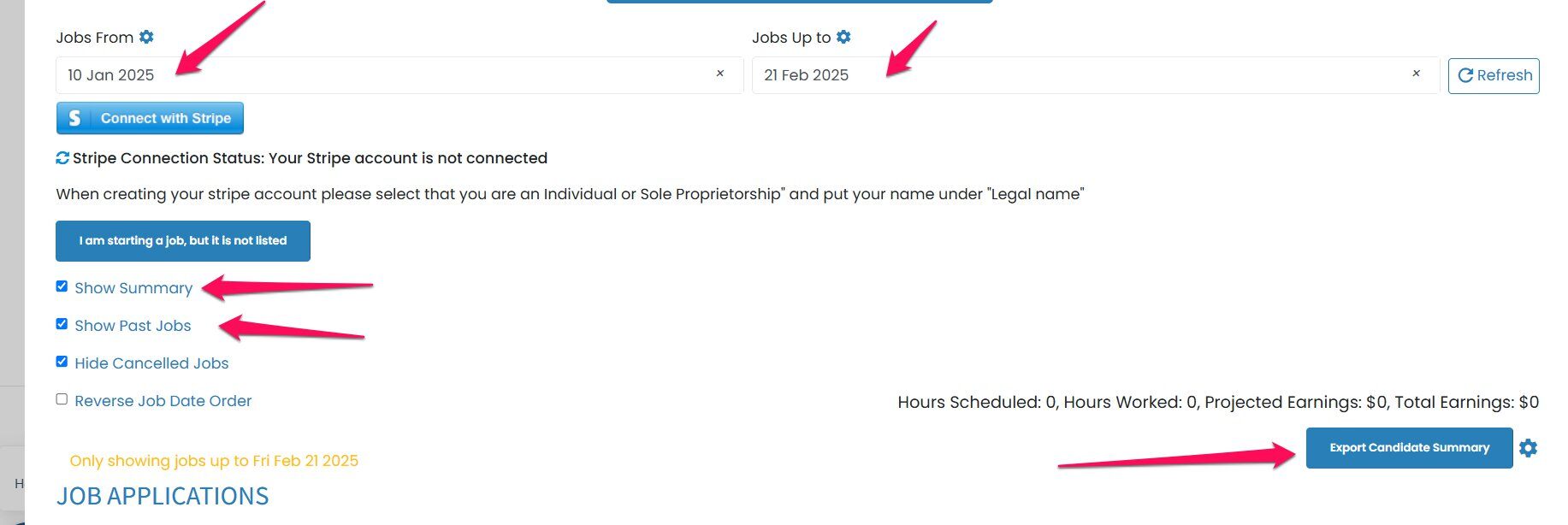
Adjust the date range at the top to the dates you want to see in your report.
Click on Show Summary
Click on Show Past Jobs
You can hide or show cancelled jobs
Select Export Candidate Summary
When a candidate logs into their profile, go to MY JOBS
Step 2:
Adjust the date range at the top to the dates you want to see in your report.
Click on Show Summary
Click on Show Past Jobs
You can hide or show cancelled jobs
Select Export Candidate Summary