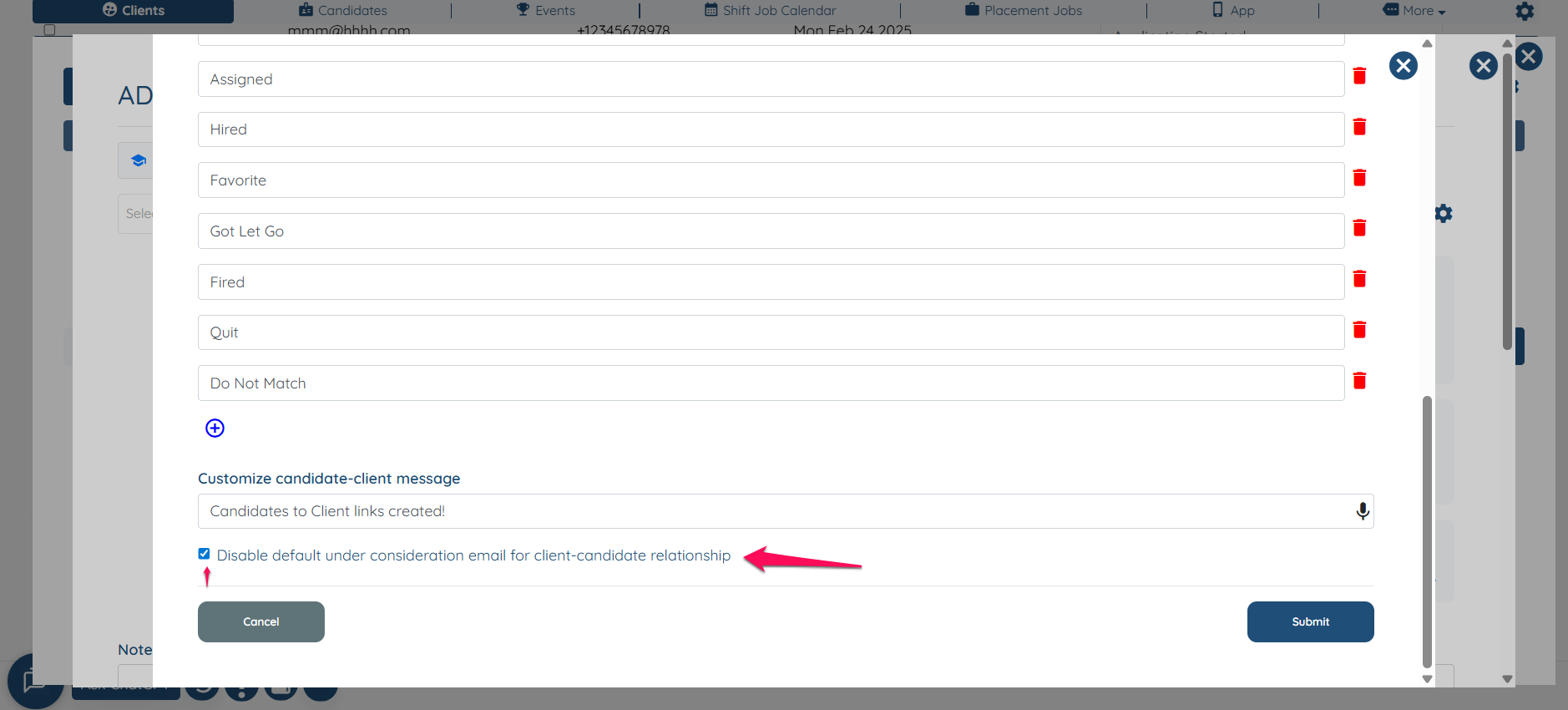
Disable the default under consideration email for client-candidate relationship
Disable the default email under consideration for the client-candidate relationship when sharing a profile. Please know that this is only for the status Under-Consideration.
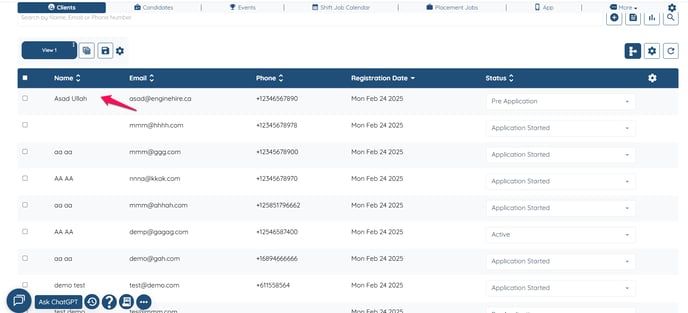
Click on any client profile.
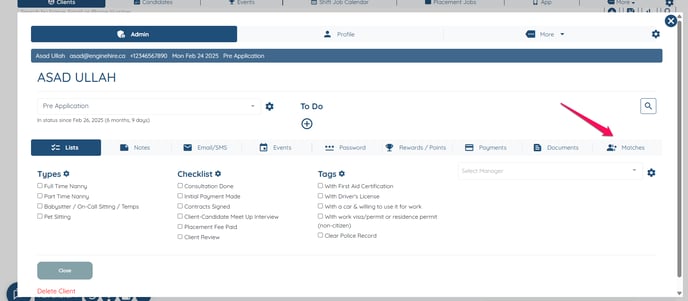
Click on Matches.
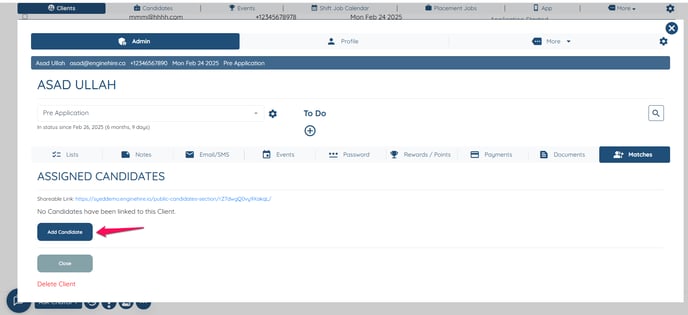
Click on "Add Candidate"
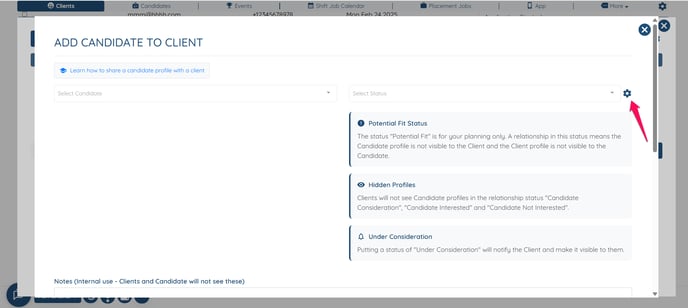
Click on the Gear icon.
Check the box Disable default under consideration email for client-candidate relationship
![enginehire logo thin dark 1.0.png]](https://learn.enginehire.io/hs-fs/hubfs/enginehire%20logo%20thin%20dark%201.0.png?height=40&name=enginehire%20logo%20thin%20dark%201.0.png)