![enginehire logo thin dark 1.0.png]](https://learn.enginehire.io/hs-fs/hubfs/enginehire%20logo%20thin%20dark%201.0.png?height=40&name=enginehire%20logo%20thin%20dark%201.0.png)
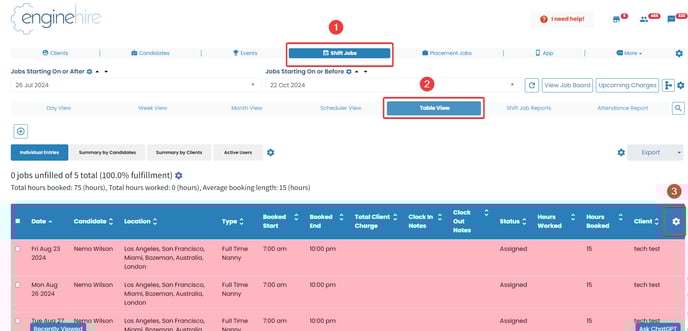
- From your Admin Dashboard select Shift Jobs.
- Select Table View
- Select Gear icon next to the column labels
- Scroll down and use the drop-down menu to select the default field for sorting shift job calendar table view
- You can also adjust the default order Accending/Decending
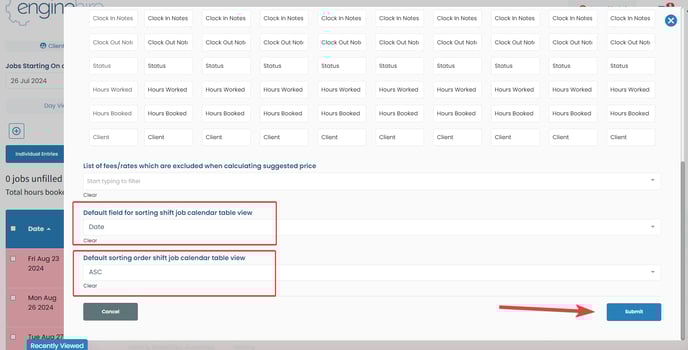
Click on the Submit button to save the changes.