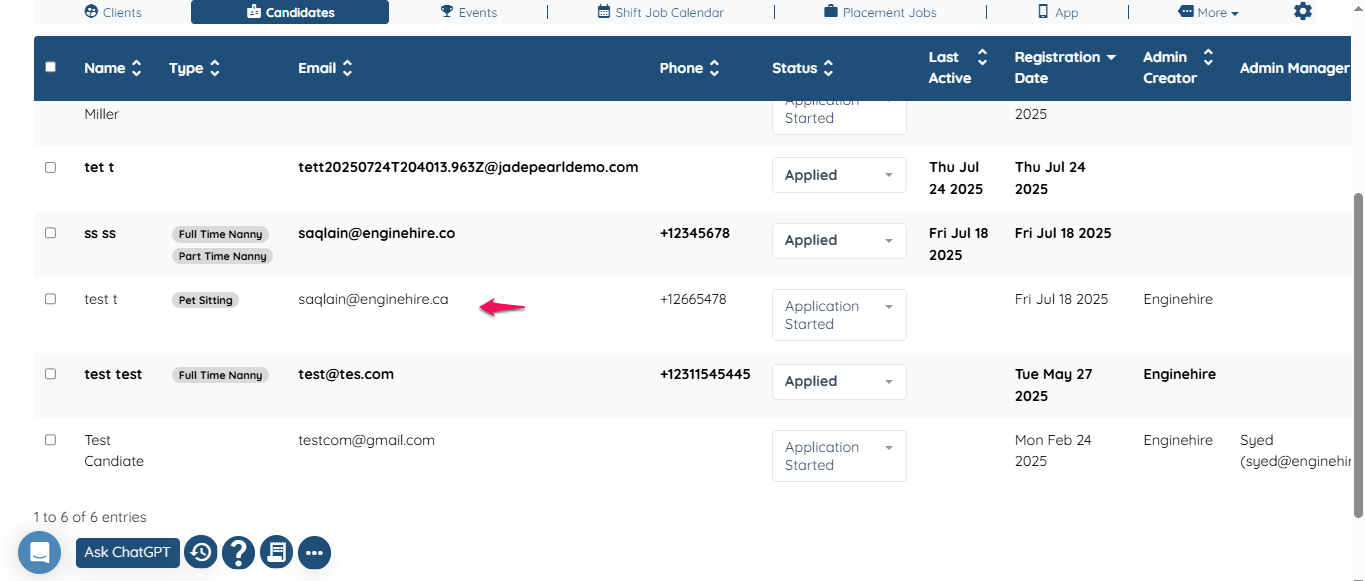
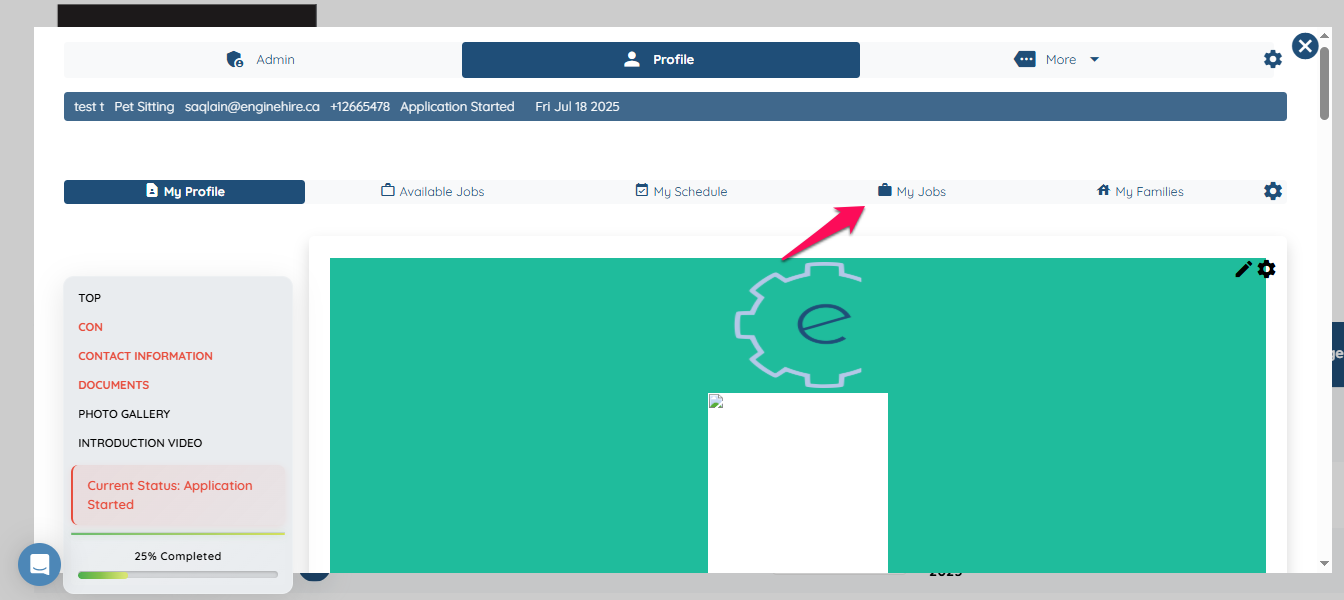
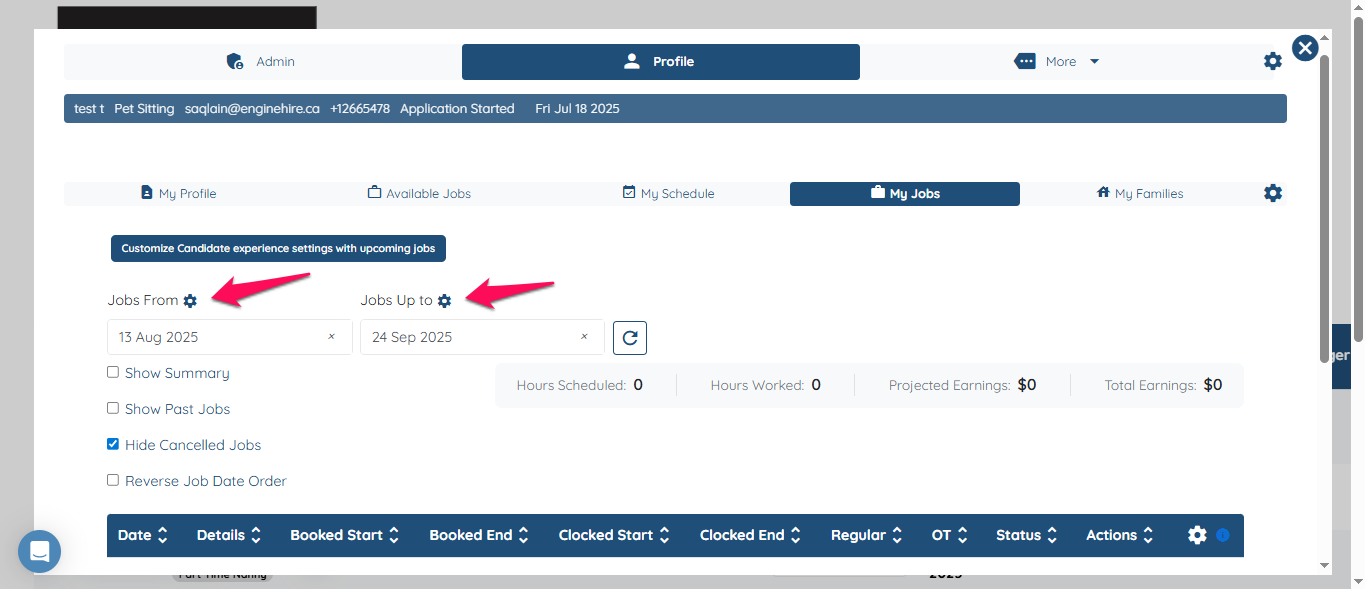
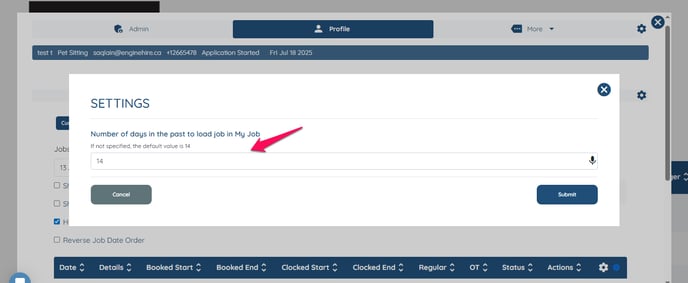
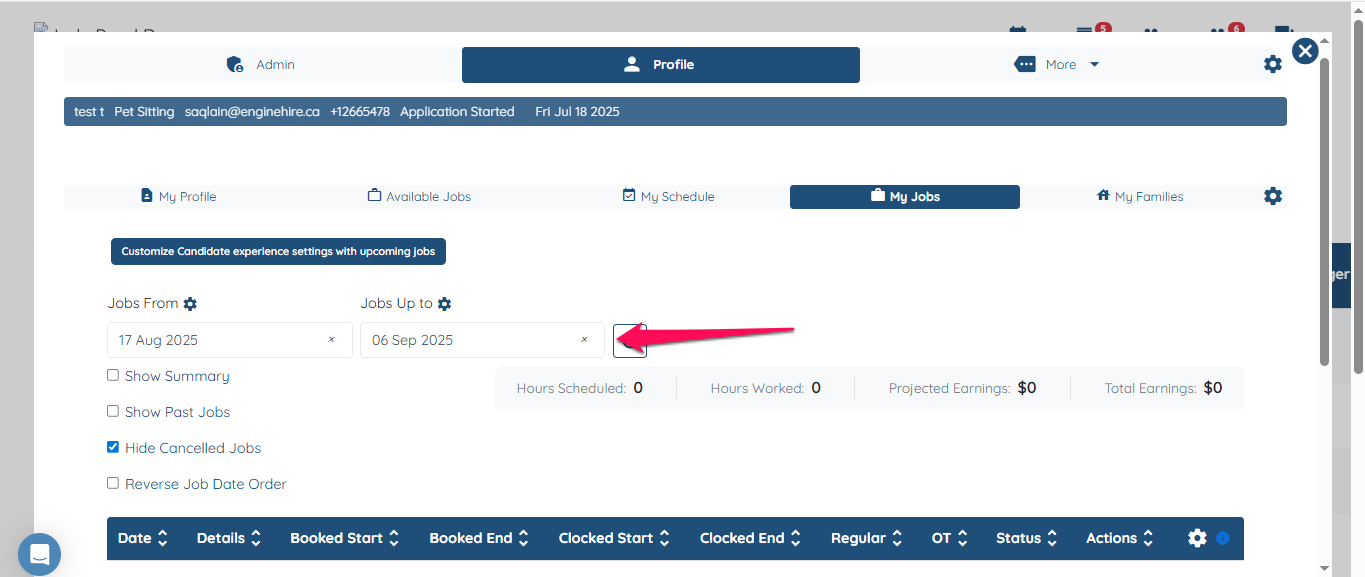
Edit Date range on My Jobs How to customize the date range on My Jobs tab on candidate profile Click on any candidate profile Click on "My Jobs" Click on gear icon above the date range. Customize it as per your needs and click on submit. It will be saved. If this doesn't answer your questions you can always contact us by clicking here
![enginehire logo thin dark 1.0.png]](https://learn.enginehire.io/hs-fs/hubfs/enginehire%20logo%20thin%20dark%201.0.png?height=40&name=enginehire%20logo%20thin%20dark%201.0.png)