![enginehire logo thin dark 1.0.png]](https://learn.enginehire.io/hs-fs/hubfs/enginehire%20logo%20thin%20dark%201.0.png?height=40&name=enginehire%20logo%20thin%20dark%201.0.png)
Step 1:
Add the document to the resource library builder
Step 2:
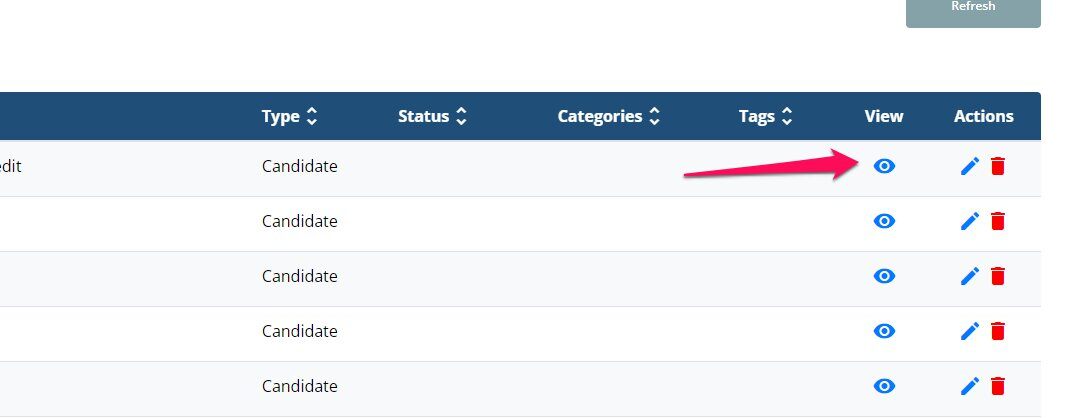
Once added, click the eye icon
Step 3:
When you click the eye icon, it will open in another tab. Copy the URL in the browser
Step 4:
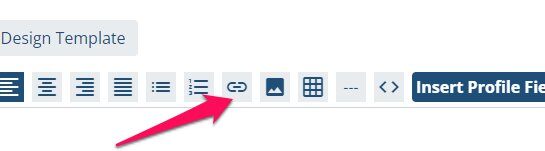
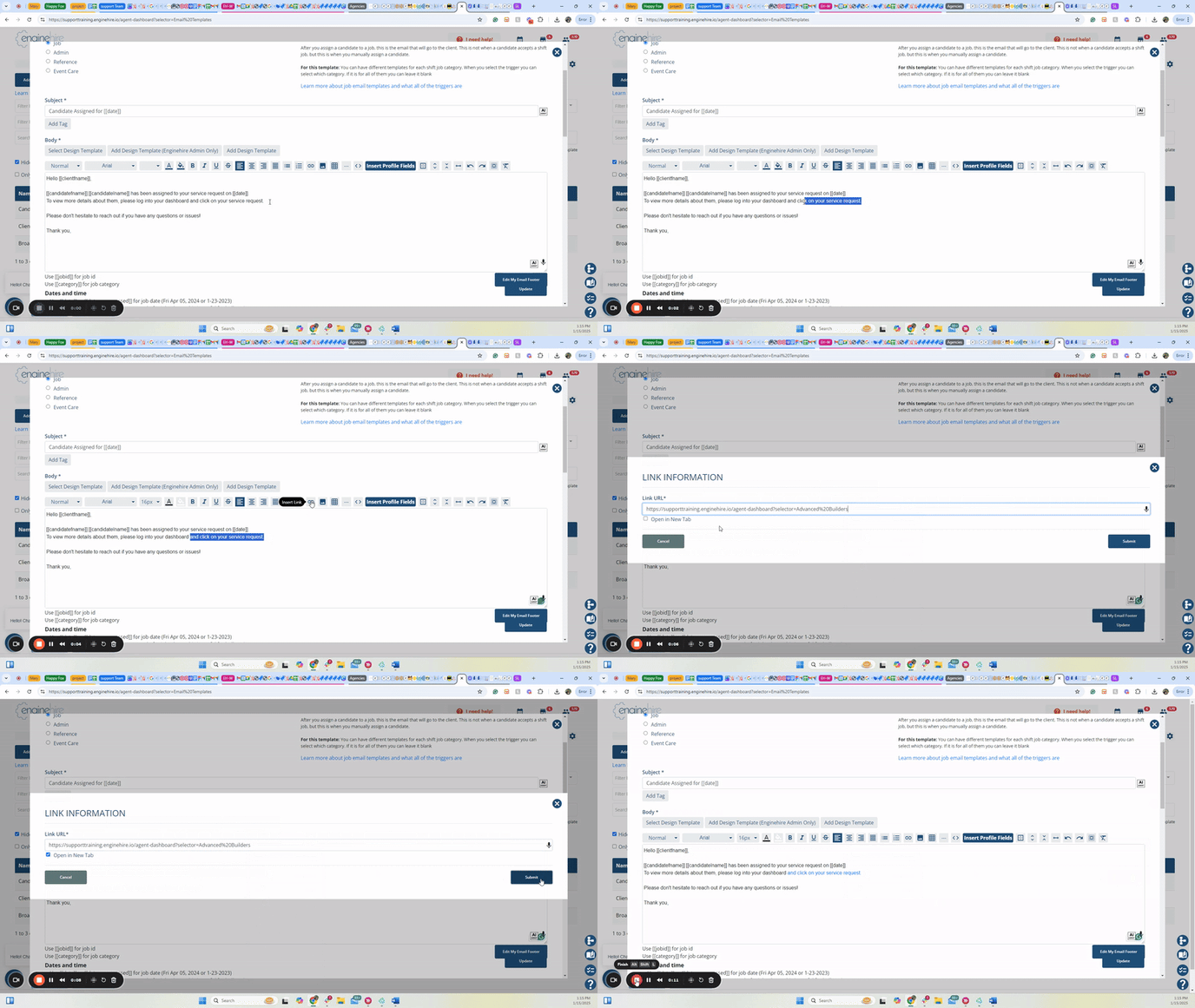
Go to the email template you want to hyper link it to. Select the text, and select this icon
Add the document to the resource library builder
Step 2:
Once added, click the eye icon
Step 3:
When you click the eye icon, it will open in another tab. Copy the URL in the browser
Step 4:
Go to the email template you want to hyper link it to. Select the text, and select this icon