![enginehire logo thin dark 1.0.png]](https://learn.enginehire.io/hs-fs/hubfs/enginehire%20logo%20thin%20dark%201.0.png?height=40&name=enginehire%20logo%20thin%20dark%201.0.png)
Step 1:
Go to any candidate profile. The setting is global but to get to that setting you need to go to a candidate profile.
Step 2:
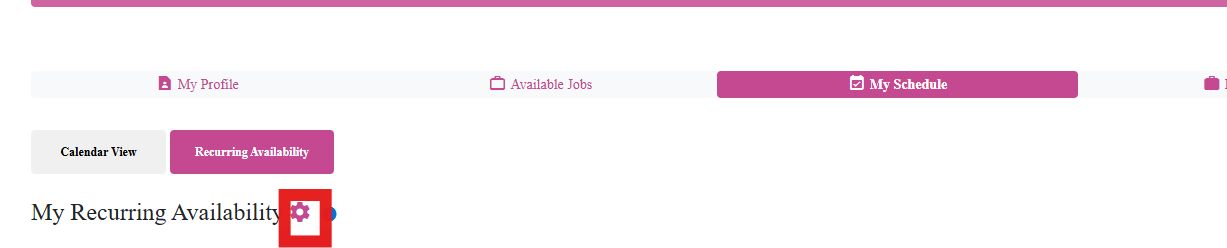
Go to My Schedule tab
Step 3:
Click on Recurring Availability
Step 4:
Click the gear icon
Step 5:
Adjust this setting:

Check it off if you want them to add/edit
Uncheck it if you don't want them to add/edit
Go to any candidate profile. The setting is global but to get to that setting you need to go to a candidate profile.
Step 2:
Go to My Schedule tab
Step 3:
Click on Recurring Availability
Step 4:
Click the gear icon
Step 5:
Adjust this setting:
Check it off if you want them to add/edit
Uncheck it if you don't want them to add/edit