![enginehire logo thin dark 1.0.png]](https://learn.enginehire.io/hs-fs/hubfs/enginehire%20logo%20thin%20dark%201.0.png?height=40&name=enginehire%20logo%20thin%20dark%201.0.png)
Step 1:
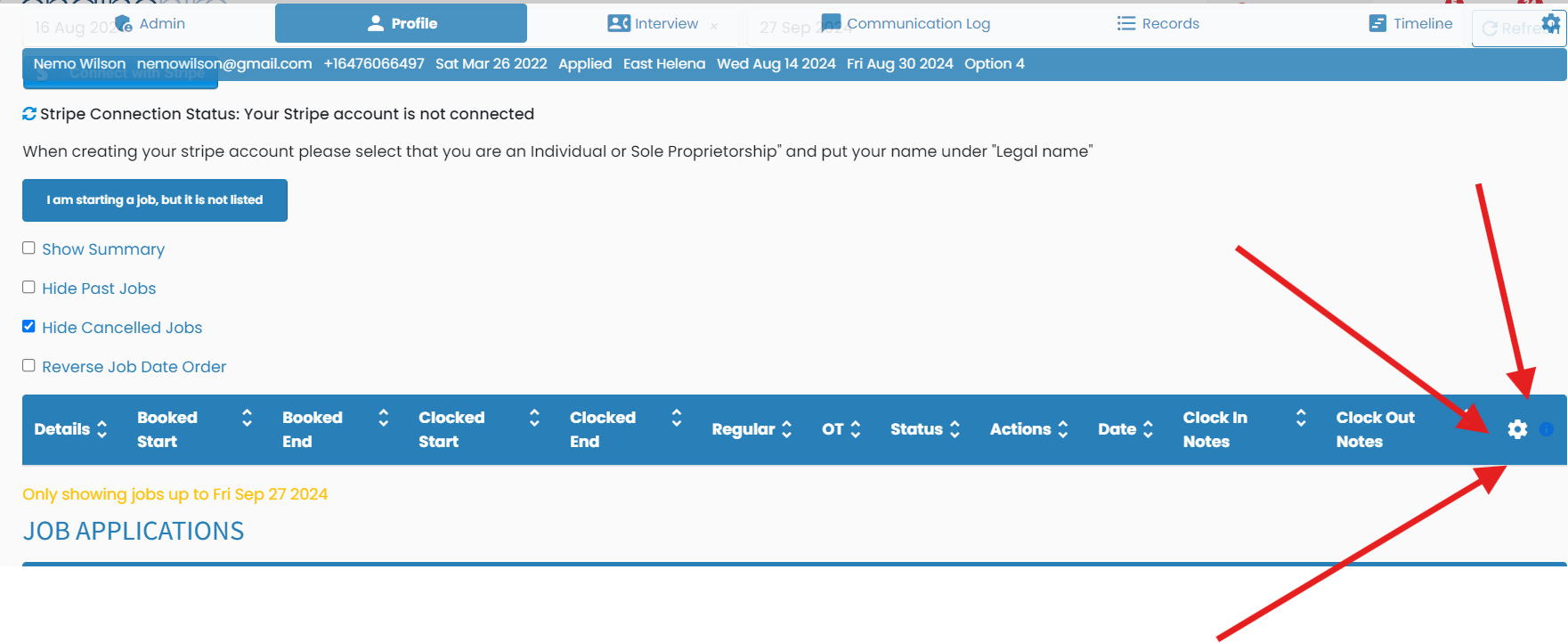
Go to any candidate profile. Even though you are going to one profile, the settings are global.
Step 2:
Go to the my jobs tab
Step 3:
Click on this gear icon
Step 4:
Make sure the setting is turned on to allow them to create their own jobs to clock in and out and turn on this setting to get notified

Go to any candidate profile. Even though you are going to one profile, the settings are global.
Step 2:
Go to the my jobs tab
Step 3:
Click on this gear icon
Step 4:
Make sure the setting is turned on to allow them to create their own jobs to clock in and out and turn on this setting to get notified