![enginehire logo thin dark 1.0.png]](https://learn.enginehire.io/hs-fs/hubfs/enginehire%20logo%20thin%20dark%201.0.png?height=40&name=enginehire%20logo%20thin%20dark%201.0.png)
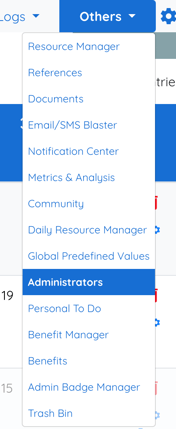
1. From the main table on Mission Control Select Other.
2. Select Administrators.
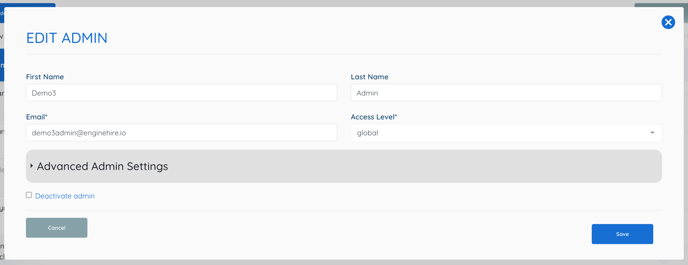
3. Select the Pencil Icon on the select Admin.

4. Select the Advanced Admin Settings drop down.
5. Select the Check Box Hide this admin from note notification list.
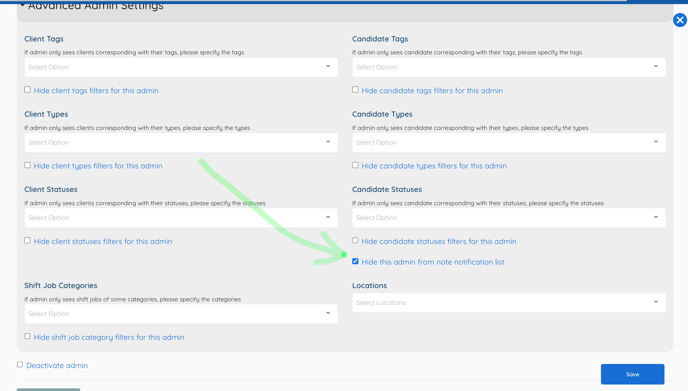
6. Select Save.