![enginehire logo thin dark 1.0.png]](https://learn.enginehire.io/hs-fs/hubfs/enginehire%20logo%20thin%20dark%201.0.png?height=40&name=enginehire%20logo%20thin%20dark%201.0.png)
Step 1:
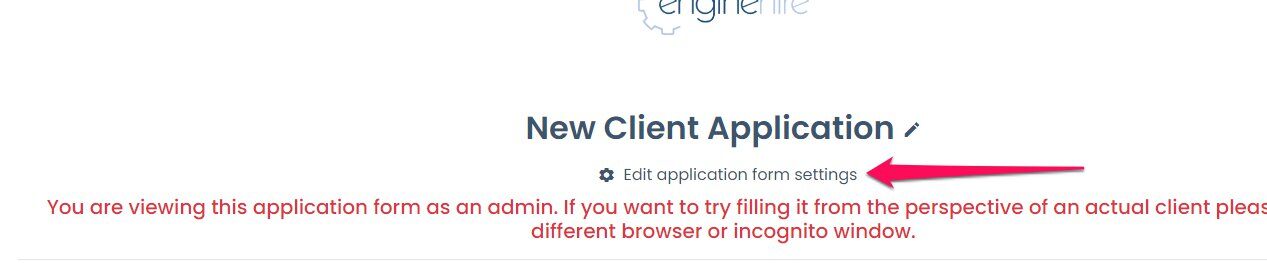
Go to your application and make sure you are viewing it as an admin and select this at the top
Step 2:
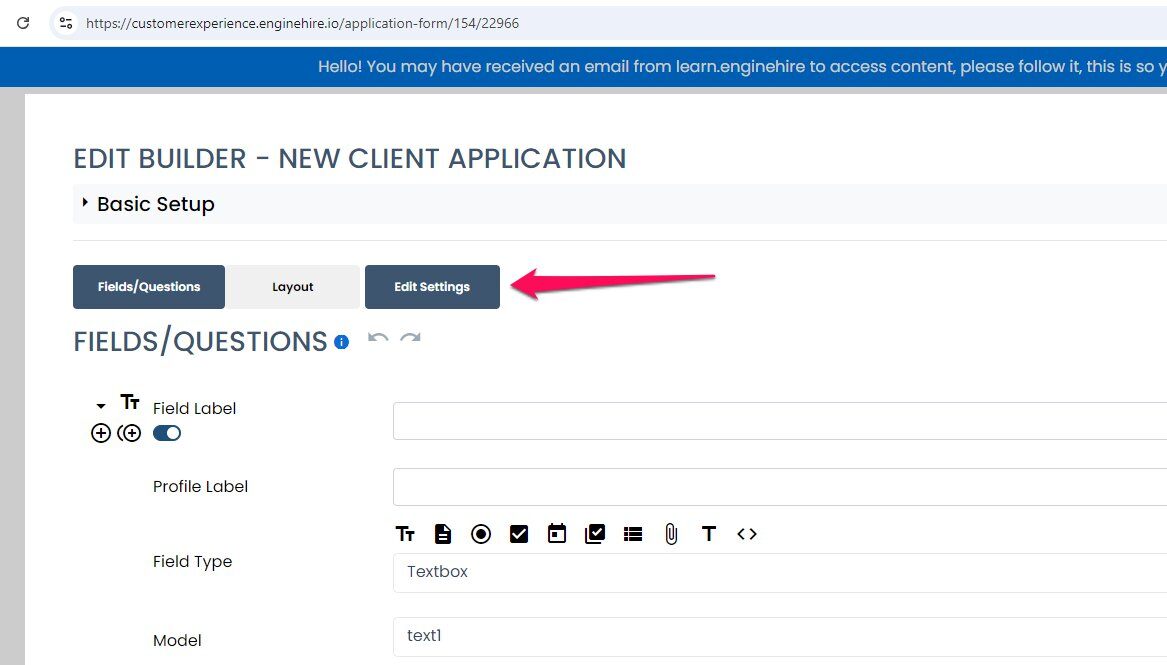
Click on Edit Settings
Step 3:
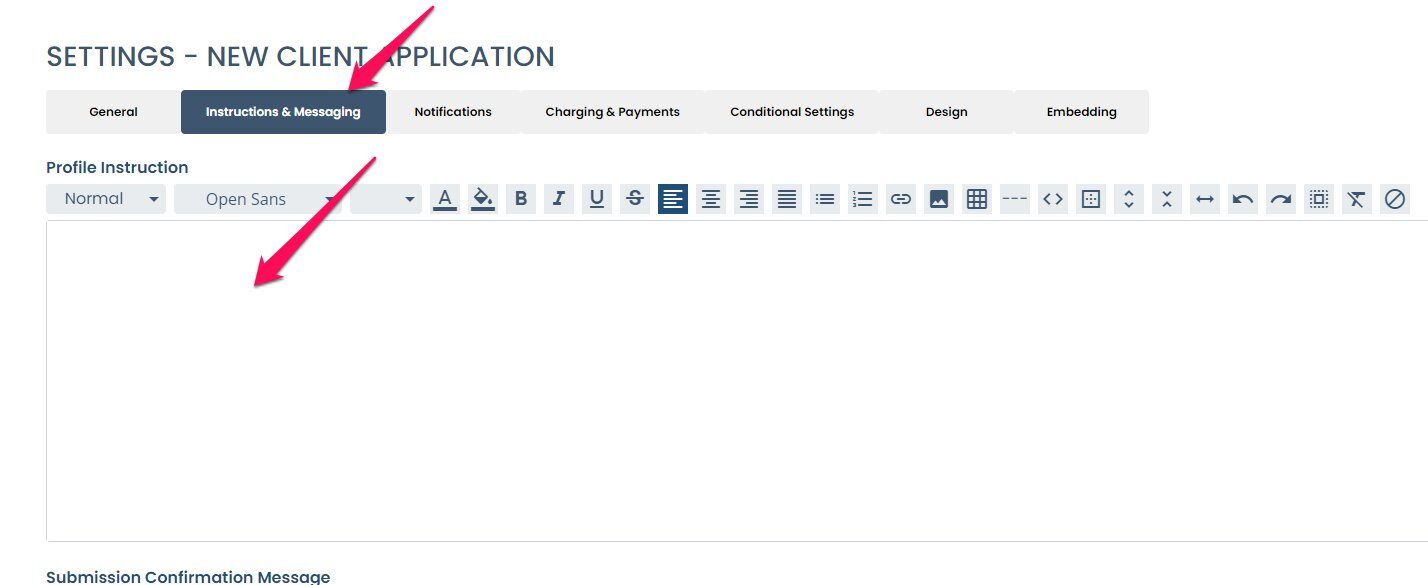
Select Instructions and messaging and then type your message in the profile instructions
Go to your application and make sure you are viewing it as an admin and select this at the top
Step 2:
Click on Edit Settings
Step 3:
Select Instructions and messaging and then type your message in the profile instructions