![enginehire logo thin dark 1.0.png]](https://learn.enginehire.io/hs-fs/hubfs/enginehire%20logo%20thin%20dark%201.0.png?height=40&name=enginehire%20logo%20thin%20dark%201.0.png)
Step 1:
Go to MORE-> GLOBAL SETTINGS-> APPLICATION & PROFILE BUILDER
Step 2:
Click the pencil icon of the profile

Step 3:
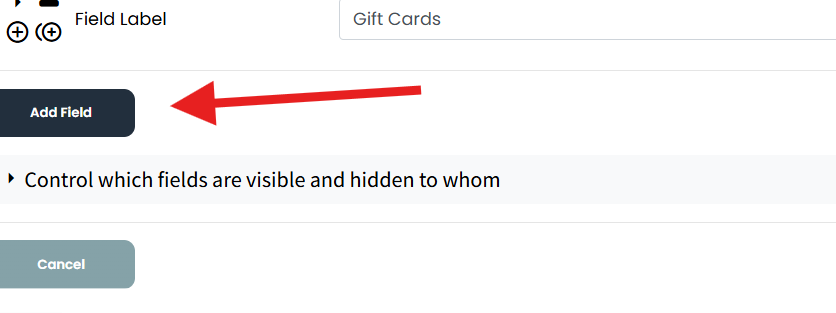
Scroll down and click add field
Step 4:
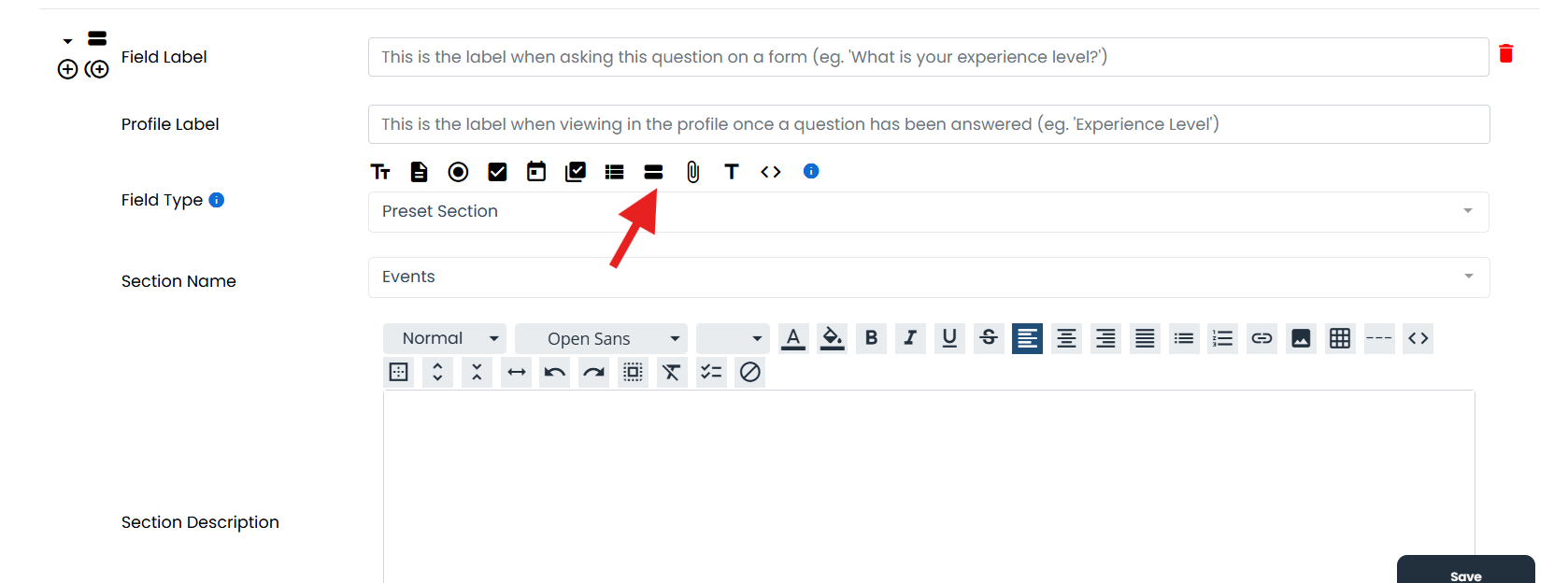
Seelct the Two Bold Lines
Step 5:
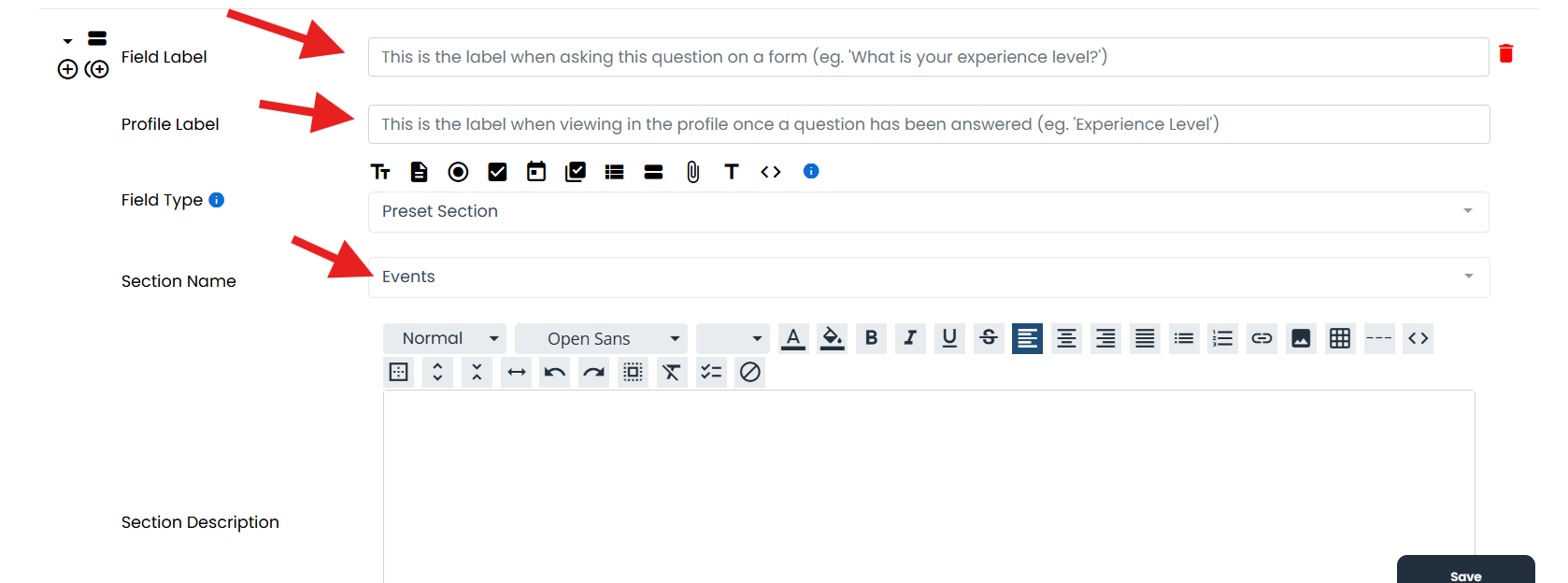
Add Field & Profile Label
Select Section Name
Step 6:
Then you can move it by drag and drop if you want it higher on the profile.
Go to MORE-> GLOBAL SETTINGS-> APPLICATION & PROFILE BUILDER
Step 2:
Click the pencil icon of the profile
Step 3:
Scroll down and click add field
Step 4:
Seelct the Two Bold Lines
Step 5:
Add Field & Profile Label
Select Section Name
Step 6:
Then you can move it by drag and drop if you want it higher on the profile.