![enginehire logo thin dark 1.0.png]](https://learn.enginehire.io/hs-fs/hubfs/enginehire%20logo%20thin%20dark%201.0.png?height=40&name=enginehire%20logo%20thin%20dark%201.0.png)
Let’s get started 🚀
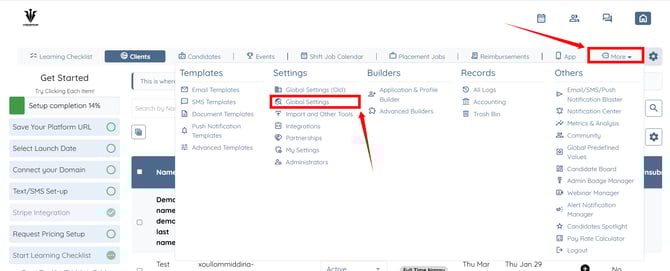
Step 1: Log in to your agent dashboard and click More > Global Settings as shown in the screenshot below.
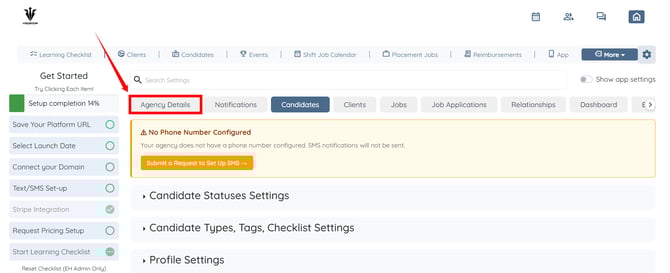
Step 2: Click the Agency Details tab from the available tabs.
Step 3: Click the Business Details option to expand its details.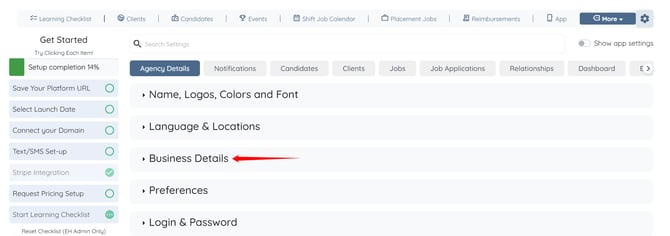
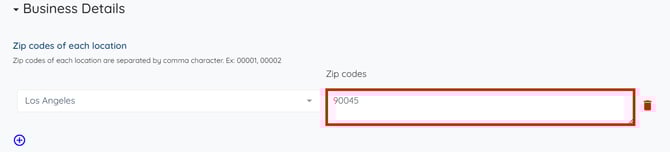
Step 4: Select the location from the drop-down list for which you want to add a ZIP code.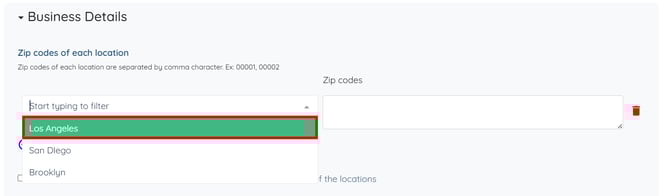
These locations need to be added to your agency if you have not added them earlier.
To learn more about how to add a location to your agency, refer to the Add A New Location article.
Step 5: Enter the zip code for the selected location as required. The system saves the settings automatically.
You can enter multiple zip codes by separating them with commas (e.g., 00001, 00002).