![enginehire logo thin dark 1.0.png]](https://learn.enginehire.io/hs-fs/hubfs/enginehire%20logo%20thin%20dark%201.0.png?height=40&name=enginehire%20logo%20thin%20dark%201.0.png)
Before configuring the Booking Host Email, you must authorize your Google Calendar through the Google Calendar integration. To learn how, refer to the Integrate Google Calendar into Enginehire article.
Let’s get started 🚀
Step 1: Log in to your agent dashboard and click More > Integrations, as shown in the
screenshot below.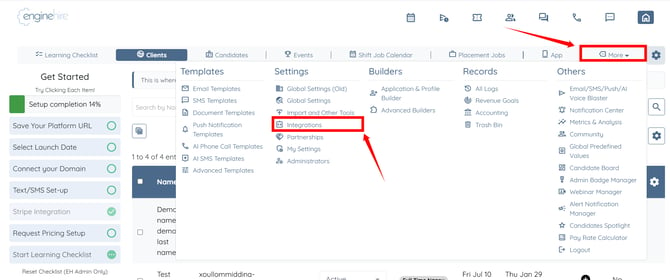
Step 2: Scroll to the bottom and click the AI Voice Agent Integration option to expand its
details.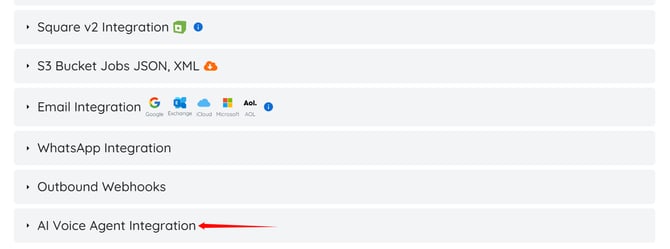
Step 3: Enter the email address that you used to authorize your Google Calendar in the AI Voice Agent Booking Host Email field. 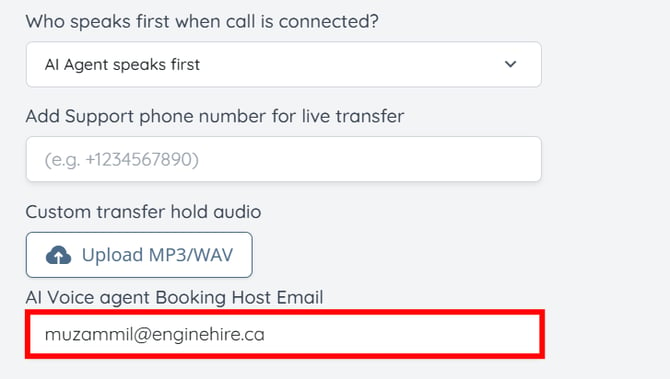
Step 4: Check the Enable Google Calendar Integration (Offline Access) checkbox.
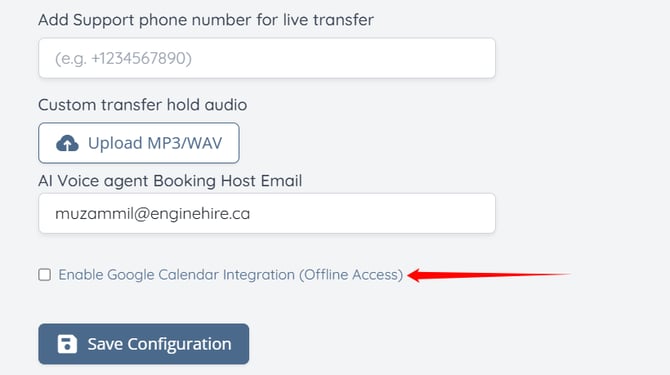
Step 5: Click the Save Configuration button.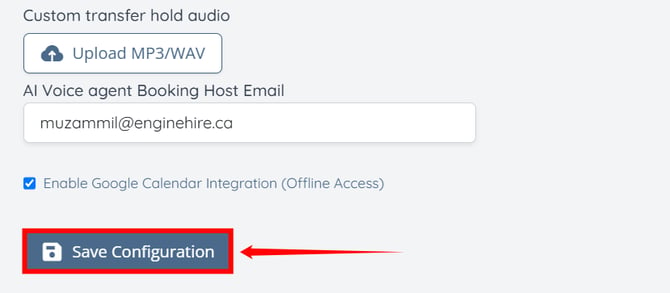
Ensure your agency timezone is configured correctly so the AI Voice Agent schedules meetings using the correct date and time. To learn more, refer to the Set the Agency Timezone article.