![enginehire logo thin dark 1.0.png]](https://learn.enginehire.io/hs-fs/hubfs/enginehire%20logo%20thin%20dark%201.0.png?height=40&name=enginehire%20logo%20thin%20dark%201.0.png)
Let’s get started 🚀
Step 1: Log in to your agent dashboard, and click More > Global Settings as shown in the screenshot below. 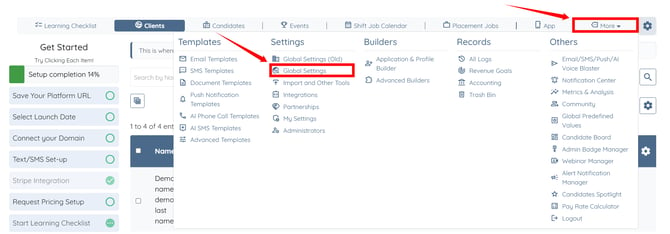
Step 2: Click the Agency Details tab from the available tabs.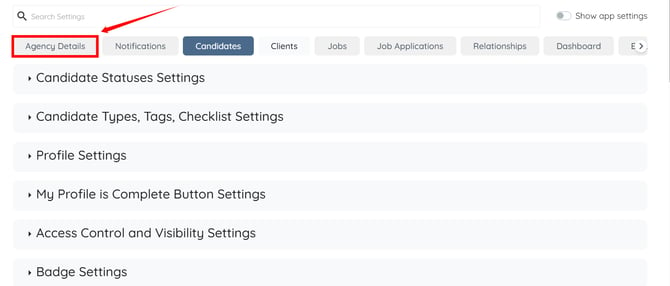
Step 3: Click the Business Details option to expand and view its details.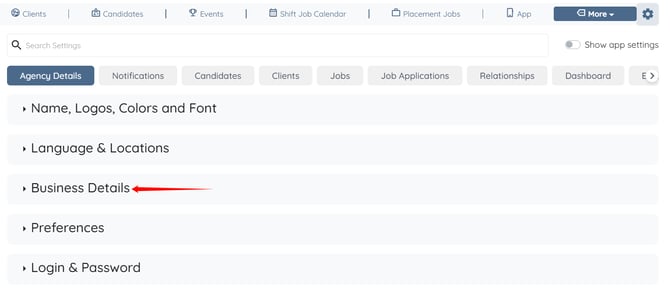
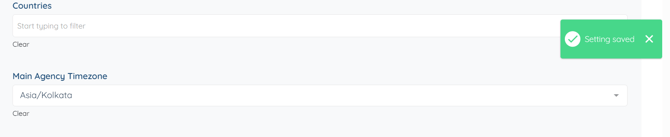
Step 4: Select the timezone that you want to use for your agency from the dropdown list. 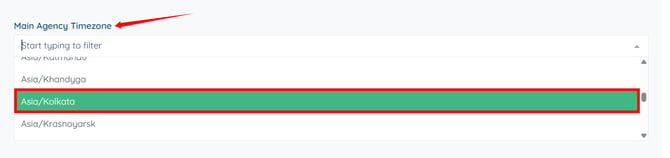
The settings will be saved automatically. The selected timezone will be applied automatically across your agency.