![enginehire logo thin dark 1.0.png]](https://learn.enginehire.io/hs-fs/hubfs/enginehire%20logo%20thin%20dark%201.0.png?height=40&name=enginehire%20logo%20thin%20dark%201.0.png)
Let’s get started 🚀
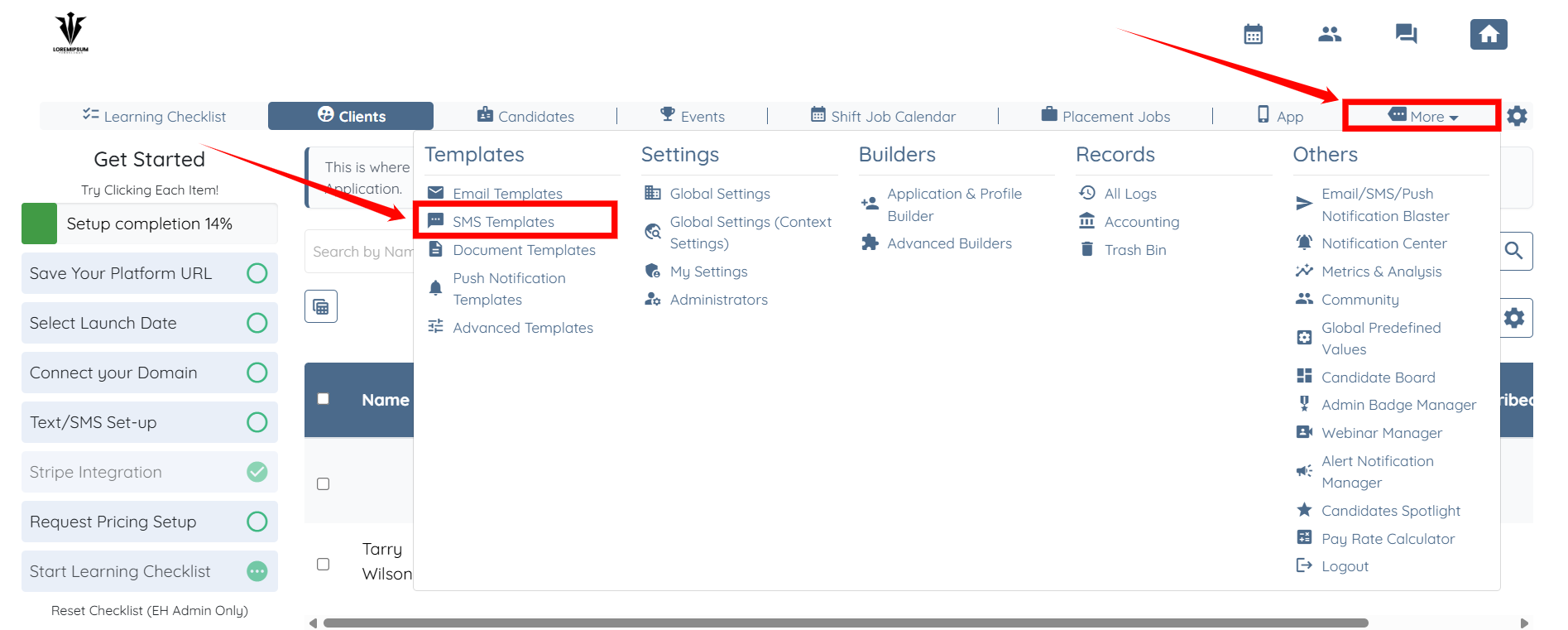
Step 1: Log in to your agent dashboard, and click on More > SMS Templates as shown in the screenshot below.
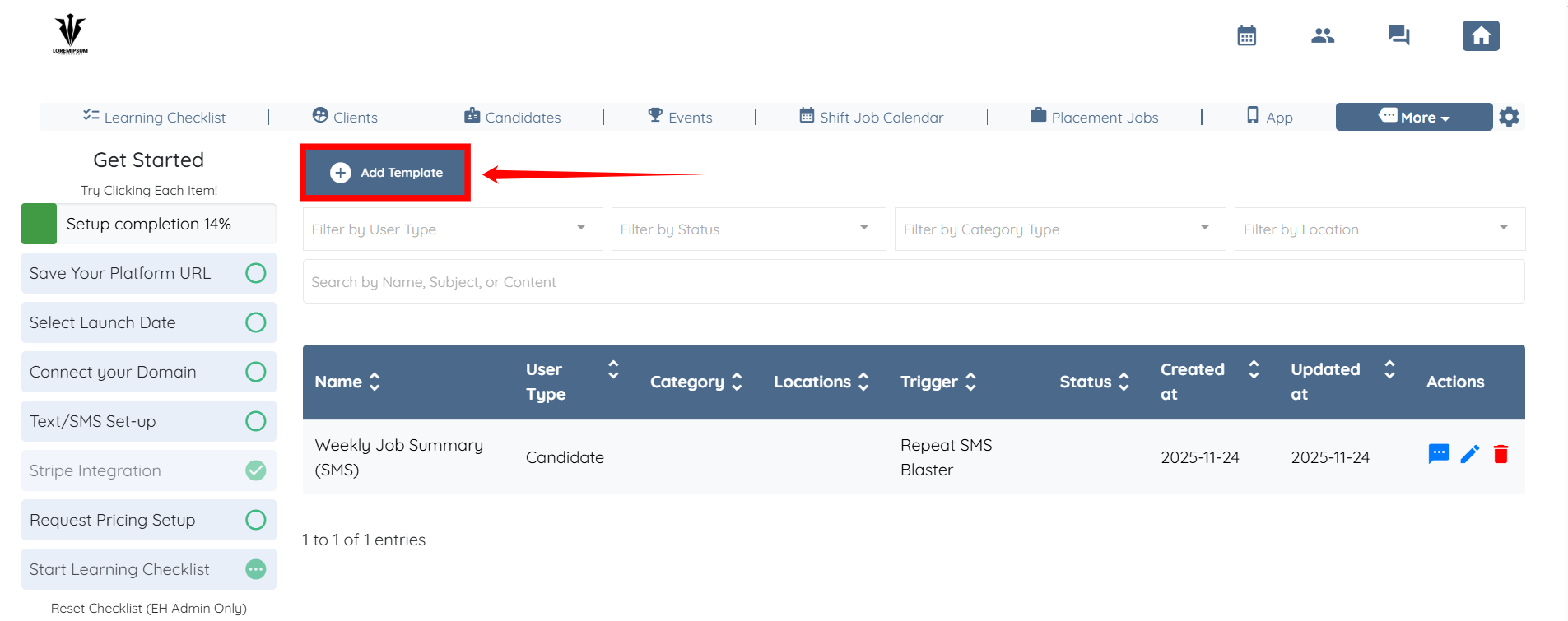
Step 2: Click the Add Template button to begin adding a new template.
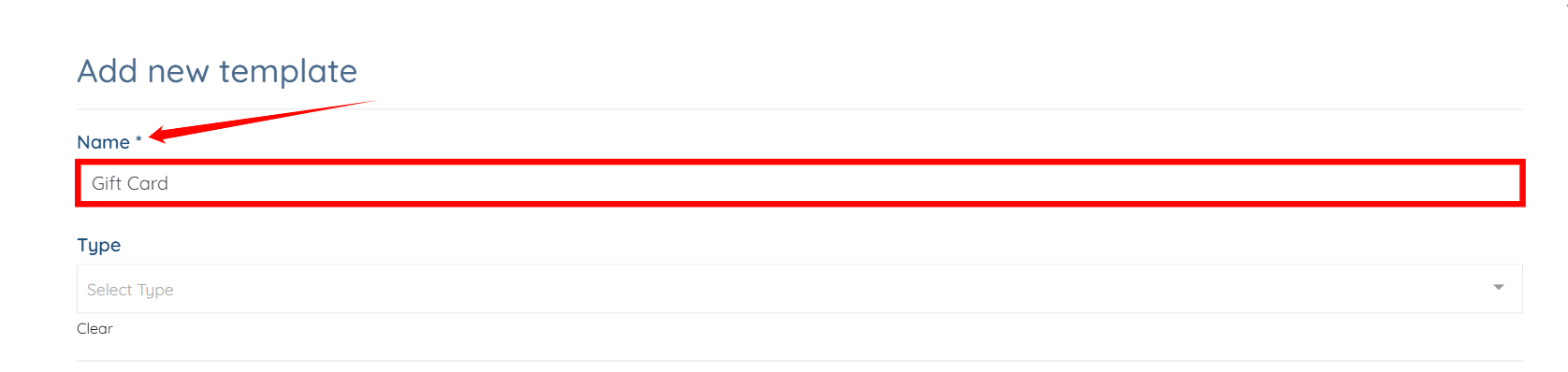
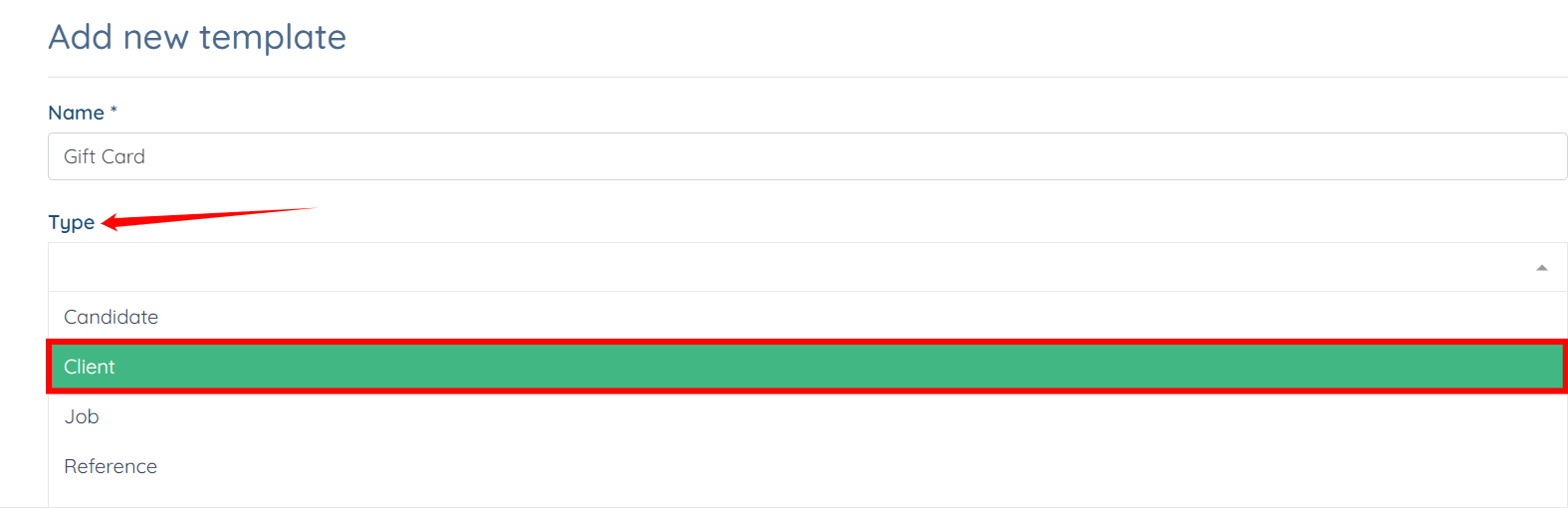
Step 3: Enter name for your template.
Step 4: Select Client as the Type from the dropdown list.
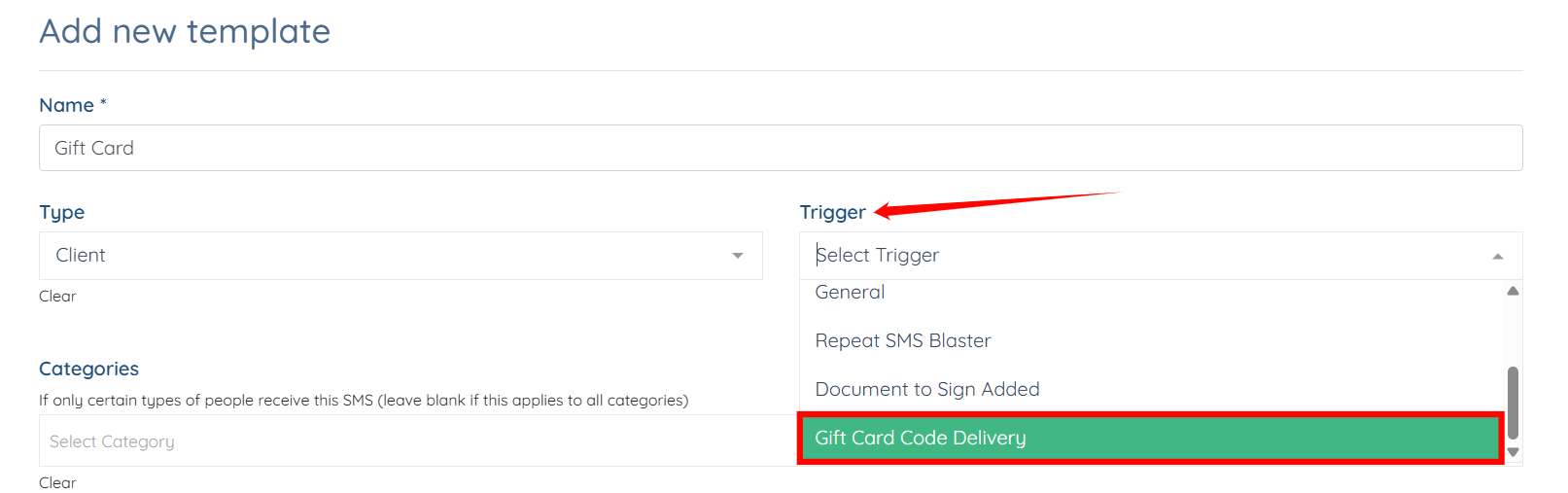
Step 5: Select the Gift Card Code Delivery trigger from the dropdown list.
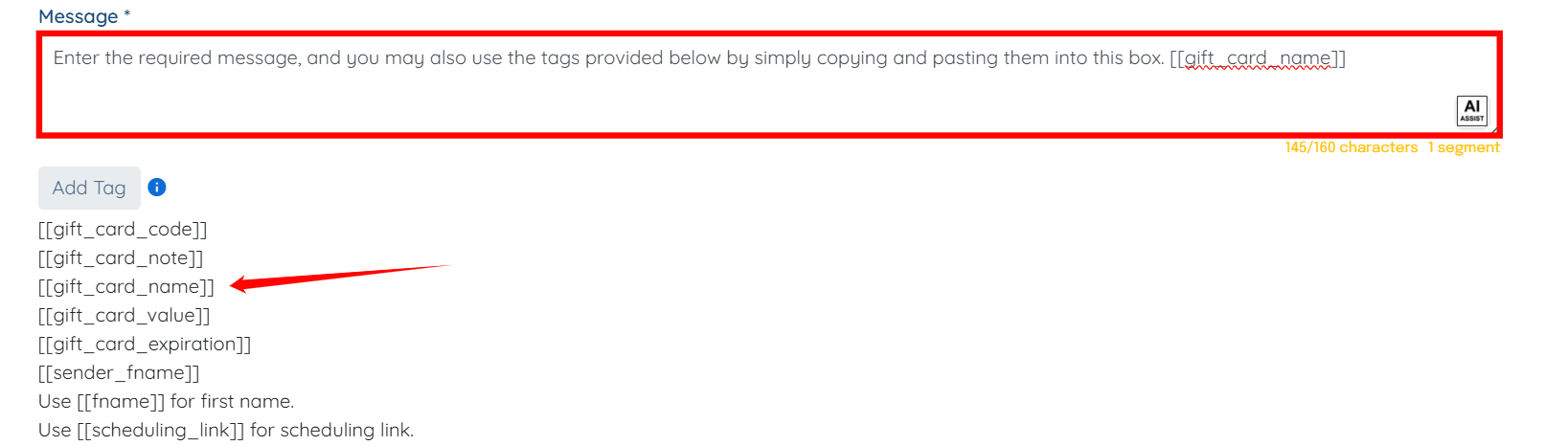
Step 6: Enter the required message. You may also use the tags provided below by copying and pasting them directly into this box.
You may also make use of the AI ASSIST feature to enhance the quality of the text. To learn how to use it, refer to the Use AI ASSIST Feature document.
Step 7: Click the Create button to proceed.
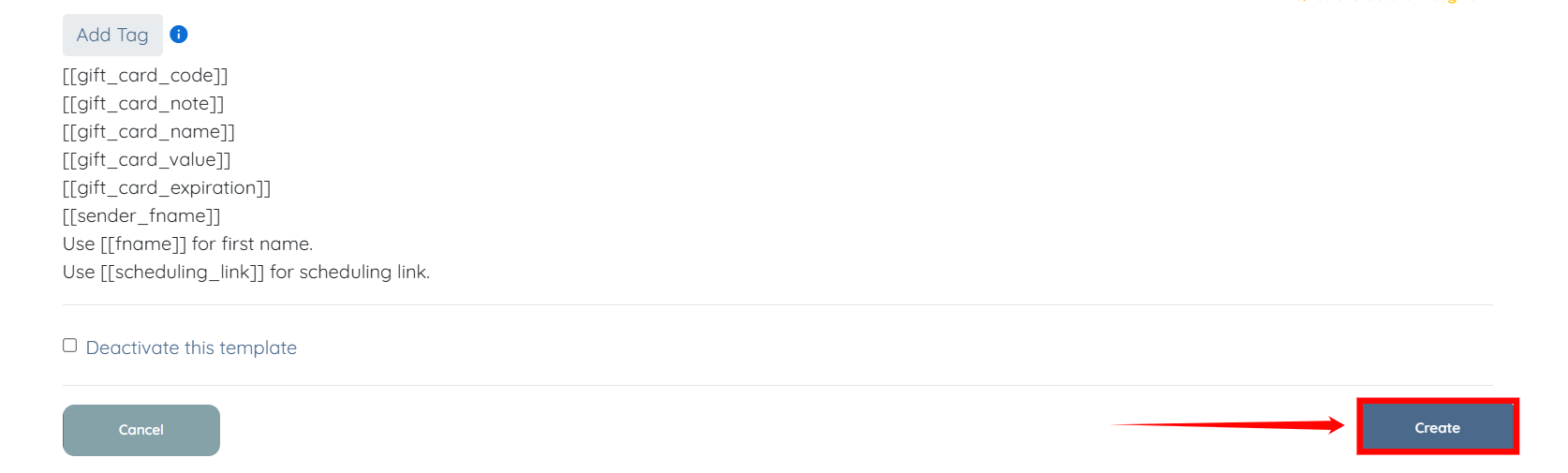
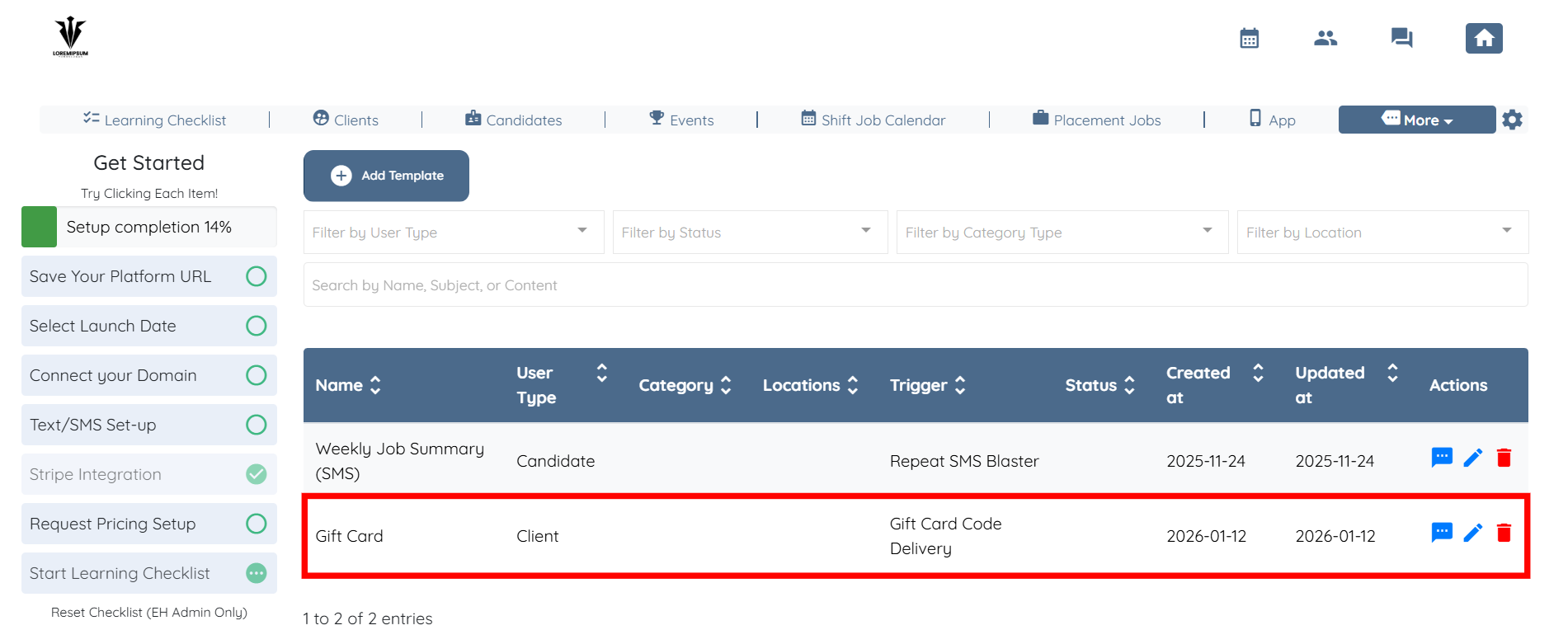
Your SMS template will be successfully created using the Gift Card Code Delivery trigger.